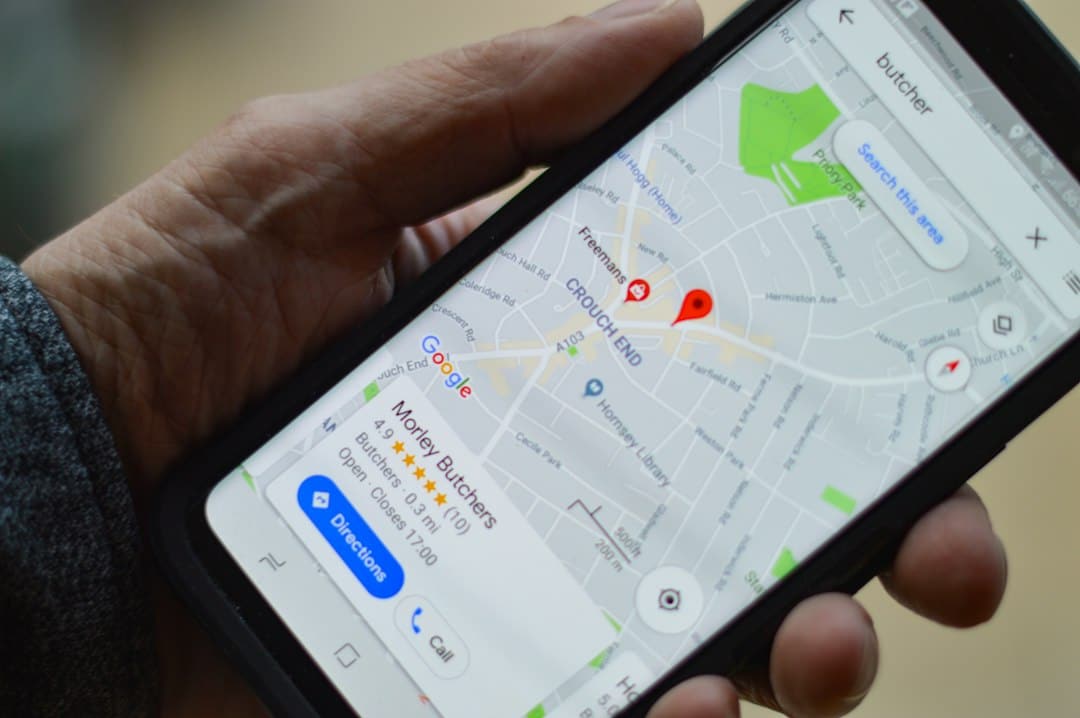
Location targeting looks simple until a campaign begins paying for clicks from people a business cannot realistically serve. For a Malta-based advertiser, the key decision is not merely whether to select Malta. It is to define who should qualify, where the service is available, which location option matches the commercial goal, and how geographic performance will be checked after launch.
This Google Ads location targeting Malta checklist is designed for local service businesses, ecommerce companies, hospitality operators and other advertisers that need a practical setup and review process. It complements a sound Google Ads account structure, accurate conversion tracking and a focused landing page.
1. Define the real service area before opening Google Ads
Start with business operations, not the campaign interface. A Malta-wide professional service may genuinely serve both islands. A clinic, restaurant, tradesperson or delivery business may have a much narrower practical area. An ecommerce business should target the places it ships to, while a tourism business may intentionally reach people outside Malta who are planning a visit.
Write down the rule in plain language. For example: “We accept enquiries from customers physically in Malta and Gozo,” or “We want enquiries from people in selected European markets who are actively researching Malta holidays.” Those are different audiences and should not inherit the same geographic settings.
- List every location you can serve profitably and reliably.
- Separate physical service areas from markets that show interest in Malta.
- Document exclusions, such as countries or areas you cannot serve.
- Decide whether each campaign is local, national, inbound tourism, export or ecommerce.
- Confirm that the landing page clearly states the relevant service area.
2. Choose the geographic level that fits the offer
Google Ads can target countries, areas within countries, a radius around a point and certain location groups. Google also warns that very small targets may deliver only intermittently or not at all. The platform treats location targeting as a best-effort system based on multiple signals, so it should not be viewed as a perfect digital boundary.
For many Malta-wide services, targeting Malta as a country is the clearest starting point. Businesses with a constrained delivery or travel area can test more precise locations or radius targeting, provided the selected area has enough eligible demand. Google states that radius targeting requires a radius of at least 1 kilometre.
When a radius can be useful
A radius may suit a business whose customer catchment genuinely depends on travel distance, such as a local clinic, showroom or delivery service. It is less helpful when customers routinely travel across Malta or when the real constraint is not distance. Always inspect the map and use a real operational boundary rather than choosing a neat radius for convenience.
3. Review the advanced location option
This is the setting most likely to create a gap between an advertiser’s intention and the traffic it receives. Google’s default “Presence or Interest” option can reach people who are likely to be in, regularly in, or who have shown interest in a targeted location. The alternative “Presence” option limits targeting to people likely to be in or regularly in the selected locations.
Neither option is universally correct. A Malta-based emergency service or local appointment business may prefer Presence because a person merely interested in Malta cannot use the service. A hotel, tour operator, relocation adviser or property business may need Presence or Interest because many valuable customers search before travelling.
- Use Presence when the buyer must physically be in the service area.
- Consider Presence or Interest when people outside Malta can become valid customers.
- Do not copy the same option into every campaign without checking its objective.
- Record the setting and the reason for it in the campaign brief.
- Revisit the decision when matched-location data or lead quality suggests leakage.
4. Keep different geographic intentions in separate campaigns
Do not combine local residents, visitors planning a trip and international buyers in one campaign simply because they all mention Malta. Their searches, ad messages, landing pages and conversion values can differ substantially. Separate campaigns make it easier to control budgets, location options, language, scheduling and reporting.
For example, a business might run one campaign for people physically present in Malta, another for a defined overseas market researching a Malta service, and a third for brand searches. Each campaign can then explain the offer in a way that matches the user’s context rather than forcing one generic advert to serve incompatible needs.
5. Add exclusions where they clarify the boundary
Location exclusions can help prevent impressions in areas that the business does not serve. They are especially useful when a campaign targets a broad region but needs to omit specific places. However, exclusions are not a substitute for choosing the correct inclusion targets and advanced location option.
Google’s default exclusion behaviour focuses on people likely to be located in the excluded area. Because geographic matching uses several signals and is not guaranteed to be completely accurate, exclusions should be monitored rather than treated as a one-time safeguard.
6. Align keywords, adverts and landing pages with the location
Geographic settings work better when the rest of the campaign confirms the same intent. Include Malta or a more specific service area where it helps a searcher understand eligibility. The landing page should explain where the service is available, whether remote delivery is possible and what happens after an enquiry.
Avoid inserting place names mechanically into every line. The priority is clarity. A user should be able to tell whether the offer is local, remote, nationwide or intended for visitors. If a campaign targets several distinct areas, create landing-page content that remains truthful for each one rather than implying a local office that does not exist.
7. Verify conversion tracking before judging locations
Clicks and impressions cannot show whether a location produces useful business. Track the actions that matter, such as qualified form submissions, calls, bookings or purchases. Where possible, connect advertising data with lead quality and sales outcomes so that a cheap location is not mistaken for a valuable one.
Before launch, use the Google Ads conversion tracking checklist. If an agency manages the account, make sure the business retains appropriate ownership and access by following the account ownership checklist.
8. Review targeted and matched locations after launch
Google provides two useful geographic views. Targeted locations show performance for the locations you selected. Matched locations show where ads matched, which can reflect a user’s physical location or a location of interest. Reviewing both helps reveal whether the campaign is reaching the audience described in the brief.
Use enough data to avoid reacting to one click, but do not wait until a large amount of budget has been spent on obviously irrelevant traffic. Compare location data with search terms, conversions and lead quality. If a suspicious location appears, investigate the advanced location option, campaign target, search intent and exclusions before making a change.
- Check matched locations on a regular schedule.
- Compare geographic performance with qualified conversions, not clicks alone.
- Look for unexpected countries or regions and investigate why they matched.
- Review search terms for place names that reveal a different intention.
- Document changes so later performance can be compared fairly.
9. Test changes one at a time
Changing targets, location options, keywords, adverts and landing pages simultaneously makes the result difficult to interpret. When the campaign has enough activity, make one material geographic change at a time and record the date, reason and expected outcome. Monitor reach as well as lead quality because moving from Presence or Interest to Presence will usually narrow the eligible audience.
A practical pre-launch checklist
- The campaign has one clearly defined geographic objective.
- Targets match the places the business can actually serve.
- The advanced location option was chosen deliberately.
- Local, inbound and international audiences are separated where necessary.
- Exclusions have a documented operational reason.
- Ad copy and the landing page describe the service area accurately.
- Conversion tracking has been tested.
- Account ownership and access are clear.
- A date is scheduled to review targeted and matched locations.
- Lead quality will be assessed alongside Google Ads metrics.
Common mistakes to avoid
- Targeting Malta while leaving an unsuitable default location option unreviewed.
- Using a tiny radius without checking whether the campaign can deliver consistently.
- Combining residents and overseas Malta-interest audiences in one campaign.
- Optimising for cheap clicks instead of qualified enquiries or sales.
- Assuming geographic targeting is perfectly accurate.
- Making exclusions without first understanding why the traffic matched.
- Changing several campaign variables at the same time.
Make location targeting part of campaign management
Geographic setup is not a box to tick once. It is a hypothesis about where valuable customers are and how Google should recognise them. The strongest setup begins with a clear service boundary, uses the location option that matches buying behaviour, and is checked against matched locations and real lead quality.
If you want help planning, launching or improving a campaign, review Digital Consulting Pros’ Google Ads services in Malta. A useful review should connect geographic settings with search terms, conversion tracking, landing-page relevance and account ownership rather than treating location as an isolated toggle.
Official Google Ads references