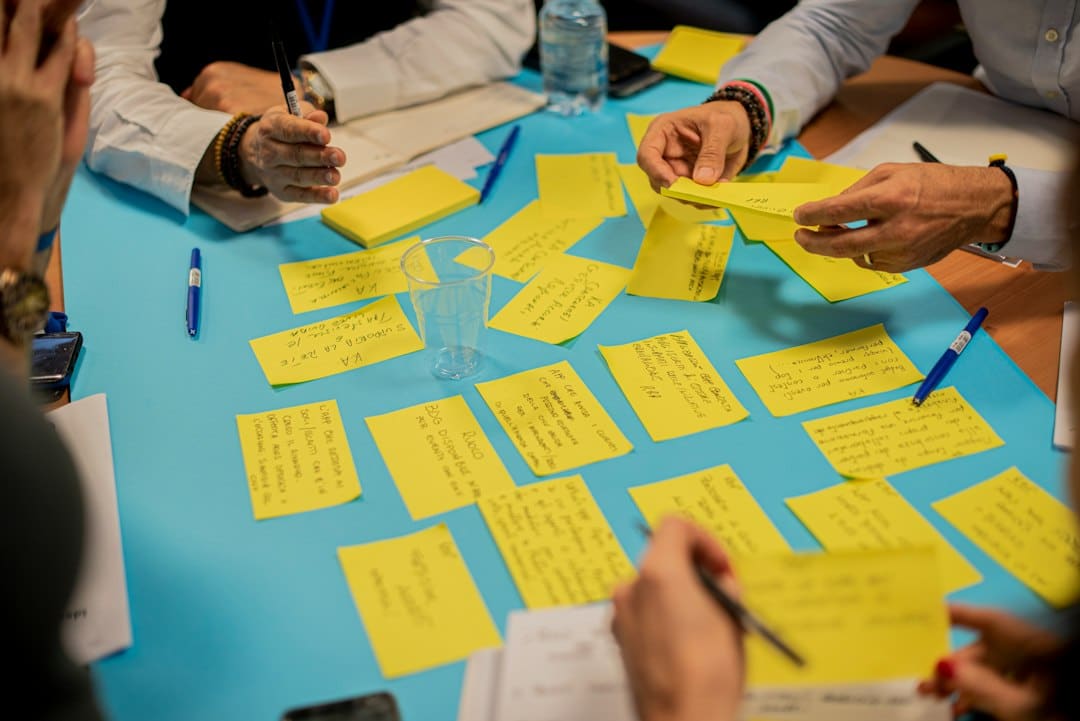
A website discovery workshop helps a Malta business decide what its website must achieve before anyone commits to a sitemap, visual concept or technical platform. It brings decision-makers, customer knowledge and delivery constraints into one structured conversation. The output should reduce assumptions, expose risks and give the project team a clearer basis for estimating scope.
This is not a design presentation and it should not begin with colour preferences. Good discovery starts with the business problem, the people who will use the website and the evidence available. Official UK Government Service Manual guidance similarly recommends defining the problem first, then researching users, context, constraints and possible improvements. Its discovery guidance also makes an important point: discovery can reveal that a different solution is better than the one originally requested.
What should a website discovery workshop achieve?
By the end of the session, the team should be able to explain who the website is for, what those users need to accomplish, how the website supports business goals and what might prevent the project from succeeding. A workshop is valuable when it turns vague ambitions such as “we need a modern website” into decisions that can guide content, design, development and measurement.
The workshop does not need to solve every detail. It should identify what is known, what still needs evidence and who owns each follow-up action. That distinction prevents assumptions from quietly becoming requirements.
Who should attend?
Keep the group small enough to make decisions, but include people who understand different parts of the customer journey. For a typical Malta SME, the useful mix may include:
- A project sponsor who can confirm priorities and approve scope.
- A sales or customer-facing colleague who knows the questions prospects ask.
- A marketing or content owner who understands campaigns, search demand and publishing needs.
- An operations representative who knows what happens after an enquiry or purchase.
- A technical contact for integrations, hosting, security and data flows.
- The web partner who will facilitate the discussion and document decisions.
If a key stakeholder cannot attend, collect their input beforehand and agree how unresolved decisions will be approved. A workshop loses value when it ends with every important question waiting for somebody outside the room.
What to prepare before the session
Send a short preparation pack rather than a long questionnaire. Ask attendees to bring evidence where it exists: analytics reports, Search Console data, common sales questions, enquiry quality notes, customer-support themes, brand guidance, legal requirements and details of systems that the website must connect to.
If the project replaces an existing website, record the pages and functions that currently matter. Do not assume that low-traffic pages are useless or that popular pages support business goals. The discovery discussion should separate evidence from opinion.
A useful starting document is DCP’s website development brief checklist. It can capture the known facts before the workshop so the meeting focuses on decisions, gaps and trade-offs rather than basic administration.
A practical discovery workshop agenda
1. Define the business problem
Ask why the project is being considered now and what would happen if nothing changed. Examples might include poor-quality enquiries, difficult content updates, an unclear service offer, weak mobile usability or manual work caused by missing integrations. Frame the problem without prescribing the solution.
2. Agree measurable outcomes
Translate goals into observable behaviour. “Generate more business” is too broad. Better outcomes might be increasing qualified consultation requests, helping visitors select the right service, reducing repetitive pre-sales questions or enabling staff to publish time-sensitive content without developer support.
Record the current baseline if one is available and define how the outcome will be measured after launch. Avoid inventing targets in the room when the underlying data is missing. Assign someone to establish the baseline instead.
3. Identify priority users and tasks
List the most important audience groups and the tasks each group needs to complete. User research in the UK Government Service Manual focuses on who likely users are, what they are trying to do, how they do it now, the frustrations they experience and what they need to achieve their goal. That is a stronger foundation than designing around internal departments. See the official user-research guidance.
For a professional-services website, a prospective client may need to understand whether the provider handles a particular problem, assess credibility, compare approaches and make contact. An existing client may need support details or account access. Those journeys may require different pages and calls to action.
4. Map content and decision journeys
Sketch the questions a visitor asks from first awareness to action. Then identify the content needed to answer each question. This exercise often reveals missing proof, unclear terminology and pages created for organisational convenience rather than user needs.
Content must be planned as a project input, not left until layouts are finished. Use the website content checklist to assign authors, reviewers and source material.
5. Discuss SEO before the sitemap is fixed
Discovery should connect services, customer language and search intent. Decide which pages should target commercial searches and which buyer questions deserve supporting articles. This helps prevent several pages from competing for the same phrase and avoids forcing every keyword into the homepage.
Google’s SEO guidance for web developers recommends secure, fast, accessible, device-friendly sites and descriptive titles and meta descriptions. These are easier to plan before development than retrofit after launch. For a deeper preparation process, use DCP’s SEO keyword research guide.
6. Surface accessibility and inclusion needs
Discuss keyboard use, colour contrast, readable content, forms, media alternatives and the needs of people using assistive technologies. Accessibility should influence content, components and acceptance criteria from the beginning. W3C advises integrating accessibility throughout the web production process rather than treating it as a final check. Review W3C’s planning guidance.
7. Document integrations, data and privacy
List every system that sends data to or receives data from the website: CRM, email marketing, booking, payment, analytics, chat, recruitment and customer portals. For each integration, identify the owner, required fields, failure handling and test environment. The website integration checklist provides a detailed follow-up.
Also document personal data collected, why it is needed, who can access it and how long it should be retained. This gives privacy and cookie work a factual foundation instead of relying on generic templates.
8. Prioritise scope
Separate launch essentials from later improvements. A useful test is whether excluding an item prevents a priority user from completing a priority task or prevents the business from operating the website safely. “Nice to have” should not mean forgotten. Place deferred items in a visible backlog with a reason and review point.
Outputs to expect after the workshop
The facilitator should turn the session into a concise decision record. Useful outputs include:
- A clear problem statement and agreed project outcomes.
- Priority audiences, tasks and customer journeys.
- An initial content model or sitemap hypothesis.
- Functional requirements and integration dependencies.
- SEO, accessibility, privacy, performance and security requirements.
- Assumptions that require research or technical validation.
- A launch scope, deferred backlog and named decision owners.
- Risks, open questions and next actions with deadlines.
These outputs should feed the brief, proposal and contract. They should also inform the project’s acceptance criteria. DCP’s development contract checklist explains the commercial details that should be made explicit before work begins.
Warning signs that discovery is too shallow
- The session spends most of its time choosing visual styles.
- Nobody can explain which user problem the project solves.
- Requirements are copied from a competitor without context.
- There is no owner for content, approvals or integrations.
- SEO, accessibility and privacy are postponed until launch.
- Every requested feature is labelled essential.
- Decisions are recorded, but assumptions and unresolved questions are not.
A polished mood board can be useful later, but it is not evidence that the right website is being built. The strongest discovery outcome is shared clarity about the problem and a practical route to testing the proposed solution.
Questions to ask a web design partner in Malta
- Who will facilitate discovery and how will decisions be recorded?
- What evidence do you need from our team before the workshop?
- How will user needs, commercial goals and search intent shape the sitemap?
- How will you identify technical, content and integration risks?
- What concrete outputs will we receive after the session?
- How will unresolved assumptions affect the proposal, timeline and cost?
- Will accessibility, privacy, performance and measurement requirements become acceptance criteria?
If you are comparing proposals, check that discovery has a defined purpose and deliverables rather than being a vague meeting charge. The website quotation checklist can help you compare what each supplier has included.
Turn discovery into a better project
A well-run website discovery workshop gives a Malta business something more valuable than a list of desired features. It creates an evidence-based view of the problem, aligns stakeholders and makes the next decisions easier to evaluate.
Digital Consulting Pros can help plan the discovery, content, user journeys and technical requirements for a new website or redesign. Explore our web design services to discuss the right starting point for your project.