Stunning parallax scrolling web designs that make you never want to stop scrolling
Life’s a interesting ride, much like the unique history of Porsche, which started with humble beginnings and zoomed into the spotlight of iconic automotive design. It’s fascinating how business resilience, like Hadaka Co’s journey, mirrors those twists and turns—one moment, you’re soaring, the next, you’re navigating a hairpin turn. In blending art and web design, creativity finds a way to dazzle, akin to exploring the intimate canals of Amsterdam or reminiscing about cinematic classics like The Goonies. Today’s digital storytelling—from captivating canines to dynamic parallax effects—is an art form that transforms mundane experiences into engaging narratives, underlining the importance of creativity in both design and everyday life.
Key Takeaways
- Porsche’s history is a testament to evolution and innovation in automotive design.
- Resilience in business, as exemplified by Hadaka Co, can lead to remarkable success stories.
- Art and web design can create a unique blend that captivates audiences.
- Storytelling in digital media is evolving, utilizing creative techniques like parallax scrolling.
- The connection between creativity and our personal journeys is more significant than we often realize.
Now we are going to talk about how one website captures the evolution of a legendary car brand in a fun and engaging way.
01. A Ride Through Porsche’s History
Have you ever been on a website that feels like a thrilling rollercoaster ride through time?
The PORSCHEvolution site is just that. It’s a delightful mashup of nostalgia and slick design that showcases Porsche cars from way back in the 1930s to the slick models of 2021.
Created by the talented UX designer Ondrej Homola, this site doesn’t just show off cars; it practically tells a story that revs your engine.
Imagine scrolling through history, with each car making an appearance like an old friend at a reunion.
Here’s how it all works:
- Each section of the site introduces a new Porsche through the decades.
- You’re greeted with parallax scrolling that feels like you’re zooming along a winding road.
- A catchy soundtrack from Daft Punk is reimagined to fit each era, keeping you bopping along as you scroll.
It’s almost like attending a concert where every song has a major key change, each representing a different era of car innovation.
Remember the excitement of your first car? For many, a Porsche is that dream car—exotic, powerful, and oh-so-stylish!
Scrolling through the site, one can’t help but feel a flutter of excitement.
Like the time a friend invited us all to a motorsport event, and I found myself standing next to the sleek elegance of a new 911, thinking, “If I squint hard enough, I could pretend it’s mine.”
With each scroll, users are whisked back to the 30s when the Type 64 Racing Coupé ruled the streets, all the way to today’s engineering marvels.
The design is clean and hits all the right notes. Just like how one feels good after a long drive with the windows down and music blasting—freedom wrapped in leather and horsepower!
Every car isn’t merely a model; it represents innovation, style, and a dash of luxury.
Yet, it also tells stories of change, resilience, and passion—just like its drivers.
It’s challenging not to feel a bit of nostalgia mixed with excitement for the future of these iconic machines.
Porsche has a way of weaving adventure into the machinery, and this site encapsulates that spirit flawlessly.
Each decade tells a thrilling tale of passion and engineering breakthroughs.
So grab your favorite drink and buckle up as we take this ride through one of the most fascinating histories on four wheels.
Who knew scrolling could be so much fun?
Now we are going to talk about a flashy example of web design that catches the eye and might just leave us scratching our heads in wonder.
02. Hadaka Co
Let’s be real: when we came across Hadaka Co, we felt like we’d wandered into an imaginative carnival where every ride is a little too wild for its own good. This Japanese website rocks some serious parallax scrolling, but is it the kind of trip we want to take?
Picture bright neon lines whipping around like a high-energy video game. There’s a flying robot cat (yes, you read that right), a girl wielding a sword, and a smorgasbord of cute anime characters that make you question your sanity at 3 a.m. You’re left wondering if you should laugh, cry, or grab a bag of popcorn.
The amusing part? Some of the text is in Japanese, so we’re guessing what it all means. The scrolling message ‘We naked all to wonder’ sounds abstract enough to be profound… or a smidge confused. Honestly, it feels like we’ve stumbled into an art installation where the curator had one too many espressos.
One thing we can agree on is that Hadaka Co certainly showcases creativity. It makes us feel like we’re on a visual rollercoaster, but remember that old saying, “with great power comes great responsibility”? Well, this site takes its sweet time loading, leaving us tapping our feet while contemplating life choices. Sometimes, us impatient souls need websites to deliver quicker than a pizza on a Friday night.
This website is a fine example of how dynamic design can truly captivate, even if it makes our brains do a little somersault. Here’s a quick rundown of what it brings to the table:
- Visual Overload: A riot of colors and animations that could charm even the Grinch.
- Memorable Characters: We may not understand the language, but anime cuteness speaks to everyone.
- Design Trends: Still reminding us that parallax scrolling isn’t just a phase; it’s here to stay – at least for now.
In conclusion, this site not only flaunts creativity like a peacock at a fashion show, but it does raise questions on usability. Are flashy visuals the holy grail of web design, or do we need them tempered with a dash of practicality? As we continue to explore more examples like Hadaka, we can look for that delicate balance between artistic flair and straightforward navigation.
Now we are going to talk about a brave step taken by Squarespace in 2020, showcasing remarkable individuals who turned challenges into triumphs.
Celebrating Resilience in Business

With businesses struggling through a tough 2020, we could all use a bit of uplifting news.
Squarespace decided to shine a light on those who dared to launch new ventures, even when the odds were stacked against them.
They put together a project featuring six inspiring success stories.
Imagine a comedian, a baker, and a fitness studio all rolling up their sleeves—talk about a diverse cast!
Among the highlights, we have the talented Ziwe Fumudoh, whose sharp wit and humor have entertained many during tough times.
Then there’s Richard Valls, a French actor who traded the spotlight for the sweet scent of baked goods.
And let’s not forget the fitness studio Good Move, helping people stay in shape—maybe while munching on those treats from Valls!
What’s fantastic about this project is not just the beautiful illustrations that bring these stories to life, but also the engaging Q&As that let us peek behind the curtain.
We can feel a sense of community, like we’re all in this together, sharing tips on how to keep the proverbial ship afloat.
With parallax scrolling, the project keeps us glued to the screen, much like the latest Netflix binge, but perhaps a tad more productive!
To summarize, here are some key figures featured in Squarespace’s initiative:
- Ziwe Fumudoh – Comedian
- Richard Valls – Baker
- Good Move – Fitness Studio
Recognizing Innovation
This wasn’t just a pretty bunch of illustrations.
It was about celebrating true grit!
We all know it takes more than a good idea to keep pushing forward.
These stories remind us of the innovative spirit that’s alive and kicking out there.
In case you’re wondering about the details, here’s a little overview. Check out the table below:
| Entrepreneur | Venture | Background |
|---|---|---|
| Ziwe Fumudoh | Comedy | Entertaining during tough times |
| Richard Valls | Baking | From actor to baking delights |
| Good Move | Fitness | Promoting wellness through exercise |
There we have it, three examples of resilience wrapped in creativity.
This project proves that even on rocky roads, there are inspiring stories waiting to be told.
Whether it’s a laugh, a warm pastry, or a workout that brings us together, they’ve got us covered!
Now we are going to shed some light on the intriguing fusion of art and web design, which may just open your eyes in delightful ways.
04. A Creative Blend of Art and Web Design
Who would have thought that the fascinating tales of art could intertwine with web design? We’ve stumbled upon an engaging site that makes a compelling case for why web design truly deserves a spot in the art world.
It’s like finding out your favorite pizza topping pairs well with chocolate—unexpected yet, somehow, it just makes sense.
The site takes us on a vibrant ride through the timeline of web design, showcasing how artists of the past have influenced today’s digital canvas. And let’s be honest, sometimes scrolling through a website feels like an art gallery that just keeps growing!
Each section introduces a host of innovative parallax scrolling techniques that constantly surprise us. Kind of like those old “Choose Your Own Adventure” books, except instead of making life decisions, we get visually stunning artwork at every scroll.
The joy of seeing how different design techniques blend is like mixing paint colors and discovering a new hue. Here’s a quick rundown of what we might encounter:
- Historical Context: How do classic art movements inform today’s digital aesthetics?
- Engagement Techniques: Tricks that keep users entertained while they browse.
- Visually Striking Examples: Links to some of the wildest interfaces out there.
Imagine your grandparents’ stories about their childhood, yet sprinkled with a splash of tech-savvy flair. This is how the site aromas waft through our screens, inviting us to explore further.
Speaking of exploration, remember when we all turned to Google to figure out how to hold a camera properly for that perfect selfie? Now, web design is evolving in a similar way. It’s like every new website is a child trying to find its way in a world of endless possibilities—sometimes awkward, sometimes brilliant, but always growing.
As we scroll through, we can feel the rhythm pulse. It’s as if the site has a heartbeat all its own, blending artistry with technology. Just last week, an article mentioned that companies are investing more in graphic design to keep up with current trends. Well, it seems the website we’re talking about is ahead of that curve.
In this union of older artistry with fresh tech, we find ourselves engaged more creatively than ever. The next time we refresh our browsers, let’s remember to take a moment to appreciate how vibrant and artistic web design has come to be.
So, who knew learning about web design history could be like unwrapping a present on a birthday morning? We hope you’ll journey through this fascinating site soon—it’s quite the gift!
Next, we are going to talk about how the Qode Interactive Catalogue makes browsing themes feel like a mini-adventure. And who doesn’t love a little excitement with their design choices, right?
05. Exploring the Qode Interactive Catalogue
The Qode Interactive Catalogue kicks off with what can only be described as a parallax scrolling experience that’s like a thematic rollercoaster—minus the heart-stopping drops.
As we glide through the intro, we encounter a menu that isn’t just a list but a sleight of hand, revealing stylish images as we hover over each WordPress theme. It’s as if the themes are winking at us, saying, “Pick me! I’ll make your website shine.”
Sure, it isn’t the first time we’ve seen parallax scrolling take center stage, but here it’s more than just a flashy effect. It’s like finding the right shoe: both stylish and practical. By effectively showcasing various applications for each theme, Qode makes sure we aren’t just left daydreaming about design possibilities.
The animations scattered throughout add a bit of pizzazz without making the experience overwhelming. It’s like adding just the right amount of spice to grandma’s famous spaghetti sauce—enough to make it zhuzh but not to leave us scratching our heads questioning what just happened.
- Intuitive navigation as we explore themes
- Visuals that draw us in without overwhelming
- Animations that feel just right
With just a click on any theme name, we zoom into a scrolling portfolio. This is where real magic happens—flipping through designs like flipping through a fashion magazine, each showcasing different applications. It’s like having a personal stylist, but for websites! No more boring templates; each click leads us to fresh inspiration.
Let’s admit it, we’ve all been there—endlessly scrolling through countless themes that blur together like an over-mixed paint palette. But Qode’s approach? It stands apart like that one cousin at family gatherings who doesn’t just tell a good story, they make the room laugh out loud.
In essence, the Qode Interactive Catalogue isn’t just an assortment of themes; it’s an experience crafted for usability. We get all the bells and whistles, but more importantly, it’s about what those bells and whistles can do for us. Something to consider next time we’re seeking that perfect theme for a new project.
Now we are going to talk about a fascinating project that rolls out the red carpet for history enthusiasts and curious minds alike.
Exploring Amsterdam’s Waterways
When you think of Amsterdam, what comes to mind? Maybe those charming canals, or perhaps the overabundance of bicycles—probably one of the few places where a bike is the reigning monarch!
Well, we recently stumbled upon an amazing site called Canals, which masterfully tells the story of how the stunning canals came to be. Designed by Marcus Brown and developed by Aristide Benoist, this project takes us on a 400-year exploration, which, let me tell you, is more exciting than reading my aunt’s collection of travel journals.
What captivated us most was how this site feels like flipping through a beautifully curated coffee table book instead of just scrolling through standard online pages. Honestly, it’s like entering a time machine.
With parallax scrolling, every time we scroll down, it feels like we’re diving deeper into a fascinating aquatic history rather than just scrolling through pixels. Wave after wave of history draws us in, sometimes even compelling us to put our coffee mugs down as we think, “Wow, who knew canals could be so captivating?”
Here are some standout features of the site that tickled our fancy:
- Visual delight: The design is gorgeous, really. It has that effortless elegance that can make even a history buff’s heart skip a beat.
- Historical precision: Each section doesn’t just tell a story; it weaves narratives from the past, capturing the essence of the 17th-century engineers who were probably the first ‘water architects.’
- Interactive experience: The whole site encourages us to engage. You might even find yourself becoming the unofficial tour guide for your next dinner party. Trust us; you will impress.
Imagine effortlessly sharing facts about how these canals helped transform Amsterdam into a trading powerhouse. You might even give the impression you’ve read deeper into the subject than you actually have!
Often we overlook our surroundings, casually gliding past history with our noses buried in our phones. This project gives us a nudge—a gentle reminder to appreciate the beauty and ingenuity surrounding us.
With the world still buzzing from events like the recent climate summit, this site serves as an excellent reminder of how humans adapt and change their environments. Perhaps we could learn a page or two from those 17th-century constructors who navigated their waterways with sheer determination and a splash of creativity.
So next time we find ourselves dreaming of a Dutch escapade, let’s not just imagine ourselves frolicking through tulip fields; let’s take a moment to appreciate the canals that tell stories older than our grandparents.
Sounds tempting, doesn’t it?
Next, we are going to explore a beloved classic that has left an indelible mark on pop culture, one that many might recall with a hearty chuckle or a fond sigh. Let’s talk about The Goonies!
07. The Tale of The Goonies
Oh, who could forget the thrill of watching a ragtag group of kids stumbling upon a treasure map, battling pirates, and, honestly, each other?
If you grew up in the ’80s, chances are you’ve seen this film more times than you can count.
I remember sitting with friends, popcorn in hand, wide-eyed as we followed Mikey, Chunk, and the gang on their wild escapade.
It was like a rite of passage, really.
Now, there’s a website that pays homage to this nostalgic treasure. Created by the talented Joseph Berry using WebFlow, The Tale of The Goonies brings that vintage magic back to life.
With its clever use of parallax scrolling, it’s like the film is coming at you in 3D.
Here’s what we can expect from this lovely site:
- A deep dive into the characters.
- Fun facts that will unleash your inner trivia champ.
- Stunning visuals that could make a pirate drool.
- Nostalgic music clips that might just get you singing along.
If you’re feeling adventurous just like our favorite gang, check out the site for a blast from the past!
And remember that iconic phrase from Chunk? “Hey, you guys!” It still rings in our ears.
Here’s a fun little breakdown of the film and its impact over the years:
| Aspect | Description |
|---|---|
| Release Year | 1985 |
| Director | Richard Donner |
| Iconic Quote | “Goonies never say die!” |
| Current Cult Status | Beloved classic with a dedicated fan base. |
So, whether you’re revisiting for the hundredth time or discovering it afresh, The Goonies continues to remind us of the importance of friendship, adventure, and a little bit of mischief along the way.
Let’s keep that treasure hunt spirit alive, shall we?
Now we are going to talk about how some creative folks are using clever techniques to keep things interesting on their websites, particularly with UX design.
08. Louie Sellers
When browsing portfolio sites, we often find ourselves yawning or scrolling aimlessly, right?
But then comes along Louie Sellers, a UX designer who has turned his site into a delightful experience.
He employs parallax scrolling, which is basically a fancy way of saying the background and foreground move at different speeds.
It’s like watching a magician perform—you’re hooked and waiting to see what comes next!
Imagine landing on his site and encountering a virtual marker that actually uncaps, then closes as you scroll to the end.
This little touch is a fun nod to his business name, “Recap After Use.”
Talk about a memorable brand experience, folks!
Louie’s site is a perfect example of how to blend playfulness with professionalism.
We all know those websites that feel like a chore?
Not his.
Here’s what makes it stand out:
- Engaging design: It grabs attention without yelling for it.
- Clever effects: It keeps visitors curious and eager to scroll.
- Brand reflection: The marker symbolizes his creative approach.
Sellers shows us that a little creativity goes a long way in the digital landscape.
With his portfolio, he’s not simply flaunting his work; he’s telling a story.
It’s kind of like inviting friends over and presenting them with not just a meal, but a full dining experience.
And let’s face it; we all prefer a meal that lingers in our memory rather than one that vanishes faster than the last donut in the box.
He demonstrates that a portfolio can tell a narrative, engage the audience, and reflect brand identity all at the same time.
That’s a lot to juggle, but Louie makes it look effortless.
With so many options out there, we all want to make sure our own portfolios stand out without feeling overly dramatic.
When us designers tap into creativity while remaining grounded, that’s when the magic happens.
Louie Sellers deftly reminds us that a touch of innovation can transform a standard portfolio into an engaging journey, enticing visitors to stick around (and maybe come back again).
So, what can we learn from Louie?
Let’s not be afraid to infuse our personality into our projects.
They say a little creativity can brighten even the dullest of platforms, so why not put it to work?
In a world where everyone is trying to capture attention, let’s do it with style—maybe even a wave of the marker!
Now we are going to talk about a cool technique in web design that can catch our attention in unexpected ways.
09. Delassus Group
Parallax scrolling—sounds fancy, doesn’t it?
The truth is, it’s a fun little trick that can transform a regular site into a visual treat.
Much like reading a thrilling novel, we don’t always know what’s coming next.
This method usually lets us scroll vertically, but let’s not forget about the horizontal magic too!
Take a peek at the site from Delassus Group, a Moroccan fruit powerhouse.
They’ve utilized this technique brilliantly, showing off their juicy offerings in an eye-catching but straightforward manner.
While the design might not scream “groundbreaking,” it definitely sticks in our minds like the last slice of peach pie at a summer barbecue.
Isn’t that the goal?
To make a lasting impression?
We can easily get lost in a sea of websites, but when a site uses parallax scrolling, it’s like a fun rollercoaster ride—up and down, left and right, keeping us engaged.
Their approach is almost reminiscent of a perfectly ripened fruit: straightforward, yet satisfying.
Here’s what we love about it:
- User Engagement: It grabs our attention without being over the top.
- Visual Appeal: The mixture of imagery and scrolling creates a unique experience.
- Brand Identity: It helps Delassus stand out in the crowded digital orchard.
The beauty of parallax scrolling is that it doesn’t require all the bells and whistles to be effective.
Sometimes, simple is better—think of it like a well-made sandwich.
Throw in too many ingredients and it can get messy; keep it crisp, fresh, and straightforward?
Now that’s something we can sink our teeth into!
As tech trends fluctuate constantly, the ability to adapt keeps a company’s online presence vibrant and engaging.
By incorporating techniques like this, brands can ensure they aren’t just another face in the crowd.
They can actually create an experience that resonates with users.
Whether we’re digitally window shopping for ripe avocados or scrolling through a harvest of delightful apples, sites like Delassus remind us that creativity and simplicity can go hand in hand.
So, let’s tip our hats to those creative geniuses out there, especially in the food industry, who are redefining how we interact with their products online.
It’s a juicy time to be in the digital space, and we’re here for all of it!
Now, we’re going to talk about a website that really knows how to make a lasting impression. Dogstudio’s homepage is more than just a cute gimmick; it’s a playful fusion of artistry and technology that glorifies the intersection between creativity and digital dynamics.
Captivating Canines and Clever Design

When you visit Dogstudio, you’re greeted by an animated creature that seems to teeter between ‘doggo’ and ‘wild wolf.’ As we scroll, this lively figure twists and turns, almost challenging us to keep our eyes on the screen. It’s like a friendly game of tag, where the dog is always one step ahead!
The way the pup—or wolf, who’s judging?—lightens up as we hover over sections of their latest projects brings a smile. Honestly, it’s like that moment when the sun beams through the clouds and just makes everything brighter. We chuckle because it genuinely does feel like the dog is teasing us to click around. And let’s face it, we all enjoy a little interaction on a website to make things lively.
| Feature | Description |
|---|---|
| 3D Animation | The animated figure that interacts as you scroll. |
| Dynamic Lighting | Colors change as you hover over project titles. |
| Text Engagement | The dog playfully obscures text highlights. |
This site isn’t just about establishing a visual feast; it also speaks volumes about the team behind Dogstudio. Their work radiates creativity, and it’s evident they’ve sprinkled some of their personality into every pixel. Each piece of their work feels like a postcard from a creative journey they’ve been on, and honestly, we’re here for it.
- Engaging animations keeping viewers entertained.
- A creative portfolio showcasing diverse projects.
- A lively, light-hearted presentation that invites further exploration.
So, what can we learn here? Dogstudio shows us that sometimes, a little fun goes a long way. Their site not only holds our attention, but it also compels us to seek out their projects. In a digital landscape flooded with options, they’ve crafted a delightful niche that keeps people coming back for more.
Now we are going to talk about a fascinating blend of storytelling and design that shows how engaging long articles can still capture attention. It’s like trying to keep a cat entertained with a laser pointer–a bit tricky but definitely possible!
11. The New York Times: Tomato Can Blues
In a time when our attention spans rival that of a goldfish, getting folks to stick around for a long read can seem like an uphill battle. But hey, leave it to The New York Times to show us how it’s done! They introduced us to a delightful piece called Tomato Can Blues, crafted by Mary Pilon with striking illustrations from Atilla Futaki.
This article is not just a read; it’s basically a rollercoaster for your eyes! As we scroll down, we watch the colorful illustrations wiggle and squirm, bringing the story of a cage fighter to life. Have you ever had your breakfast scrambled? Well, this is like a beautifully layered omelet that you don’t wanna miss!
Futaki’s illustrations pull from police records, eyewitness stories, and even the reporter’s own scribbles, giving us a real feel for the narrative. They’re like little windows into the story—every frame a piece of the larger puzzle. It’s impressive how the animation captures our attention so effectively!
We all remember those days in school when the teacher would drone on, right? Well, Tomato Can Blues turns that concept on its head. Here’s how they did it:
- Visual Engagement: The animations keep viewers hooked. Who needs static images when you can have an illustrated brawl get all animated and punchy?
- Layered Storytelling: The scrolling reveals new details, much like peeling an onion—one layer at a time.
- Dynamic Design: It’s all about combining clever design with storytelling. No one wants a snooze-fest when reading!
So, how does this relate to our lives today? Well, given the media landscape we often find ourselves in, finding ways to keep people engaged is crucial. Just look at the latest TikTok trends that make content bite-sized and easily digestible. While that’s a far cry from long-form journalism, it does highlight the shift in what captures our day-to-day attention.
As we witness advancements, let’s not forget that even the most traditional media formats can shake things up! Tomato Can Blues might just foreshadow future storytelling. Who knew cage fighting could be so enchanting? Well played, New York Times. Well played!
Now we are going to explore a standout piece of journalism that pushes creative boundaries and tells a gripping tale.
Captivating Storytelling: The Art of Snow Fall
Ah, the New York Times, the gold standard for news. Remember that time when someone shared the “Snow Fall” article with us? Talk about a fancy online masterpiece!
In December 2012, this gem hit the digital shelves.
It wasn’t just your run-of-the-mill article; it was like a finely crafted winter blanket that wrapped us up in a gripping avalanche story at Tunnel Creek.
It utilized parallax scrolling—a term that sounds like it belongs on a spaceship—to breathe life into long-form journalism.
The way they layered photos and videos with written content felt like watching a dramatic film, complete with suspenseful music and adequate popcorn breaks.
Let’s just say, it’s not often that a snowy tragedy becomes an interactive experience that leaves us holding our breaths.
Those clever designers at the Times caught our attention and our imaginations! Imagine creating a digital snow globe that showcases depth through motion, making snowflakes dance across the screen.
The piece even snagged a Pulitzer Prize, which is like the Oscars for written words. Ingredients for success? A blend of stunning visuals, gripping narratives, and perhaps a sprinkle of fairy dust for good measure!
It kicked off a trend, inspiring countless writers and journalists to stretch their wings and try new storytelling methods.
- Parallax scrolling adds a dynamic touch.
- Engaging multimedia elevates traditional reporting.
- A collaborative effort that showcases numerous talents.
- Innovative design attracts both readers and critics.
“Snow Fall” didn’t just tell a story; it revolutionized how journalism can interact with its audience. Watching it felt like moving from black-and-white television to 4K streaming overnight!
Even in 2023, it’s referenced in conversations about online storytelling. Many digital creatives still glance back at that snowy mountain of content with nostalgia in their hearts, longing to recreate the magic.
So, hats off to the Times for taking risks that turned out beautifully! We could all take a page from their book (preferably with a few scrolling layers of images and video).
Who said journalism has to be all words and no fun? It’s about time we sprinkle some creativity into the mix!
Now we are going to talk about a superb website that showcases how well parallax scrolling can enhance user experience. Not just any website, but one that takes us on an adventure above the treetops!
13. The Art of Parallax in Firewatch
Ever wandered into a game that feels like you’ve walked right into a painting? That’s exactly how we feel with the Firewatch website.
It’s not just an online portal; it’s an experience!
Imagine layers weaving in and out like your favorite sandwich, but without the calories!
The use of parallax scrolling here is genius. With six moving layers that create that delicious depth, it’s like standing on a hill and watching a sunset, with figures dancing across the horizon.
And guess what? There’s no screen hijacking here! You can scroll freely without feeling like a child on a merry-go-round – it’s just smooth sailing all the way.
You may be wondering, “Is that all?” Well, not quite. This nifty trick is strategically placed at the top of the site.
So, we feast our eyes on that visual delight while digesting the game’s information without getting blindsided.
Talk about a pleasant reading experience!
Simply put, it’s parallax done right – a sprinkle of flair that doesn’t overshadow the content. For those intrigued by this technique, there’s a handy demo floating on CodePen.
You’ll be scratching your head, trying to remember the last time web design made you feel this way.
- Engaging visuals: The layers pull you in, making you feel part of the story.
- User-friendly design: Who needs distractions when you can have clarity?
- Moderation at its finest: A little pizzazz goes a long way!
So, let’s tip our hats to a website that does justice to parallax scrolling without a circus show of effects.
Firewatch teaches us that sometimes, less really is more.
Just like grandma always said, “Too much icing on the cake ruins the flavor!”
In this case, Firewatch is a cake we could eat every day.
Now, if only their customer service was as smooth as their design…!
Now we are going to discuss a vibrant web trend that adds some pizzazz to online storytelling: parallax scrolling. This technique isn’t just a fancy visual trick; it’s a way to engage viewers and create a memorable experience, especially if done right. Here’s a little peek into what makes this style worthwhile and how we can use it effectively.
Exploring Parallax Scrolling in Web Design
Have you ever found yourself lost in a website, scrolling down, and suddenly the background moves at a different speed than the rest of the content? That, my friends, is parallax scrolling working its magic!
It’s like watching a movie where the background sometimes steals the spotlight—fun, isn’t it? This visual delight has roots going back to classic animation, where they used layers to create a sense of depth. Remember that odd pastime of playing 8-bit video games? Yep, that illusion of movement originated from something similar!
What Exactly is Parallax Scrolling?
At its heart, parallax is about layers. Imagine a grand beach party setup—your friend dancing in the foreground while the waves in the back seem to lazily roll in at their own pace.
This web design technique makes the viewer feel like they’re part of an experience rather than just reading a page. It can create a sense of journey through delightful storytelling!
Bringing Parallax to Life
So, how can we incorporate this cool feature into our websites? The easiest route is through some nifty CSS, which guides how our visual elements interact on-screen. Or, for those of us who aren’t quite code-wizards, using a pre-designed template can easily sprinkle in that parallax magic.
Platforms like WordPress come loaded with templates that embrace this charm. You could even host a template party—grab some friends and brainstorm! Think how your website could become a digital carnival.
Perks of Using Parallax Scrolling
- Creates an instant “wow” factor.
- Keeps visitors engaged longer.
- Helps tell a compelling brand story.
Imagine a potential customer landing on your beautifully layered site and just being mesmerized, like a kid in a candy store. Sounds delightful, right?
But let’s not go overboard—keeping user experience in mind is vital. After all, we don’t want our visitors feeling like they’re trying to dodge squirrels in a crowded park.
Finding the Right Balance
Parallax doesn’t have to shoulder the entire spotlight. It can shine subtly—like a hidden gem. If used wisely, it can enhance the story you’re telling instead of becoming a digital distraction.
Consider giving your users the option to adjust effects. A button to toggle the parallax on or off can be a lifesaver, especially when they’re just trying to find the contact info!
Web Builders and Parallax Features
Several popular website builders have adopted parallax scrolling, but they’ve refined it significantly over the years. Platforms like Wix, Squarespace, and Webflow offer easy tools to implement motion effects without needing a computer science degree.
In contrast, builders like Elementor and Divi allow for more detailed controls, letting designers tweak the speed and layering for truly engaging layouts.
The winds of change are here—most builders now prioritize smoother, nuanced effects that keep the user journey front and center!
So, as we navigate our web design adventures, remember: a sprinkle of parallax can be a delightful addition, but let’s keep it charming, not chaotic!
Conclusion
To wrap it all up, from Porsche’s storied past to the captivating designs that compel us to look closer, each piece of the puzzle plays a role in shaping our experiences. The blend of storytelling and visual elements in web design not only grabs our attention but invites us to reflect on our journeys. Whether it’s the resilience shown by businesses or the charm of a V8 engine, creativity propels us forward in unexpected ways. So, the next time you find yourself lost in a creative project or an enthralling story, remember there’s a rich history behind it, one that continues to evolve and inspire.
FAQ
- What is the main purpose of the PORSCHEvolution site?
To showcase Porsche cars from the 1930s to 2021 in an engaging and nostalgic way. - Who created the PORSCHEvolution site?
The site was created by UX designer Ondrej Homola. - What unique feature does the PORSCHEvolution site use to enhance user experience?
It employs parallax scrolling, adding a dynamic feel to the browsing experience. - What kind of visuals can users expect from the Hadaka Co website?
Bright neon colors and lively animations, creating a chaotic but creative atmosphere. - What initiative did Squarespace launch in 2020?
An initiative to highlight inspiring individuals who launched new ventures during challenging times. - Who are some of the entrepreneurs featured in Squarespace’s initiative?
Ziwe Fumudoh (comedian), Richard Valls (baker), and Good Move (fitness studio). - What is the primary concept behind the site showcasing art and web design?
To illustrate how historical art movements influence contemporary web design. - How does the Qode Interactive Catalogue make browsing themes exciting?
It features parallax scrolling and interactive visuals that engage users while exploring WordPress themes. - What does the Canals site offer users in terms of content?
A detailed narrative of Amsterdam’s canals, blending historical storytelling with engaging design. - How does Dogstudio’s website enhance user interaction?
Through playful animations that engage visitors as they scroll and hover over elements of the website.

2026 Web Design Trends That Will Redefine User Experience
Web design trends are like fashion fads—they seem to come and go faster than a kid can lose interest in spinach. Remember the time everyone was mad about parallax scrolling? Now, it’s all about minimalism and mobile-first designs! User engagement isn’t just a fancy phrase; it’s the lifeblood of websites today. Every click, scroll, and tap counts. Recently, I stumbled across a site that was a visual feast but impossible to navigate. Talk about a one-way ticket to frustration! That’s why keeping up with trends matters. Whether you’re running a personal blog or corporate site, knowing what’s hot and what’s not can make all the difference. Trust me, a slick design can turn casual visitors into raving fans quicker than you can say ‘Call to Action.’
Key Takeaways
- Current design trends prioritize user experience over flashy graphics.
- Minimalist designs are gaining popularity for their clarity and ease of navigation.
- Mobile-first approaches are essential as more users browse on smartphones.
- Content that resonates emotionally tends to keep users engaged longer.
- Tenet’s innovative methods differentiate their web design services from the competition.
Now we are going to talk about the exciting trends in web design that are not just about looking good, but also play a pivotal role in enriching user experience.
Web Design Trends to Boost User Engagement
We are on the brink of a web design renaissance! This year is shaping up to be eye-opening. It’s not just about aesthetics; it’s about creating memorable interactions that keep users coming back for more.
So, what’s on the design menu? Let’s unwrap some delightful trends!
- Minimalist Design: Think “less is more.” There’s a certain zen in simplicity. Throwing out the clutter helps users focus on what really matters. Remember that time we were at a restaurant, and the menu had so many options we just ended up having breadsticks? That’s what a crowded design feels like. We want users sipping coffee, enjoying their meal, not studying an overwhelming menu!
- Interactive Elements: Ever visited a site where you thought you could just reach out and touch the images? Interactive designs create a playground where users can engage actively, turning clicks into connections. It’s like being at a carnival – the thrill is in the interaction!
- Eco-Friendly Design: Sustainability isn’t just a trend; it’s an ethos. Many brands are embracing green practices, from hosting on renewable energy to creating energy-efficient sites. It resonates with users who care about the planet. You know, like when you find that vegan option that tastes just as good as the real deal!
- Parallax Scrolling: This technique adds depth and engagement. Imagine a dynamic story unfolding as you scroll down; it’s like walking through a gallery where each artwork reveals a plot twist.
Why These Trends Matter
As we adopt these needs-driven trends, web designers are not just decorating digital spaces. They create environments where users feel at home, keeping them engaged like a fascinating podcast that just won’t let you hit pause.
The humor? We’re all in this digital jungle together, laughing at the bloopers along the way. Consider this: 36% of designers are now leveraging AI tools. It’s like a digital concierge helping us navigate the design maze while we sip our lattes.
In terms of design, customizing experiences through unique content or distinctive images is the way to resonate with users. Like that favorite sauce on your favorite dish that makes all the difference!
So, as we forge ahead, let’s embrace creativity while ensuring functionality. When we blend innovation with a human touch, we’re not just updating a website; we’re building a community. Who knows, one day, we might even get to a point where clicking “I accept” on cookie policies feels less like a chore and more like receiving a warm greeting!
Now we are going to talk about what makes some brands choose a specific web design and development agency over others. Spoiler alert: it’s not just about flashy colors!
What Sets Tenet Apart in Web Design and Development Services?
When brands select a web design partner, it’s like choosing the right pair of shoes: comfort, style, and durability matter. At Tenet, we know the struggle of strutting through the digital landscape, and we pride ourselves on making clients’ websites not just functional but also unforgettable.
We’re not just about making things pretty. Our team has experience so vast it could give the ocean a run for its money, which is why top brands flock to us. Here’s the scoop:
- Client Satisfaction: Picture this: a 98% client satisfaction rate. That’s like winning at bingo every time! Happy customers are our badge of honor. We’ve bagged a reputation that keeps us ranking high, and we’re proud of it.
- Award-Winning Work: Much like a child getting gold stars for good behavior, we’ve collected multiple awards. Each accolade pushes us to keep sharpening our skills and staying ahead of the competition. Who doesn’t like accolades?
- Systematic Approach: You know how your favorite restaurant has a process for flipping tables quickly so you never wait too long? That’s us! We believe in efficient systems that keep communication clear and projects flowing smoothly. No guesswork here!
- Skilled Team: Think of us as the Avengers of web design—each member has a superpower. Our team is composed of experienced professionals who know their craft. You can rest easy; we never promise what we can’t deliver!
👉 Want some assistance turning your website dreams into a reality? Connect with our experts today, and let’s get the ball rolling!
💡 RELATED RESOURCES:
- How much does mobile app development cost?
- App development cost in UK
- Website design cost in the UK
- Website design cost in Dubai?
- How much does digital product design cost?
Conclusion
In conclusion, engaging web design is not just about aesthetics; it’s about creating experiences that resonate. With the right trends, a sprinkle of humor, and maybe a dash of cat videos, you can connect with your audience on a deeper level. And if you need that special touch, Tenet’s unique blend of creativity and tech savviness can help make your web presence memorable. So, let’s put on our design thinking caps and craft something exceptional!
FAQ
- What are the current trends in web design that enhance user experience?
Current trends include minimalist design, interactive elements, eco-friendly design, and parallax scrolling. These practices focus on user engagement and creating memorable interactions. - Why is minimalist design important in web design?
Minimalist design helps eliminate clutter, allowing users to focus on essential content. It creates a zen-like experience, making navigation easier and more pleasant. - How do interactive elements boost user engagement?
Interactive elements create a playground for users to actively engage with the website, enhancing connections and making the experience more enjoyable and memorable. - What is the significance of eco-friendly design in web design?
Eco-friendly design showcases brands’ commitment to sustainability, resonating with environmentally conscious users by employing green practices and energy-efficient technologies. - What is parallax scrolling, and how does it enhance the user experience?
Parallax scrolling is a technique that adds depth to web pages, creating a dynamic storytelling experience as users scroll, much like enjoying a gallery of artworks. - Why do brands choose specific web design and development agencies?
Brands choose agencies based on factors like client satisfaction, quality of work, systematic processes, and team expertise, rather than just aesthetics. - What is Tenet’s client satisfaction rate?
Tenet boasts an impressive 98% client satisfaction rate, reflecting the effectiveness of their web design services and the happiness of their clients. - What distinguishes Tenet from its competitors?
Tenet’s systematic approach, talented team members, and a collection of awards help distinguish them by ensuring efficient processes and high-quality results. - How important is a skilled team in web design?
A skilled team is vital as it ensures that each project is handled by professionals with expertise, leading to better results and successful website development. - How can someone connect with Tenet for web design services?
Interested individuals are encouraged to connect with Tenet’s experts to discuss turning their website dreams into reality.
Information architecture: a strategic guide to building sites that convert
Alright, folks! If you’ve ever tried to find something on a website and felt like you’ve fallen down a rabbit hole, you’re not alone! Information architecture, or IA for short, is that invisible thread that stitches everything together online. A good IA can make or break user experience, and trust me, I learned that the hard way. I once spent hours searching for my cat photos on a ‘user-friendly’ site only to discover they were magically categorized under ‘Fluffy Animals.’ Yikes! This article will unpack why some IA projects flop, share some genius techniques to make sense of your site structure, and explore how to sidestep common pitfalls. Let’s sprinkle in some humor and get you on the right path without getting lost like I did with my cat pics!
Key Takeaways
- IA is crucial for user experience; even small errors can lead users astray.
- Many IA projects fail due to lack of real data and user input.
- Collaborative approaches often result in clearer and more effective information layouts.
- Avoiding common blunders can save time and frustration in the long run.
- Strategic IA isn’t just theoretical; it can significantly impact business success.
Now we are going to talk about the unseen framework that makes websites tick. You know, like how a solid pair of shoes can turn a walk into a dance—good structure keeps users engaged. Let’s explore what actually goes into crafting that framework, especially ensuring that it resonates with users while still ticking all the business boxes.
Understanding Information Architecture
Information architecture, or IA as the cool kids call it, is all about arranging content on a website in a way that seems natural to users. Remember that time you visited a website and felt like you were deciphering ancient hieroglyphics? Yeah, we’ve all been there. A well-structured IA should steer us away from that confusion, guiding users smoothly to what they need.
Think of IA like a well-organized closet. If everything is shoved haphazardly into one corner, good luck locating that winter coat in July. Similarly, IA combines insights from various sources—like competitive research, customer feedback, and sales intel—into something cohesive that not only serves the users but also aligns with your goals. It’s like having a GPS that actually leads you somewhere instead of taking you in circles.
So where do we begin? First off, let’s gather some intel. Ask yourself:
- What do competitors excel at, and why does it matter?
- How do folks talk about their pain points on forums? (Spoiler: lots of complaining!)
- What dark secrets do your analytics reveal about user behavior?
- What insights can stakeholders in sales, marketing, and support offer about customer needs?
Investing two to four weeks upfront to gather and synthesize this information can save a boatload of future headaches. Cutting corners by relying on cookie-cutter templates might lead to producing websites that blend into the background noise or, worse, confuse every visitor who lands on them. Ain’t nobody got time for that!
Creating good IA isn’t about impressing users with artistry or trendy UX tricks; it’s ensuring every piece of information is built around real user signals and market needs. Imagine the joy of finding a taxonomy that matches how your customers think—like scoring the last parking spot during a crowded concert.
The end goal? Improved findability and a navigation system that feels less like a math problem and more like a stroll through a well-marked park. So, let’s make that website not just functional but also a joy to use. After all, a happy user is a returning user! And who knows, they might just spread the word about your site like it’s the best-kept secret.
Next, we’re going to discuss why so many Information Architecture (IA) projects fall flat and what we can do to avoid these pitfalls.
Why Many IA Projects Miss the Mark
Ah, the age-old struggle! It seems like some agencies are stuck in a loop of either copying what their competitors do or relying on internal guesswork.
This often leads to a lack of originality, and nobody wants to be just another face in the crowd, right?
The Copycat Conundrum
Let’s do a quick exercise, shall we? Take a glance at a handful of agency websites. Count how many of them have the same layout with sections like “Services,” “About Us,” and “Resources.” Spoiler alert: you might see a pattern—80% similarity, at least!
This isn’t strategy; this is rehashed routine.
Using similar templates puts businesses in a sticky situation. If everyone in your industry has the same navigation?
Well, it screams, “We’re just like the other guys!” You could deliver an exquisite service, but the design tells visitors that you blend into the background. It’s like being at a party wearing the same outfit as everyone else—yikes!
The Guesswork Gamble
Let’s talk about the other side of the coin: the assumption game. Many agencies think they know what users want based on internal wisdom—like navigating a maze based on a blindfolded guess.
This often looks like departments getting their own sections or a page for every feature, which sounds orderly but can be rather silly.
The reality is, what internal stakeholders think they need can be worlds apart from actual user behavior.
Analytics can be a treasure trove, revealing which pages attract clicks and where folks tend to hit roadblocks. Not to mention, sales conversations could shine a light on customer inquiries that data hasn’t captured yet. Ignoring this information? Well, it’s like walking into a restaurant and ordering a salad at a steakhouse.
The Intelligent Approach
So, what’s the golden approach? It’s all about gathering strategic intelligence!
We’re talking about getting to know the customers through all the signals available—like social media banter, sales dialogues, and even what customer support hears day-to-day. It’s about piecing together the fantastic puzzle that is user experience.
And let’s not forget about those techy AI tools that can whisk all this information together in no time!
Imagine feeding in hundreds of customer chats and having them spit out insights that guide your IA—kind of like having a crystal ball, but much more reliable.
When to Use Each Approach
So when do these approaches make sense? Spoiler alert: simplicity can work, but only in specific instances.
Template-based methods tend to work best when:
- A site is straightforward (think under 10 pages and one service).
- Time is of the essence (a launch is needed in just a few weeks).
- Budgets are tight (like, really tight—under $15k tight).
- The offering is so standard that differentiation doesn’t even matter.
- Customers expect a classic format (local services typically follow this).
Examples? Think plumbing services or local legal firms—most of them have the same format: Services, About, Contact us. It works because, well, everyone knows the drill.
On the other hand, strategic intelligence makes a splash when:
- You want to stand out in a crowded market.
- There are multiple goals to achieve beyond just leads.
- You have various audience segments to cater to.
- Your site features over 30 pages.
- Brand positioning is up in the air or needs fine-tuning.
So, let’s be clear: neither approach is inherently wrong. They solve entirely different dilemmas. The secret sauce? Tailor your method to what you actually need, not just what the agency says is the next big trend.
Now we are going to talk about an insightful tool that’s excellent for checking how well any agency handles its Information Architecture (IA). Think of it as your trusty flashlight in a dark alley, illuminating the options before you—rather than just stumbling around in the dark.
Evaluating Agency Information Architecture Approaches
How to make the most of this framework:
- Ask strategic questions when you chat with agencies about their IA strategies.
- Place their responses in either the Template-Based or Strategic Intelligence column.
- Select the approach aligned with your site’s intricacy, competitive pressure, and wallet size.
| Question | Template-Based Agency | Strategic Intelligence Agency |
|---|---|---|
| Where does IA structure come from? | Copying industry norms or competitors | Insights gathered from competitors, social media, and data crunching. |
| Who participates in IA decisions? | Only the web design team | A diverse group: sales, marketing, and support teams, plus strategists and designers. |
| What’s the discovery timeline? | 1-2 days of interviews | 2-4 weeks of comprehensive analysis including interviews, competitive insights, and social listening. |
| How are navigation labels decided? | Based on internal terms | Derived from customer dialogue, sales transcriptions, and validated research. |
| What competitive analysis occurs? | Just taking screenshots | Thorough reverse-engineering of competitors to see what works—and what doesn’t. |
| How is customer insight established? | Guesswork or minimal input | Deep dives into social channels, sales calls, and data analytics. |
| How does IA connect with business goals? | Developed separately from strategy | Aligned directly with lead generation, recruiting, and overall business objectives. |
| Key IA deliverable | Wireframes based on industry templates | A strategic IA blueprint that maps everything from customer language to business alignments. |
Quick Decision-Making Guidelines
Choose strategic intelligence IA if:
- Distinction from the competition is crucial.
- More than one business goal is on the table.
- You have multiple audience segments to consider.
- Your site features over 30 pages.
- Your brand positioning might need some polishing.
- Your previous approach fell flat.
Template-based strategies can shine when:
- Your site is straightforward (fewer than 10 pages).
- You’re in a hurry to launch (think 4-6 weeks).
- Your budget is tight (under $15k overall).
- Differentiation isn’t on your radar.
- Customer expectations are already clear as mud.
This framework can really help in selecting the right methodology for your needs. Asking these questions during agency evaluations (yes, including us!) can show whether they’re engaging in meaningful strategy or simply putting a fancy hat on cookie-cutter templates.
Smart Techniques to Build Information Architecture from Real Data
Now we’re going to chat about the nitty-gritty of honing in on strategic intelligence for creating sound information architecture. Spoiler alert: it might get a bit hands-on!
Engaging Stakeholder Interviews: Where Insights Thrive
Bringing diverse perspectives into the fold is key because our IA must align with what’s actually going on in the business—not just whims of the design team.
When chatting with stakeholders from different departments, we often stumble upon the most valuable nuggets. Imagine asking the sales team what catches their prospects’ attention.
Questions like these can walk us through their world:
- Sales: “What’s the most common question you get from prospects?”
- Marketing: “Which content really drives traffic?”
- Support: “What’s the top three questions you hear repeatedly?”
- Leadership: “What business goals should the website earlier than just lead generation?”
We constantly see that getting these answers shines a light on how the IA should be sculpted, moving beyond mere aesthetics.
Sales Conversations: The Goldmine of Customer Insights
Sales calls aren’t just chatter; they’re like treasure chests of customer intentions. If you get your hands on recorded calls, give yourself a little homework: transcribe a few and listen for patterns.
Which phrases do they use to express their concerns? What questions pop up like toast in a toaster? This information is vital for refining navigation and content.
Just a quick note: always play it straight—get consent before recording. Here’s what to pull from those gems:
- Customer word choices: How they explain their challenges.
- What info matters most: Their priorities.
- Objections: What holds them back from making a decision.
Using AI for Spotting Trends and Ideas
AI is like that brilliant friend who brings clarity to chaos—super useful but not a replacement for our brainpower.
Imagine throwing a mountain of sales call transcriptions at an AI tool. It might just pick out trends quicker than you can say “What’s my password again?” It’s rough how much we can learn in minutes compared to weeks of manual searching.
There’s a whole buffet of uses for AI in crafting our IA:
- Diving into heaps of customer feedback and support tickets.
- Figuring out competitor content styles.
- Looking for themes across our transcripts.
- Creating navigation options based on actual customer phrases.
- Spotting content gaps between user inquiries and our website’s offerings.
Competitive Deep-Dive: Learning from Others
Let’s face it, studying competitors can be eye-opening. But don’t just copy-paste what they do; instead, think strategically.
Taking a look at the top 5 competitors and a couple of aspirational brands lets us pinpoint:
- How they organize their products or services.
- Which navigation trends they employ.
- Gaps we can take advantage of.
It’s all about spotting when to go with the flow and when to color outside the lines!
Social Listening: Tuning into Customer Minds
Ah, social media—where customers lay bare their frustrations! Scouring Reddit threads can reveal some pretty eye-opening insights.
Let’s be real: the way customers express their issues can be worlds apart from how businesses frame their solutions. Stop by:
- Subreddits related to your industry.
- Industry-specific forums.
- Review platforms like G2 and Trustpilot.
People are vocal about their pain points, and by tuning in, we can align our strategy accordingly. Never forget: this is all about keeping things professional while practicing good etiquette!
Data Analysis: The Reality Check
Watching analytics in action can really knock the wind out of our theoretical sails! Sometimes, what we assume users want is not what the data screams at us.
When comparing pages we think are essential to those that genuinely drive action, our findings often get surprisingly real.
Key sources to peek at:
- Google Analytics: Check entry/exit points.
- Search Console: Look at search queries bringing traffic.
- Heatmaps: See where the real clicks are happening.
Discerning patterns is crucial; it sometimes reveals a vast divide between our expectations and reality. Let data guide us as we reshape the IA.
Now we are going to talk about how we blend various inputs into a cohesive information architecture (IA). Think of it as cooking without a recipe; it can be chaotic if we’re not careful, but oh, the flavor when done right!
Blending Inputs for Clear Information Architecture
Gathering insights is like collecting breadcrumbs—tiny bits that can lead us to a delicious strategy. But turning those breadcrumbs into a full loaf of bread takes a bit more than hope. It takes some strategy! We’re not just crafter chefs; we need to make thoughtful decisions about what to use.
Evaluating Competing Insights
We all know that data usually wins the argument. However, context is like the secret spice that brings out the best in every dish. It can be a situation where sales insights recommend one ingredient, while marketing folks might suggest another. We’ve got to wade through these voices and decide which ones carry the most seasoning for our strategy.
Framework for Strategic Decisions:
What user expectations should we meet?
Some patterns in the market are like classic dishes. Messing with them might just confuse the diners! Users have their go-to expectations, and we often want to meet those standards.
Where can we stand out?
Identifying gaps in industry standards is where the magic happens. Taking on the challenge to recognize what competitors overlook is like finding a missing ingredient in a recipe; it can revolutionize everything!
What business goals must structure support?
It’s not just about enticing the customer with a tasty menu; we have to think about all the diners at the table. Drawing visitors’ attention while considering investor relations can be tricky. A look at the websites of some “unicorn” startups reveals what happens when we focus solely on one audience. Other vital pages end up unceremoniously buried, much like my gym membership under last year’s resolutions!
What language should we speak to our customers?
Labels from customer conversations are often more relatable than the stuffy jargon we love to use. The goal? Craft sweet-sounding signals that make people know exactly what they’ll get when they click through. It’s like knowing what surprise awaits at the end of a treasure hunt!
Building User-Friendly and Distinct IA
The ideal IA is a delightful mix that honors basic user needs while also establishing a standout identity. This means sticking with common labels when users expect them and experimenting with distinct categorizations only when it makes sense.
Let’s bridge the gap between customer terminology and our brand’s voice! Think of URL structures as paths leading diners straight to the choice dish you want them to enjoy. And let’s not forget internal links; they should serve as the waitstaff guiding people through our culinary offerings smoothly.
Making navigation work for all business goals while keeping priorities in line is food for thought—pun intended. This blending of functionality and creativity can unleash some fabulous outcomes.
The Synthesis Blueprint
A well-crafted IA blueprint isn’t merely a set of structure layouts; it reflects our strategic decisions. Here’s what it should outline:
- Competitive positioning (where we stick to the tried-and-true versus where we want to be innovative)
- Customer language mapping (labels that resonate with our customers)
- Business goal alignment (how our structure supports various objectives)
- Strategic rationale (the thought process behind each choice)
- Initial sitemap showing the navigation hierarchy
Only after this is all laid out should we think about sketching those wireframes. Like a well-cooked meal, it’s all about preparation!
Now we’re going to dig into some common pitfalls in information architecture (IA) that we should definitely steer clear of. Believe us, nobody wants to wind up with an IA that’s a hot mess.
IA Blunders We Need to Keep in Check
Mirroring Competitors Like It’s a Fashion Trend
Imagine slipping into a pair of shoes that someone else has worn around the block. Sure, they look stylish, but they might not feel the same on your feet. When we mimic competitors’ IA without putting on our thinking caps, we’re essentially saying their choices are the gold standard. But guess what? Their blueprint was crafted with their audience in mind, not ours!
Learning from competitors? Absolutely! Just don’t don their entire wardrobe. Know when to stick to the script to meet user expectations and when to switch it up to show off our unique flair.
Jargon That Only Makes Sense to Us
So your product is an “Enterprise Intelligence Solution.” Fancy language, right? But if potential customers are Googling “business analytics software,” that’s donde se necesita la traducción! (Translation: that’s where we need some translation!)
We often see companies lost in their own internal jargon jungle. Navigation turns into a puzzling expedition instead of a clear guide. Here’s a real-world comparison:
- Before (jargon-heavy): Solutions → Capabilities → Offerings → Resources → Insights → Engage
- After (customer-friendly): Problems We Solve → How It Works → Pricing & ROI → Case Studies → Learning Center → Talk to Us
Same info, but the second version feels like a warm hug from a trusted friend!
Navigating by Org Chart, Not User Needs
Arranging IA like a high school reunion seating chart might please the internal team, but it leaves users scratching their heads. Spoiler alert: users aren’t interested in how we’re structured like a family tree. They just want solutions to their problems.
Pushing Opinions Over Actual User Data
Let’s be real: “I think users will love this” is not a strategy. It’s a gamble at best! Every team member has ideas about what users need, but real-world data reigns supreme. When the opinions of Steve from marketing clash with what actual users are doing, we all know who comes out on top— data!
Only Focusing on One Goal Like a Hungry Seagull
Sure, lead generation’s important, but let’s not forget all the other folks checking out the site— recruiters, potential partners, even friendly journalists. A website that optimizes only for one audience might as well be a seagull, circling one French fry while ignoring the buffet around it.
Building IA Without the Big Picture
Let’s not create IA in a bubble. If the design team builds it without tying it back to the brand strategy, it might work, but it won’t hit the mark strategically. Every choice in IA should align with our brand’s story, business goals, and market position.
Now we are going to talk about the real deal with strategic information architecture (IA)—laying the groundwork for something that’s more than just a pretty website.
Getting Real: The Essentials of Strategic IA

The Investment Prerequisites
Let’s keep it real: getting into strategic IA means preparing for a little wait. Think of it like shopping for the perfect pair of shoes; you can’t just grab the first shiny thing you see. We’re talking about a commitment of 2-4 weeks before design work even kicks off. This process typically entails:
- Chatting with stakeholders from various departments—think sales, marketing, and even that one guy in support who always has an interesting story.
- Analyzing sales calls, which sometimes feel like detective work as we hunt for patterns in the dialogue.
- Reverse engineering our competition. We’re not talking about sneaking into their offices, but more like figuring out what makes them tick.
- Social listening—because sometimes, your customers say things online that are more telling than a chat over coffee.
- Diving into data—collecting everything from analytics to SEO insights. It’s like scavenging, but with graphs!
- Tapping into AI to lend a hand with those patterns so we can speed things along.
- Finally, gathering all this intel into a coherent strategy. It’s like piecing together a jigsaw puzzle, but with fewer missing pieces.
When it comes down to it, many agencies skip this step. Why? Clients often want immediate results and recoil from the timeline—like a cat dodging a bath! They throw together some template designs and call it “custom IA.” Sure, it’s delivered faster, but it’s usually built on shaky foundations and past competitors’ blueprints.
Investing in a thoughtful approach takes longer, but it’s like buying quality shoes—you’ll avoid painful blisters down the road. Companies that focus on intelligence-driven IA find they gain advantages that can’t be achieved by hastily cobbling together templates.
What We Leave Out (And Why That’s Okay)
Let’s be honest; we don’t conduct formal user testing with hired participants or fancy eye-tracking studies—that’s not our jam. While they have their place, they often come with price tags that send mid-sized businesses running for the hills.
Instead, we lean on the goldmine of knowledge already within reach: sales chatter, support interactions, competitive strategies, and the social buzz around our brand. Paired with AI-assisted analysis, we create a rich understanding of user needs—without breaking the bank.
For most companies, pulling together existing intel gives them 80% of the insights for just 20% of the formal research cost. Why pay more for something they can gather from their own backyard?
When Simpler Solutions Hit the Mark
Brevity is sometimes the soul of wit! Websites with fewer than 10 pages don’t necessarily need an intricate IA. If you’re a local plumber or a solo consultant, a straightforward template might be just what the doctor ordered.
Sometimes, time is of the essence (like when a project’s due within 4-6 weeks). In such cases, getting something up and running quickly trumps meticulous strategy.
For those budgets hovering around $20k, investing in exhaustive research often isn’t feasible. It’s best to execute a well-structured template rather than forcing a questionable strategy into a tight budget.
When customer expectations are nailed down, and deviating from them could lead to headaches (like in e-commerce checkout flows), sticking to established conventions can be a smart move.
In those scenarios, template-driven agencies can be lifesavers. And if you ask, we’re happy to point you in their direction! Different strategies work for different needs.
And you know what? That’s perfectly alright. Not every situation demands an all-out strategic plan!
| Aspect | Description |
|---|---|
| Investment Timeline | 2-4 weeks initiation period before design. |
| Stakeholder Engagement | Includes interviews across departments. |
| Data Gathering Methods | Sales call analysis, competitive research, social listening, etc. |
| AI Utilization | To expedite analytic processes. |
| Final Synthesis | Combines all data into a strategy. |
Next, we’re going to discuss some of the most common inquiries surrounding strategic information architecture (IA). It can feel like trying to find a needle in a haystack sometimes, right? So let’s break it down together!
Common Questions Regarding Strategic Information Architecture
How long does strategic IA take?
Generally, we’re looking at a timeframe of about 2 to 4 weeks for proper research before jumping into the design phase. It’s a bit like marinating a steak; the longer it sits, the better it gets. Quick fixes might seem appealing, but they could lead to costly do-overs later. Trust us, no one wants a kitchen disaster!
What’s the investment for this approach?
Strategic IA can add around $5,000 to $15,000 to your project costs. It might sound like a hefty expense, but think of it as insurance. You’re ensuring you don’t end up building your house on a shaky foundation. Nobody wants to end up like the Big Bad Wolf’s first two victims!
How is this different from what most agencies do?
Most agencies often either follow the crowd (the template approach) or rely on snap assumptions. It’s like showing up to a potluck with chips and dip—everyone appreciates it, but is it memorable? Strategic intelligence, on the other hand, pulls together insights from various sources, creating a unique and customized experience. This is where we get the good stuff.
How do you use AI in your IA process?
AI is like that friend who always remembers everyone’s birthdays and has a ridiculous knack for picking out the best gifts. It helps us analyze tons of data quickly, picking out patterns that humans might miss. We’re talking about massive sales transcripts and customer feedback, revealing insights faster than you can say “I need coffee.”
When does template-based IA make sense?
Template IA often works for smaller sites or businesses that don’t need to stand out too much, like a local coffee shop. If your website has fewer than ten pages, a template can save you time and cash. Just be honest about your needs; you don’t need a Michelin star meal for a simple cookout!
How do you know if your current IA is working?
It’s like checking the scoreboard during a game. If your bounce rates are high or conversions are low, your IA might be in dire need of a makeover. If the support team is bombarded with the same questions repeatedly, it could be a telltale sign that users can’t find what they need.
What questions should I ask agencies about IA?
Don’t be shy! Here are some questions you can ask:
- Where does the structure come from?
- Who takes part in the decisions?
- What’s the timeline for discovery?
- How do you decide on navigation labels?
Make sure you get the inside scoop and not just vague responses!
Do I need this approach if I have a small website?
If you’re running a small site, chances are you can skip the strategic IA. If your site has less than ten pages, it might just be overkill. Leave the deep thinking for when your website matters in a competitive arena.
What’s the ROI of strategic IA versus templates?
Strategic IA tends to give a better bang for your buck—higher conversions, lower bounce rates, and happier users. Nobody wants their brand to look like everyone else’s. Standing out? That’s the name of the game.
How do sales call insights inform IA decisions?
Sales calls are like little treasure chests of info! They tell us what potential clients are curious about, the questions they have, and the language they use. This info can totally shape the way we design navigation and content priorities.
How do I map customer language to navigation labels?
Start collecting customer language from sales transcripts, support tickets, and social chatter. Look for patterns, and then align your navigation labels with how your customers phrase things. Remember, if they call it “business analytics,” don’t you dare call it “intelligent platform.”
What’s the difference between information architecture and a sitemap?
Think of information architecture as the roadmap and the sitemap as the GPS that shows the actual turns. You need a strategy first before visualizing it in a sitemap. Otherwise, you’re just driving in circles!
How do I build IA for multiple audiences?
Start by identifying what each audience needs. Investors want to see the cash flow, job seekers want to know about the culture, and prospects are all about solutions. Lay out your navigation with your primary audience in mind while still keeping paths clear for the others.
Now we are going to chat about the significant edge that well-thought-out information architecture (IA) can give us in today’s business landscape.
Harnessing the IA Edge for Success
Building strong information architecture is not just ticking boxes; it’s about gathering solid insights rather than relying on a one-size-fits-all template.
Sure, it might take a bit more time and a few extra bucks up front, but isn’t that a small price to pay for something that actually makes sense? We once had a project where we spent hours pouring over customer feedback and digging into market research instead of diving into cookie-cutter designs. The end result? A user experience that felt like a warm hug instead of a cold handshake.
Imagine walking into a store where everything is laid out just as you need. That’s what effective IA does—it organizes information based on what customers want, not just what the internal teams think sounds good on paper. When navigation reflects everyday language, users feel as if they’re talking with a friend rather than reading a corporate manual.
But you know what really gets us? When a strong IA sets a business apart. In today’s crowded market, where everyone is screaming for attention, having a unique IA isn’t just nice to have—it’s necessary.
- Does it spark joy for the user?
- Is it based on actual data and not gut feelings?
- Will it help us achieve our business goals?
The framework mentioned earlier? It works for any team, including ours. Use it as a litmus test to compare what you’re getting. Are you just purchasing expensive templates, or are you gaining valuable insights?
Asking tough questions is key. It’s like digging through layers of an onion until we reveal the core. Demand some proof behind the methods used. If you’re not getting answers, it might be time to take a hard look at your strategy.
In this competitive landscape, the gap between run-of-the-mill IA and a thoughtfully constructed one could mean the difference between blending in with the wallpaper and standing out like a neon sign in a blackout.
So, ready to craft an IA that not only looks good on paper but also converts? Let’s roll up our sleeves and get to work!
Conclusion
To wrap things up, designing a solid information architecture can feel like assembling IKEA furniture without instructions—lots of guesswork involved! But with the right mindset and strategies, you can create a user-friendly layout that doesn’t leave your users banging their heads against their screens. The future is bright for IA if we can blend real insights with creativity. Now, let’s avoid those blunders and build something amazing together, shall we?
FAQ
- How long does strategic IA take?
Generally, we’re looking at a timeframe of about 2 to 4 weeks for proper research before jumping into the design phase. Quick fixes might seem appealing, but they could lead to costly do-overs later. - What’s the investment for this approach?
Strategic IA can add around $5,000 to $15,000 to your project costs. Think of it as insurance, ensuring you don’t end up building your house on a shaky foundation. - What’s the difference between strategic IA and template-based IA?
Most agencies either follow the crowd with templates or rely on assumptions. Strategic IA pulls insights from various sources, creating a unique and customized experience. - How do you use AI in your IA process?
AI helps analyze tons of data quickly, picking out patterns that humans might miss. It can reveal insights faster than manual searching through transcripts. - When does template-based IA make sense?
Template IA often works for smaller sites or businesses that don’t need to stand out much, especially if your website has fewer than ten pages. - How do you know if your current IA is working?
Check bounce rates and conversion rates. If users struggle to find what they need, support inquiries may become repetitive, signaling that IA needs a makeover. - What questions should I ask agencies about IA?
Ask where the structure comes from, who’s involved in the decisions, what the discovery timeline is, and how navigation labels are decided. - Do I need strategic IA if I have a small website?
For small sites with fewer than ten pages, strategic IA might be overkill. You can often proceed with simpler, template-based approaches. - What’s the ROI of strategic IA versus templates?
Strategic IA tends to yield higher conversions, lower bounce rates, and happier users, providing a better return on investment compared to template-based designs. - How do sales call insights inform IA decisions?
Sales calls provide valuable information about customer interests and language, which can shape navigation and content priorities effectively.
Inside Our Website Design Process: From Planning to Handoff
Crafting a website isn’t just about slapping on some graphics and hoping for the best. It resembles cooking a new recipe: you wouldn’t toss the ingredients together without a plan, right? Each step is crucial, and trust me, I’ve burned my share of the proverbial soufflés. Every website deserves a thorough approach that maps out all elements and functions to avoid the chaos of an unplanned structure. Whether you’re a newbie or have dabbled in website development, having a concrete strategy can make the difference between a website that shines and one that fizzles. This article will take you through each essential step in developing a stellar site, sharing personal slip-ups along the way and a sprinkle of humor to boot. Let’s get your website cooking!
Key Takeaways
- A structured process saves time and frustration.
- Creating a sitemap is essential for organization.
- Don’t skip the homepage adjustments for a polished look.
- Essential pages are just as important as the homepage.
- Preparation before development is key to a smooth workflow.
Now we are going to talk about the structure behind delivering an outstanding website. If you think it’s as simple as slapping together some colors and fonts, well, let’s just say you’re in for a surprise!
Why Website Development Needs a Clear Process
Building a great website isn’t just about throwing some code at a screen and hoping for the best. No way, José!
Let me tell you, it’s more like a group project where everyone swears they did the work, but really, it’s all about teamwork.
We often hear the saying, “jack of all trades, master of none.” Well, this couldn’t be more accurate in web development.
Designers can’t always market and vice versa. Each job requires specialized skills. That’s why we’ve put together a delivery process that covers all bases, with clear stages and distinct responsibilities to keep everything flowing smoothly.
Here’s a quick rundown of how we tackle this beast:
First Stop: Discovery & Strategy
Before we plunge into designs and color palettes, we sit down and hash things out.
This is the discovery phase—the moment we gather the essential intel. Think of it as detective work where we analyze what’s working, what’s not, and where we can sprinkle some magic.
Oh, we once believed that if a website wasn’t crumbling apart, we should just leave it alone. Now, our motto is, “If it’s doing okay, let’s kick it up a notch!”
Metrics like traffic and conversion rates tell us what to look out for. This shift has really been a breakthrough for our clients.
During this stage, we dive into:
- Getting clear on business goals
- Discussing how the website impacts revenue
- Defining the messaging tone
- Making sure the tea…er, stakeholders are all on the same page
- Figuring out tech integrations
- Drafting an initial sitemap and planning content
We crunch all this data to decide whether to take on the project or help steer clients in a direction that suits them better.
Next Up: Design
After we’ve mapped the path, it’s time to get creative!
Here, the strategy gets a visual makeover. Starting with wireframes, we layout the site like we’re setting the stage for a Broadway show. It’s all about hierarchy and making sure the important bits stand out.
Once that’s a go, we layer on the visual design. Typography and brand identity come into play, but remember, while looking fabulous is essential, functionality takes precedence.
If a simple layout converts better, that’s what we go for. A pretty face might catch the eye, but you want depth too!
Now: Development
With designs in the bag, we roll up our sleeves and get to coding.
Webflow is our go-to tool, though sometimes we throw in some WordPress for good measure. Here’s the kicker: just because someone can design a snazzy mockup doesn’t mean they should build it. That’s where developers shine!
We learned the hard way that mixing roles often leads to a technical mess. Developers are the ones who keep everything running smoothly, which means fewer headaches for everyone!
Then, SEO Optimization
Just a heads up: SEO is not a last-minute add-on.
As the site develops, our SEO team works closely with designers, ensuring each page matches search intent and keywords. It’s like making sure every piece of the puzzle fits just right.
Good SEO boils down to smart development practices. Proper HTML, metadata, and performance keep sites competitive and visible. Our developers are in sync with SEO, making sure we’re set to shine from the start.
Final Stage: Quality Assurance (QA) & Launch
Here’s where we ensure everything fits and works.
QA is crucial—it’s like a coach reviewing game tape. Any issues get caught before we go live. Our team scrutinizes:
- Layout across devices
- Browser compatibility
- Form submission behaviors
- Content rendering
- Integrations with tools like Google Analytics
Because let’s face it: nobody wants to launch a site that’s broken. QA helps us catch those gremlins early on.
So, there you have it! With this structure, we’ve set ourselves up to succeed, and that’s no accident!
In the next section, we’ll explore how the initial step before any design magic happens is all about strategy. It’s like planning a road trip; you wouldn’t just hop in the car and drive in any direction. You’d need a map, some snacks, and maybe a playlist to keep things interesting.
Step 1: Laying the Groundwork Before Design Begins
So, here’s the scoop: the design process doesn’t kick off in Figma; it starts with a solid strategy.
Right after we put pen to paper on the scope, we plunge headfirst into a week-long discovery adventure. This time is all about getting our ducks in a row—aligning on goals, content, structure, and messaging, long before any visuals take shape.
What kind of shenanigans do we get up to during that week? Buckle up!
- Strategy Workshop: Here, we roll up our sleeves and chart out business goals, value propositions, and the different user segments. Think of it as our brainstorming breakfast, but with fewer bagels and more sticky notes.
- Content Workshop: We hammer out the key messaging pillars, calls to action, and content needs. Picture a bustling café where we’re all brainstorming ideas while sipping our third cup of coffee.
- Product Walkthrough: We get intimate with the product, actually using it. It’s like a first date, but instead of awkward small talk, we’re all about understanding features.
- Sitemap & Information Architecture: This is where we draw out the entire site structure and user flows. Think of it as a treasure map, leading us to hidden gems.
- References & Moodboards: We gather visual inspiration and create moodboards. It’s like putting together a team vision board but without the glitter and glue.
- Strategy Document: Finally, we compile all our brainchild into a client-approved strategy doc that’ll guide us during the design phase. It’s our north star—akin to the GPS of our creative road trip!
By the end of this phase, we have laid down the essentials: business intent, page hierarchy, and creative direction. It’s all about setting the stage for designs that resonate and lead us to the promised land of user engagement. Talk about a blueprint for success!
Now we are going to talk about how we lay down the framework for a website. Think of this as crafting the blueprint for that dream house—except instead of bedrooms and bathrooms, we’re dealing with pages and links. And yes, sometimes it does feel like herding cats when trying to get everything just right!
Creating a Sitemap & Information Architecture

Once we get the green light on the website strategy, it’s time for the real fun: structuring the site. This is where we set the stage for how visitors will wander around, claim their little victories (aka conversions), and maybe even enjoy a few cat videos along the way.
So, what do we need to think about?
- What pages we’ll have and their purpose
- How they’re interconnected like a friendly neighborhood
- What content each page needs to do its job
Page Inventory Breakdown
We categorize every page into one of three groups—kind of like sorting your socks, but a bit more strategic:
- Static Pages: These are like well-furnished living rooms—custom-designed and easy to navigate (like your Homepage, About, and Product pages).
- Dynamic CMS Pages: Think of this as the lively kitchen, always fresh and full of the latest content (like Articles and Case Studies).
- Utility Pages: The unsung heroes, like the laundry room that keeps everything running smoothly (think 404 pages or Login screens).
Each page gets a little tag, too:
- Intent: Is it commercial, informational, or does it just want a map (navigational)?
- Funnel Stage: Is this at the top (TOFU), middle (MOFU), or bottom (BOFU) of the sales funnel?
This helps us pin down what users want and how we can serve it up nicely.
Control the User’s Path with Interlinking
In theory, users should follow a structured path through the site, but in reality, they might as well be on a scavenger hunt—dipping in through random blog posts or even tripping over a 404 page. We’ve seen it all!
So, while we do set up some nice scenic routes (especially if we’re running PPC ads), we also prepare for the unexpected.
Instead, we create interlinking systems that are like a GPS for our visitors, making sure they have:
- Contextual CTAs that make sense
- Crosslinks between TOFU, MOFU, and BOFU pages
- Navigation cues that nudge them onward
This way, they always find something to click on, no matter where they start their adventure.
Outlining Each Page’s Content Needs
Before we leap into wireframing, we diligently sketch out what each page should feature:
- Key headline blocks that grab attention
- Supporting proof—like testimonials, logos, and stats to back us up
- CTAs suited for the occasion (primary, secondary, or contextual)
At this stage, we’re not drafting the actual text yet; that comes later. Right now, it’s all about setting the stage for our designers and writers!
| Page Type | Examples | Function |
|---|---|---|
| Static Pages | Homepage, About | Informational |
| Dynamic CMS Pages | Articles, Case Studies | Content-driven |
| Utility Pages | 404, Login | User experience |
Now we are going to talk about an essential stage in creating an effective website layout. It’s the process that takes us from the fluffy ideas to something we can actually see and critique—wireframing!
Step 3: Crafting the Blueprint for Success
Once we’ve laid out the sitemap and given our content a solid backbone, we jump into wireframing. This is where we sketch out the site’s layout, making sense of how everything fits together.
Why Bother with Wireframes?
Think of wireframes as our digital underlayment. These low-fidelity, black-and-white sketches are our site’s skeleton that gives us a glimpse into how it’ll hold itself together once dressed up with visuals.
We use wireframes to:
- Clarify content priority: It’s like deciding what dish to put at the buffet first—some items need star treatment!
- Pinpoint content requirements: Without the distraction of colors or fancy fonts, we can focus purely on the messaging and ensure it hits the mark.
The whole purpose here is to see how our clients will display their message before rolling out the visual bells and whistles. Think of it like going to a party in your pajamas—sometimes you need to present the essentials before dazzling everyone with your best outfit!
Filling in the Blanks
Let’s be real; we don’t always have every single piece of final content handy. That’s completely okay! In such cases, we pull out our trusty AI tools to whip up draft content. It’s like putting a placeholder in for your best friend when planning the next party—always good to have a backup!
Wireframes don’t just lay out the look; they help us demonstrate functionality. Once the structure has the stamp of approval, we can roll into the exciting phase of visual exploration. Who doesn’t love a good makeover, right?
Now we’re going to cheerfully wade into the intricate waters of designing a homepage. Trust me, getting this step right makes a significant difference in the overall experience.
Step 4: Crafting the Heart of Your Website
Why the Homepage is Our Starting Line
The homepage isn’t just a pretty face; it’s the strong anchor in the sea of your website!
This is where all the traffic streams in, like people trying to catch a glimpse of the latest celebrity at a movie premiere.
It’s crucial in setting the overall vibe—like the first song at a wedding that either gets everyone on their feet or has them sneaking away for a snack.
Sampling Designs in Bite-Sized Pieces
We start with something manageable—think of it like tasting a new dish before ordering the whole menu.
The first five sections come together, leading with the hero and the core value proposition, proving that sometimes less is indeed more.
These sections are crafted in two to three different styles, inspired by the moodboards we all agreed upon.
It’s an exciting phase where we can stretch our creative muscles while still playing by the rules.
Polishing the Visual Identity
Once we decide on a design direction, it’s time for the finesse of visual identity.
This stage involves carefully selecting:
- Typography that sings
- Color schemes that pop
- A logo that tells your story
- UI patterns that are smooth as butter
From this point, the design gets ramped up for each subsequent page, ensuring everything feels cohesive.
What You’ll Walk Away With
Clients leave with a shiny Figma file packed with goodies:
- A homepage blueprint tailored for conversions
- Design elements linked to those moodboards that got your creative juices flowing
- Helpful notes explaining our design choices along with guidance for the developers
Overall, it’s like unwrapping a present after a long wait, filled with clarity and excitement for what’s next!
Now we’re going to talk about the essential stages of refining a homepage. It’s a bit like whipping up a delicious meal – you don’t just throw everything in the pot and hope for the best!
Step 5: Adjusting the Homepage for Peak Performance
Once we get the green light on the initial design, we roll up our sleeves and jump into the nitty-gritty refinement. This step is all about ensuring that the homepage isn’t just shiny, but polished to perfection.
Valuable Insights That Drive Change
Clients are free to share their thoughts on the design; after all, we all know that feedback is vital. Technically, feedback can flood in like a tidal wave, but we set a few ground rules.
If feedback actually makes things better and aligns with the original plan, we’re all ears! This way, we avoid those pesky pixel-pushing sessions that lead to chaos.
Connecting on Many Levels
We like to keep things collaborative, and our clients can jump into designs via Figma. Sometimes we chat in real time, but often we find our groove in a more asynchronous way. Here’s how we keep it all organized:
- Pinned Figma comments for pinpoint accuracy in feedback
- Slack threads for larger conversations and strategizing
- Loom walkthroughs to illustrate ideas or changes
- Google Meet sessions to tackle bigger calls
This multi-faceted approach keeps everyone in sync, just like a well-rehearsed dance troupe.
Keeping the Spark Alive
To ensure we keep the train on the tracks, we agree on some straightforward ground rules:
- Set review periods after each major tweak
- Internal deadlines for gathering all the sparkling feedback
- Maintain a clear log of changes with thorough notes
This structure lets us stay flexible while still hitting our deadlines like a boss.
Taking the Next Leap
Once we finalize the homepage and know it aligns with our earlier objectives, we treat it like a sturdy launchpad. From there, we start scaling that visual vibe across the entire site, ensuring consistency and flair everywhere it goes!
Now we are going to talk about designing those additional pages—essentially the finishing touches that bring the entire site to life. It’s like icing on the cake, people! Let’s break it down, shall we?
Step 6: Crafting the Other Essential Pages
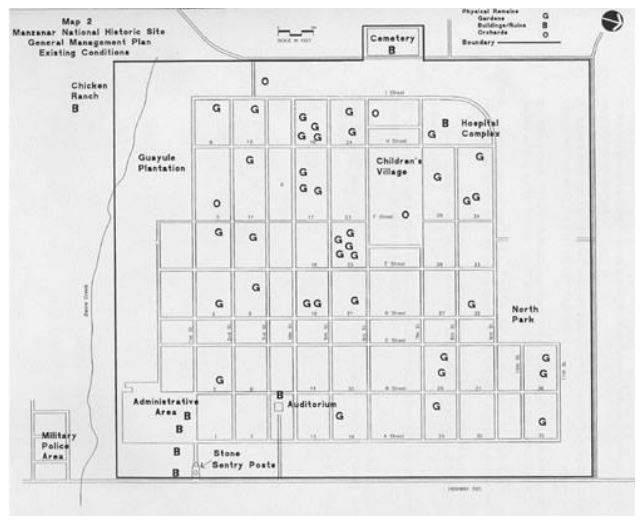
With the homepage giving us the thumbs up, we leap into the full site design, tackling all those remaining pages with gusto. We tackle this in focused waves, prioritizing based on navigation and the all-important funnel.
Focused Sprint Methodology
Our design strategy follows a priority game plan:
- Conversion-driven pages: Services, Product, Pricing
- Trust-building elements: Case Studies, About
- Content hubs: Blog, Podcast, Resources
- Utility pages: Contact, 404, Legal
Each sprint gets a full review and polish before the next kicks off. Think of it as a cutting board—chopping up ideas keeps everything fresh and tasty!
Extending Visual Themes Across Pages
We take inspiration from the homepage, stacking those style guidelines to maintain a consistent vibe across all pages:
- Layout patterns and spacing
- Buttons, forms, and interactive flow
- Typography and color use
This way, we can remain nimble and cohesive—turning out new components to match our shiny style guide whenever we need to. It’s like adding sprinkles—who doesn’t love sprinkles?
Collaborative Feedback Loops
We batch our page deliveries into small groups—think 2 to 3 at a time—allowing us to:
- Speed up feedback
- Make design choices in context
- Minimize backtracking
Once we get that stamp of approval on all pages, we’re primed and ready to roll into development. It’s a team effort, and trust us, collaboration in design works wonders! No one wants to be that solo artist out in the wild, right?
| Page Type | Description |
|---|---|
| Conversion-driven pages | Key pages that drive transactions |
| Trust-building elements | Content that builds credibility |
| Content hubs | Resource-rich areas for engagement |
| Utility pages | Necessary info and support |
Now we are going to talk about the steps we take to get everything ready for development. It’s like preparing for a big dinner party; you want everything to be just perfect, right? Let’s go over how we make sure our designs make a smooth entrance into the tech world.
Preparing for Development
Final Check-Up Before Handoff
Before we hand things over, it’s time for our pre-flight checklist:
- Making sure spacing and alignment are on point across all pages
- Ensuring the components have a handshake agreement on how they look and behave
- Checking color contrast so everyone can enjoy the show without squinting
- Confirming the final content is like the cherry on top—approved and ready to shine
Basically, we do a final inspection to ensure everything looks fabulous and ready for its close-up.
Locking in the Style Guide
Next comes the grand finale of our design system:
- Colors, typography, and spacing all doing their little dance together
- Reusable components strutting their stuff with layout rules
- Notes on animations, hover states, and some insider tips for the CMS setup
This guide ensures our site maintains consistency and remains easy to jazz up as we grow.
Figma Files Ready for the Builders
Sending off Figma files to developers is like handing over a well-organized toolbox:
- Layers cleaned up and labeled like an efficient library
- Notes on functionality and animations so no one gets lost
- Visual assets exported and ready to dazzle on the web
When the files are easy to read, development proceeds without any hitches, akin to reading a great recipe!
Transition to Webflow
Once the design is signed sealed and delivered, our development team springs into action in Webflow. Since we handle both design and development in-house, it’s like having the chefs and waitstaff in sync at a five-star restaurant.
This marks the end of our design phase and kickstarts the project into production. It’s exciting; like watching a cake being brought to life!
Now we are going to talk about the questions that often pop up regarding website design at Tilipman Digital. It’s a bit like chatting over coffee, where we spill the beans on how things work. So, grab your favorite mug and let’s get into it!
Your Questions Answered: Our Website Design Journey
How long does it take to get a new design?
Typically, our projects wrap up in about 3-4 weeks. Of course, this time frame can stretch out a tad depending on how quickly clients provide their feedback (imagine waiting on your friend to text back!). This timeline includes everything from homepage brainstorming to revisions and designing the rest of the pages. We’ll nail down specifics during our kickoff chat.
What about revisions? Are they limited?
Great question! Here’s the scoop: we don’t limit revisions. As long as the feedback aligns with the approved game plan and drives better outcomes, we’re all in. We structure our review sessions to keep things moving smoothly and not let any hiccups slow us down. No one likes being stuck in revision limbo!
Should I have my content ready before we kick things off?
Not at all! It’s perfectly fine to start with rough drafts, ideas, or even a sprinkle of AI-generated content. We can work with placeholder text to get our creative juices flowing. The final touch on the copy happens while diving into wireframes and refining the homepage. Just make sure to have your existing copy handy—we might need it later!
Can I peek at and comment on the designs?
You bet! We design using Figma, which allows you to review and comment directly, making it as easy as pie. No need for downloads or learning curves. Just jump in and give us your thoughts!
Why use Figma instead of Webflow right away?
Well, designing in Figma makes everything smoother. It lets us iterate quickly and collaborate in real-time before jumping into the actual development phase in Webflow. Once we get the thumbs-up on the designs, we hand over all neatly organized files for a stress-free build in Webflow. No messy kitchens here!
How do you ensure the design converts visitors?
Conversion is all about strategy! We set goals, outline messaging, and plan page flows early on. These elements inform our design—everything from the call to action placement to content arrangement is intentional. Every little design detail exists to support your sales funnel, guiding potential customers like breadcrumbs leading them to the good stuff.
- Quick project turnaround
- Unlimited revisions based on strategic feedback
- Placeholder content is totally fine to start
- Seamless commenting in Figma
- Designs that convert based on clear goals
Conclusion
After laying down the foundation and whipping up the essential ingredients, your website should come together like a well-cooked dish. Each phase has its flavor that contributes to the final outcome. Remember, planning saves time and countless headaches down the road. So, whether you’re preparing for development or just fine-tuning your pages, keep that recipe in mind. Your audience will appreciate a site that not only looks good but functions seamlessly. Now, go out there and start building, but keep the fire extinguisher nearby—trust me, it helps!
FAQ
-
How long does it take to get a new design?
Typically, our projects wrap up in about 3-4 weeks. Of course, this time frame can stretch out a tad depending on how quickly clients provide their feedback (imagine waiting on your friend to text back!). This timeline includes everything from homepage brainstorming to revisions and designing the rest of the pages. We’ll nail down specifics during our kickoff chat. -
What about revisions? Are they limited?
Great question! Here’s the scoop: we don’t limit revisions. As long as the feedback aligns with the approved game plan and drives better outcomes, we’re all in. We structure our review sessions to keep things moving smoothly and not let any hiccups slow us down. No one likes being stuck in revision limbo! -
Should I have my content ready before we kick things off?
Not at all! It’s perfectly fine to start with rough drafts, ideas, or even a sprinkle of AI-generated content. We can work with placeholder text to get our creative juices flowing. The final touch on the copy happens while diving into wireframes and refining the homepage. Just make sure to have your existing copy handy—we might need it later! -
Can I peek at and comment on the designs?
You bet! We design using Figma, which allows you to review and comment directly, making it as easy as pie. No need for downloads or learning curves. Just jump in and give us your thoughts! -
Why use Figma instead of Webflow right away?
Well, designing in Figma makes everything smoother. It lets us iterate quickly and collaborate in real-time before jumping into the actual development phase in Webflow. Once we get the thumbs-up on the designs, we hand over all neatly organized files for a stress-free build in Webflow. No messy kitchens here! -
How do you ensure the design converts visitors?
Conversion is all about strategy! We set goals, outline messaging, and plan page flows early on. These elements inform our design—everything from the call to action placement to content arrangement is intentional. Every little design detail exists to support your sales funnel, guiding potential customers like breadcrumbs leading them to the good stuff. -
What is the discovery phase?
The discovery phase is the moment we gather essential intel about the project—analyzing what’s working, what’s not, and where we can sprinkle some magic. It sets the groundwork for aligning business goals and discussing how the website impacts revenue. -
What is the purpose of wireframing?
Wireframing serves as our site’s skeleton, allowing us to clarify content priority and pinpoint content requirements. It gives us a simple visual representation of the site layout, enabling us to focus purely on messaging before rolling out the visual details. -
What types of pages do you create?
We categorize pages into three groups: Static Pages (like Homepage and About), Dynamic CMS Pages (like Articles), and Utility Pages (like 404 pages). This categorization helps us serve users effectively based on their intent and the sales funnel stage. -
How do you handle user navigation on the site?
We create interlinking systems that serve as a GPS for our visitors, ensuring they find contextual CTAs, crosslinks between TOFU, MOFU, BOFU pages, and navigation cues that guide them through their journey on the site.
Top 10 Website Design Trends for 2025: The Future of the Web is Here
As we look ahead to 2025, the web design scene promises some exciting twists and turns that might leave our heads spinning—or smiling! From minimalist designs that whisper elegance, to immersive 3D experiences that make you feel like a kid in a candy store, trends are taking a refreshing dive into the creative pool. And let’s not forget about biometric security—because who wouldn’t want their website to be as safe as Fort Knox? Embracing AI for personalized experiences? Yes, please! Add a splash of voice tech, and you’ve got a recipe for websites that are not just functional but downright friendly. Buckle up, we’re about to explore what’s on the horizon for web design, and trust me, you’ll want to take notes (or grab a snack).
Key Takeaways
- Minimalist designs will dominate with simplicity and elegance.
- AI will play a key role in making personalized user experiences.
- Biometric security is set to enhance site safety significantly.
- Voice technology is changing how users interact online.
- Immersive 3D and AR experiences will create engaging interfaces.
Next, we are going to chat about why minimalist website design is all the rage as we roll into 2025. It’s like decluttering your closet but for the internet—who knew cleaning could be so stylish?
1. Minimalist Website Design: A Simple Yet Striking Trend for 2025
As we stride into 2025, minimalist website design is taking the spotlight in the digital arena. It’s all about keeping things clean and clear, with user experience taking the cake. Just like a well-organized sock drawer, a simple design helps users find what they need without the fuss.
Why is minimalist web design a hot topic for 2025?
Let’s face it: We live in an information overload universe. It’s like trying to enjoy a meal while a clown juggles behind you. A busy interface can send potential users running for the hills. That’s where minimalist design swoops in like a superhero, creating streamlined experiences that don’t induce panic.
How to put minimalist website design into practice:
-
Whitespace:
Use good ol’ whitespace to make sure users aren’t squinting or scrolling like there’s no tomorrow. Think of spacing as breathing room for your content. Just the right amount helps to make things legible and inviting.
-
Clear Call-to-Action (CTA):
Design CTAs that grab attention without causing chaos on the page. When users can spot what to do next, it’s like putting up a sign that says, “This way to fun!”
And speaking of exciting trends, have you heard about the growing interest in immersive 3D and AR experiences? It’s like stepping into a video game while browsing the web! We’re really moving toward making the digital experience as engaging as the latest blockbuster movie.
If you’re itching to know more about mobile app challenges, that’s also on the radar! Keeping up with mobile app redesign challenges is like trying to keep track of all the different streaming services out there—can we ever keep up? But that’s a ride for another day.
Now we are going to talk about some exciting trends shaping website design in 2025. We’re stepping into adventures with immersive 3D and AR experiences that really turn things up a notch. Buckle up!
2. Immersive 3D and AR Experiences: Top Web Design Trend for 2025
By 2025, website design is shifting gears. We’re talking about immersive 3D experiences and Augmented Reality (AR) that practically reach out and grab users by the eyeballs. Gone are the days when websites felt as flat as a pancake, right? With interactive 3D visuals and AR, sites are transforming, merging the digital with the physical. It’s like mixing cake and ice cream—why choose one when they’re better together?
Now, imagine browsing a store online and instead of just seeing a product photo, you can actually interact with it in 3D or see how your brand-new sofa looks in your living room through AR. It’s like having your own personal shopper without the awkward small talk.
Why are 3D and AR Design Trends Heating Up for 2025?
These immersive experiences take user engagement to a whole new level, like trying to fly a drone for the first time—thrilling, right? Brands are jumping on the bandwagon to keep customers from bouncing away to competitors. Let’s face it; we all remember that one time we clicked away from a boring site, right?
With 3D and AR, brands can showcase their products in jaw-dropping ways that stick in our minds. It’s no longer enough to just have a static image. Innovation is what will keep customers coming back for more. It’s the icing on the cake—or perhaps the cherry on top!
Practical Applications for Immersive 3D and AR in Web Design:
-
3D Product Views:
Integrate 3D models on product pages so users can rotate and zoom in. Make it a cinematic experience where they feel like they can reach out and touch the product. Always test these features on various devices, because let’s be real, we’ve all seen a website crash faster than a toddler on a sugar high when it’s not optimized.
-
AR Features:
Let users immerse themselves in AR by visualizing products right at home. Think of it—trying on virtual clothes or placing that vibrant, funky chair into a living room corner before committing to the purchase. No more awkward returns because the couch was the size of a tiny country!
As we usher in this new tech-savvy age, let’s keep our eyes peeled for other innovative trends that will shape the digital landscape. Exciting times ahead!
Now we are going to talk about something that’s becoming a hot topic in the field of website design: biometrics. These features are not just buzzwords—they are proving to be pivotal as we move toward 2025.
3. The Rise of Biometric Security in Website Design by 2025

As we gallop into a future riddled with cyber threats, we’re noticing a significant uptick in the use of biometric security features like facial recognition and fingerprint scanning. These enhancements are poised to transform website logins by eliminating the hassle of memorizing passwords. And let’s be honest, isn’t everyone a bit tired of typing out those long passwords that are all too easy to forget?
Why Biometric Security is a Must-Have Trend in 2025?
Integrating biometric features is like adding a bouncer at the door of a high-end club—only the right folks get in! This approach not only fortifies protection but injects confidence into the online experience for users, making transactions feel like a walk in the park rather than a trek through the Amazon rainforest.
So, why are we turning to biometrics like it’s the latest viral TikTok dance? Let’s look at some eye-opening statistics. In just one year, 2023, Indian websites faced a staggering 5 billion cyberattacks. Seriously, that’s more than the population of Earth trying to hack into a single website! No wonder the push for biometric security is stronger than my craving for pizza after a long day.
How to Get Started with Biometric Features
- Facial Recognition:
This nifty tech verifies user identity with a quick glance, making account access feel like magic. Do you remember a time when unlocking your phone felt like a sci-fi movie? Now it’s a reality!
- Multi-Factor Authentication:
Combining biometrics with traditional methods is like bringing a sidekick to a superhero showdown—less chance for bad guys to win! This makes the website resilient against the grimy hands of cybercriminals.
When a website integrates biometric features, it’s like setting up a personalized virtual assistant that knows their stuff. Imagine if every time you logged in, it was as smooth as butter sliding off a hot pan.
| Biometric Feature | Benefits |
|---|---|
| Facial Recognition | Quick and secure user identification |
| Multi-Factor Authentication | Enhanced security against unauthorized access |
By adopting these biometric measures, we’re looking at a safer e-commerce and banking landscape. Just imagine how relieved we’ll all feel when online shopping doesn’t come with the anxiety of a cyberattack!
Next, we’re delving into how Artificial Intelligence is shaking things up in web design. Spoiler alert: it’s a wild ride!
4. Embracing AI for Personalized Web Design
When it comes to keeping a website fresh, we could all use a little help, right? Imagine a world where websites can read your mind—okay, maybe not that far, but AI is certainly creeping closer to personalizing user experiences.
With AI tools strutting their stuff, websites can whip up custom layouts, streamline content creation, and fine-tune user experiences based on what clicks with visitors. Talk about bringing web design into the 21st century!
Why AI-Driven Design is the Buzzword for 2025
Let’s face it: creativity and efficiency are like the peanut butter and jelly of web design.
AI is becoming the ultimate sidekick, giving designers supercharged abilities to craft visually appealing and deeply personalized sites. It’s like having a magic wand—poof! Tasks that once took hours can be automated in the blink of an eye, all while keeping visitors engaged and ensuring they’ve got their pick of tailored experiences.
No more boring templates—the future is dynamic!
How to Get Started with AI-Enhanced Web Design
-
Dynamic Content:
Using AI to analyze user data is like having a personal shopping assistant. Websites can adjust what they display in real time, putting products or articles that are perfectly suited to individual tastes right under a visitor’s nose. It’s like magic—only without the top hat and wand.
-
Chatbots:
Integrating an AI chatbot on your site can feel like having a super helpful buddy available 24/7. Especially for e-commerce shops, it’s crucial to offer personalized assistance.
But before anyone dives into the AI chatbot world, remember to weigh the costs of chatbot development. It’s worth it, but best to keep an eye on the budget!
As we start to wrap our heads around AI in web design for 2025, it’s also exciting to look at emerging trends like emotion-based website design. Where your website can actually react to how a visitor feels? That’s some next-level stuff.
So, let’s see where this ride takes us!
Now we are going to talk about emotion-responsive design, a fascinating trend that’s set to reshape online experiences in 2025. Just imagine a website that seems to know how you feel. Sounds like magic? Well, it’s the latest tech wizardry!
Emotionally Intelligent Websites: The Next Big Thing for 2025
Remember that time we tried to navigate a website that just didn’t get us? Frustration levels rising like a hot air balloon? With emotion-responsive design, those days are on their way out. This technology is like a mood ring for websites — it reads our emotions and adapts in real-time!
Using fancy tech such as AI and biometric indicators, these sites can pick up on everything from our furrowed brows to our typing speed. It’s as if the website is saying, “I see you’re stressed; let me lighten the mood.”
For instance, imagine struggling with a tough course on an e-learning platform. Instead of the usual one-size-fits-all approach, the site could adjust the difficulty based on your level of frustration. Or, consider shopping online and getting ready to abandon your cart due to a mini-meltdown. A splash of calming visuals or a sudden discount could swoop in just like a friend offering a cup of tea during a rough day!
Why is Emotionally Tuned Web Design Key for 2025?
Emotion-responsive design creates bonds stronger than a double-knotted shoelace between us and our favorite websites. It personalizes interactions, transforming every visit into a tailored experience that really speaks to us. This knack for understanding our moods enhances our engagement, leading to happier customers and ultimately, brand loyalty. Talk about a win-win!
How We Can Apply Emotion-Responsive Design:
-
Adaptive Content:
Craft a website capable of changing headlines, colors, or imagery based on our emotional cues—making the experience feel like a warm hug on a rainy day.
-
Mood-Driven Themes:
Design different themes that align with our browsing emotions. If we’re feeling festive, let’s see a merry design pop up!
As websites start to morph based on our feelings like those zoom backgrounds at family Zoom calls, it’s also important to consider how this ties in with another hot trend: designing voice user interfaces. Can’t wait for our websites to chit-chat with us just like our friendly barista at the coffee shop!
Next, we’ll explore an exciting shift that’s expected to shape our digital landscape by 2025: the use of voice user interfaces (VUI) in web design. It’s no secret that talking to machines has become almost second nature to us. Who would’ve thought we’d be discussing VUI as a necessity instead of just a futuristic dream?
Voice Technology’s Role in Web Design for 2025
We’re blending our realities with a sprinkle of sci-fi here. With voice technology picking up speed, we bet you’ve chatted with your phone more than some of your friends. By 2025, incorporating voice interfaces into websites won’t just be a trend—it’ll be a standard practice. Imagine being able to command a website without lifting a finger—literally!
Why VUI Matters in Web Design by 2025?
First off, it’s about making our cyberspace more welcoming. VUI isn’t just a fancy add-on; it’s a superhero for users with disabilities or anyone multitasking on the go. Let’s be honest, sometimes we’re all just one-hand-typing while the other hand holds a coffee. Think of VUI as a new best friend—sipping that caffeine while checking off tasks with a simple voice command.
How Voice User Interfaces Will Transform Websites:
-
Voice Search Optimization:
-
Voice Commands:
Picture this: your website speaks to your users. With voice search, we need to simplify our web content so that it’s conversational and easy to digest. Let’s ditch the jargon and get straight into natural language. This means speaking to our audience as if we’re explaining something to a friend over brunch.
And what about those voice commands? Imagine a user saying, “Buy me a cactus!” and, poof—there’s a delivery at their door the next day. It’s crucial to incorporate voice action features that let users search or even make a purchase just by talking. Before launching this magic, though, it’s our job to test it out. We don’t want users shouting into the void—but rather having productive chats!
So, what’s next after voice integration? Keep those ears perked, because the upcoming trend is all about intertwining quantum computing with our web design. It sounds fancy and a bit sci-fi, doesn’t it?
For those looking to stay ahead in tech, check out this insightful guide on essential software security testing to keep your applications safe!
Now we are going to talk about the exciting world of tech trends that affect web design, focusing on the buzz around Quantum Computing Integration. You might be thinking: “Quantum what now?” But hang tight, because this is one ride worth taking!
Quantum Computing in Web Design: What We Can Expect in 2025

So, why should we give a hoot about quantum computing for our website? Imagine our computers being able to process information faster than a caffeinated squirrel! That’s right—quantum computing is like the superhero of the tech world, capable of delivering complex calculations in the blink of an eye.
For instance, remember that time we were trying to access our crypto wallet and it felt like watching paint dry? With quantum computing integrated into web design, those wait times could dwindle to nearly nothing. We’ll wonder how we ever lived without it!
Why We Need Quantum Computing in Web Design
In industries with *data galore*—like finance or healthcare—quantum computing isn’t just a luxury; it’s a necessity. Think about it: lightning-fast calculations mean a smoother user experience. We don’t just want speed; we want sites that can juggle tons of data while keeping our information safe. It’s like having a personal butler who can serve five courses at once without dropping a thing!
How to Integrate This Trend in Web Design
-
Energy-Efficient Designs:
Creating websites that consume less energy is a major plus. We can use lighter codes and greener hosting services, saving the planet one byte at a time!
-
Real-Time Personalization:
Imagine a site that knows what you want before you even do! Quantum computing can help analyze our behaviors in real-time, offering us content that feels almost like magic. Who wouldn’t love the feeling of getting exactly what they crave?
| Integration Aspect | Description |
|---|---|
| Energy-Efficient Designs | Optimizing the code and using renewable energy sources to lower carbon footprint. |
| Real-Time Personalization | Utilizing user data to provide tailored content almost instantaneously. |
As we gear up for 2025, it’s clear that harnessing quantum computing can position our websites at the pinnacle of efficiency and speed. We might just find ourselves saying, “Why didn’t we do this sooner?” The future’s looking bright, and faster than ever, thanks to this technological marvel!
Now let’s chat about a transformative topic that’s not only interesting but also crucial for the future of the internet—Decentralized Web Design for 2025. Buckle up; it’s going to be quite a ride!
Decentralized Web Design: The Future of the Internet in 2025
In 2025, we’ll see a shift from the old-school centralized servers to something more dynamic: a network of peers called blockchain. Think of it like a potluck dinner—everyone brings a dish, and everyone has to contribute to the meal. It’s all about sharing and enjoying without a single chef calling the shots!
These decentralized applications (dApps) popping up on Web3 platforms are like the new kids on the block. They let us connect directly to services in finance or social media, skipping the middleman altogether. Remember when you had to ask your parents to call their friends? Well, this is like bypassing the parental controls altogether!
Why Decentralized Web Design Matters for 2025
The beauty of Web3 is in its approach to privacy and security. By cutting out central authorities, we minimize the risk of data breaches and reclaim ownership of our online lives. It’s like handing the house keys back to us after a long and arduous rental period. Who doesn’t want that?
Practical Applications of Decentralized Web Design
- User-Controlled Content: This is a biggie! With blockchain’s super-secure nature, we can create and manage our content while raking in the profits without depending on centralized platforms. It’s like hosting your own blog without needing a website host—just pure freedom!
- Smart Contracts: Remember the days of waiting for checks to clear? Well, with smart contracts, there’s no more paperwork and no need for manual validation. Once the terms are met, the algorithm does its magic. It’s like having an automatic butler. “You’ve met the conditions? Here’s your cash!”
As we see decentralized web design gain traction, there’s also a wave of excitement surrounding machine learning. It’s like having a personal trainer for your website, helping it become more efficient and user-friendly. We’re entering an era where web design is both smarter and more personalized—think of it as the evolution from dial-up to fiber optic!
So, if you’re looking to hop on the decentralized train, now is the time to ponder your path forward. Staying ahead of the curve means embracing these advancements, and who doesn’t want to be known as the go-to tech guru at the next dinner party?
Now we are going to talk about how machine learning is shaking things up in website design as we move closer to 2025. It’s like finding a genie in a lamp, but instead of three wishes, we get endless possibilities for creating user-friendly sites!
The Future of Website Design: Machine Learning Trends for 2025
When we think about website design, sometimes it feels like trying to assemble IKEA furniture without the instructions—easy to mess up, right?
But with the magic of machine learning, we can craft a personalized feel for each user.
Imagine websites that learn from us—like a best friend who knows what we want before we even say it.
It involves taking a peek into user data, with algorithms creating layouts that adapt like a chameleon. Amazing, isn’t it?
Why is Machine Learning in Website Design Crucial for 2025?
So, why should we care? For one, machine learning makes the design process quicker than a cheetah on roller skates.
We get to adjust in real-time based on how users are interacting with the site.
What does this mean for us? Well, we’re looking at engaging, user-friendly websites that feel like they were custom-made for every visitor.
Think more retention and satisfaction—like finding a comfy couch during a Netflix binge.
Applying Machine Learning in Website Design
-
Dynamic Resizing:
With machine learning in our toolbelt, sites can stretch and squish as needed, adjusting layouts based on real-time user behavior. It’s like that friend who always knows when to switch up the game plan to keep everyone entertained!
-
Behavioral Insights:
This technology is like having a spy (the friendly kind!) that spots how users interact with the website.
By analyzing engagement patterns, we can optimize design elements, making changes that resonate with users.
Let’s be real; we all want our website to be like a well-timed joke—it hits the mark every time!
So, as we dive into 2025, don’t forget to embrace machine learning in our websites.
With the right data, we can leave behind the days of guesswork and step into a future where our sites truly cater to our audience, like a tailor making a suit fit just right.
Get ready, because the next wave of website design isn’t just about aesthetics; it’s about creating experiences that feel personal and engaging!
Now we are going to talk about how haptic feedback is shaking up the way we design websites for 2025 and beyond. Can you believe it? Once reserved for just game controllers and smartphones, haptic tech is stepping onto the web stage with a flair that’s hard to ignore.
The Impact of Haptic Feedback on Web Design Trends for 2025
Imagine scrolling through a site and feeling a gentle pulse or a subtle buzz every time you click a button. Talk about a rollercoaster of sensations! By adding a tactile twist to our interactions, we can create a more vibrant, appealing online experience.
Gone are the days of lifeless clicks and taps. Haptic feedback offers a touch of reality to the virtual landscape, creating a connection that keeps visitors engaged and, dare we say, excited.
This isn’t just a gimmick; it’s a way to make interactions more instinctive, kind of like how we instinctively grab a cookie when it winks at us from the jar. The result? Higher retention rates and clearer communication of digital actions. It’s like teaching a toddler to use a spoon—they need some sensory reinforcement!
Why Embracing Haptic Feedback in Design Matters
Having a sense of touch adds an extra layer of understanding. Who wouldn’t prefer a website that feels alive? That little vibration when you complete an action? Pure joy! It’s as if the website is giving you a high-five every time you engage.
But it’s not just about fun and games. It’s about usability. Haptic feedback helps us decipher what we’re doing on a site without straining our brains, much like how a well-placed sign prevents us from getting lost in a mall.
Practical Applications of Haptic Feedback in Web Design:
- Responsive Feedback:
Imagine a world where every button click feels like a mini celebration. Tactile responses make it easier to navigate and let users know loud and clear when they’ve done something right. Think of this as high-fiving your screen!
- Game-Like Elements:
Integrating haptic feedback into gamified experiences can make users feel like champions. Every reward can come with a satisfying buzz that brings a sense of achievement, much like the feeling after scoring the winning goal.
| Application | Description |
|---|---|
| Responsive Feedback | Physical sensations when buttons are clicked enhance the experience. |
| Game-Like Elements | Rewards with tactile feedback turn interactions into memorable triumphs. |
For those wanting a deeper dive into enhancing user experiences, check out these trends in UX design. They’ll really get your creative juices flowing!
Now we are going to talk about some exciting web design trends that are bound to make waves in 2025. It’s like a spicy dish we can all savor together, one that keeps evolving with the tastes of its diners!
Exciting Web Design Trends to Watch in 2025
-
Sustainable web design: It’s about time we prioritized the planet with our digital spaces. Imagine your website as a leafy green salad instead of a greasy burger—better for both us and the Earth!
-
Micro-interactions: These tiny, delightful moments on a website make a huge difference. Ever clicked a button and it danced? That’s a little joy bomb right there, keeping users engaged and smiling.
-
Accessibility: Making sure everyone can enjoy your site is paramount. Picture a party where everyone feels welcome—nobody likes to be left out!
-
Community engagement: Your website isn’t just a place for pretty pictures; it’s a gathering spot. Think about it like hosting a block party—everyone should feel invited to connect and contribute.
-
Predictive UX: Websites that sense what users want before they even know they want it? That’s the equivalent of a waiter who knows exactly when you’re about to finish your drink.
-
Cognitive accessibility: Incorporating features that make navigation easier for everyone, especially those with learning difficulties. It’s like laying out the welcome mat for all thinkers.
As a web designer or business owner, embracing these trends can make all the difference in a bustling digital marketplace. It’s like wearing a unique outfit at a crowded party—you’ll grab attention simply by being yourself!
When users stumble upon your future-ready site, the fun really begins. A personalized experience guides them on their journey, allowing them to meet their goals while giving you a pat on the back for achieving yours.
And let’s face it—staying updated is crucial as user behavior shifts like a cat on a hot tin roof! Keep an eye out for emerging trends that can enhance the web experience, making it both empathetic and valuable. If implementing these trends feels like a wild new recipe, partnering with top-notch web designers will ensure you whip up something spectacular.
Now we are going to dive into how we can create a website that’s built to last. Think of it as crafting a digital time capsule, designed not just for the present, but for the future, too.
Innovative Clone Scripts for Timeless Web Design
So, how many times have we all watched our favorite websites go out of style quicker than a trendy pair of shoes? It’s like the internet is one big fashion show where everything that was in yesterday is suddenly out today! That’s where our web design approach comes in.
We believe that great design is like a fine wine—it gets better with age. Our service is all about creating websites that won’t just get lost in the digital shuffle.
Some of the key aspects we cover include:
- Responsive design – Because who wants to squint at a website on their phone?
- Performance optimization – If a website takes too long to load, we might as well watch paint dry.
- Advanced security – This is our digital ‘lock and key’. Nobody likes uninvited guests, especially on their websites!
Let’s face it—our online presence shouldn’t just be good enough; it should be exceptional! Whether we’re talking about giving users a smooth experience or ensuring your site plays nice with new tech, our goal is to keep your digital home polished and ready for the next big thing.
Gone are the days when a simple webpage sufficed to attract attention. Today, we must think about how to stand out. Imagine trying to make a splash by jumping into a kiddie pool filled with colorful floats. Not exactly competitive, is it?
We might chuckle at the challenges, but the truth is, a lackluster web presence can sink a great business faster than a lead balloon. By treating your website as a long-term investment, you’re setting yourself up for success.
Need to keep an eye on your competitors? Guess what? They’re probably stepping up their game, as the digital landscape keeps shifting like quicksand. But don’t worry; we’re here to help ensure your site stays relevant and up-to-date, even as trends come and go.
So, ready for a resilient online presence? Let’s make sure your website doesn’t just ride the wave but rather surfs through every current!
Contact us for more information, and let’s create something that not only meets the moment but actually practices a bit of future-proofing for years to come.
Conclusion
As we gear up for 2025, it’s clear that the future of web design is not just about aesthetics but creating meaningful and interactive user experiences. With trends like biometric security, AI personalization, and immersive technologies, the digital landscape is evolving into something far more engaging and secure. When it comes to design, remember that simplicity can be striking, and emotional intelligence in web design is where the magic lies. So, keep an eye on these trends because they’re not just buzzwords; they’re shaping the future and making our digital lives a whole lot better.
FAQ
-
What is minimalist website design and why is it trending in 2025?
Minimalist website design focuses on clean, clear layouts that enhance user experience. It’s trending because it addresses the problem of information overload, providing streamlined and efficient digital experiences. -
How can whitespace be effectively used in web design?
Whitespace should be utilized to make content legible and inviting, providing breathing room between elements to help users navigate easily without straining their eyes. -
What role do immersive 3D and AR experiences play in web design for 2025?
Immersive 3D and AR experiences take user engagement to a new level by allowing interactive product showcases. This innovation helps brands stand out and enhances user retention. -
Why is biometric security becoming essential in website design?
Biometric security, such as facial recognition and fingerprint scanning, offers enhanced security and convenience, eliminating traditional passwords that are often forgotten or vulnerable to hacking. -
How can AI improve personalized web design?
AI can analyze user data to create custom layouts and content, making websites more tailored and engaging, thus improving user experiences significantly. -
What is emotion-responsive design and why is it important?
Emotion-responsive design adapts website elements based on user emotions. It’s important because it personalizes interactions, leading to higher engagement and customer satisfaction. -
How does voice technology influence web design?
Voice technology allows users to interact with websites through voice commands, making browsing more accessible and efficient, which is particularly beneficial for multitaskers and those with disabilities. -
What advantages does quantum computing bring to web design?
Quantum computing provides rapid data processing and analysis, leading to faster website performance and real-time personalization, enhancing user experiences. -
What are decentralized web applications (dApps) and their benefits?
dApps operate on blockchain technology, allowing for user-controlled content management and improved privacy and security by minimizing reliance on central authorities. -
What are some upcoming web design trends to watch for in 2025?
Emerging trends include sustainable web design, micro-interactions, enhanced accessibility, community engagement, predictive UX, and cognitive accessibility, all aimed at creating a more inclusive and engaging user experience.
10 Web Design Trends to Expect in 2025
In the quirky universe of web design, it’s amazing how tiny touches can transform user experience. Think about how the right color or a playful animation can evoke emotions. It’s like putting on a favorite pair of jeans—feels right and makes you smile! Remember when websites were all about flashy graphics? Nowadays, nostalgia dances with sleek modernity. Just last week, I stumbled upon a site that gave off serious ’90s vibes, complete with pixel art—my childhood nostalgia kicked in, and I was hooked! As designs evolve, we’re seeing more engaging 3D features that pull you in, making websites feel like dynamic environments. From embracing eco-friendly practices to customizing experiences, the journey in web design today is as thrilling as finding a five-dollar bill in an old jacket. Let’s unravel how these trends are reshaping our online spaces and making browsing a joyful experience!
Key Takeaways
- Small design tweaks can make big impacts on user experience.
- Nostalgia paired with modern design creates a memorable browsing journey.
- 3D features are becoming vital for engagement in web design.
- Eco-friendly practices in web design are gaining traction.
- Inclusivity is essential for creating welcoming online spaces.
Now we’re going to explore the art of micro-interactions—those delightful little details that make a website feel more alive. They’re like the sprinkles on a cupcake; sure, the cupcake itself is good, but with sprinkles? Oh, that’s next-level good! Micro-interactions add that special touch, making the user experience a lot sweeter.
Enhancing User Experience with Tiny Actions
Think about it: when you hover over a button and it changes color, or when a cheeky little animation pops up after you click something, it’s like the website is giving you a high-five. These actions let users know they’re being heard, which taps into our inherent desire for instant feedback. It’s more than just aesthetics; it’s all about making users feel right at home.
Last week, while waiting for my laptop to update (a process that feels longer than a three-hour movie), I decided to survey some of my favorite websites. And you know what stood out? It was those tiny reactions—buttons sliding, alerts popping! It’s like the website was saying, “Hang in there, buddy, we’re on this.”
Let’s Look at Some Ways to Add Micro-Interactions:
- Add Entrance Animations to welcome your users like a friendly barista.
- Incorporate Hover Effects so buttons get all dressed up when someone gets close.
- Integrate Lottie Animations to sprinkle some animation magic into your site.
- Use Tooltips for interactive tips that pop up when we least expect it—like finding cash in an old jacket!
In the digital landscape, where an impatient click is just waiting to happen, we all know there’s no room for fustiness. Every moment counts! Remember that time your phone froze just as you were about to send a text? Frustrating, right? That’s how users feel in a slow-loading webpage without those gorgeous micro-interactions guiding them.
With tools out there that make it easier than making toast, we can amp up the user experience. Take the chance to sprinkle a few micro-interactions into your website! Watch as your visitors not only stay longer but have a more memorable experience. It’s all about making someone’s day—one delightful hover at a time!
And who knows? With the right touches, maybe your website will become the place everyone talks about, much like that shared pizza on movie night. Everyone loves a good interactive website—bring on the fun!
Now we are going to talk about how retro style keeps finding its way back into design, bringing a delightful dose of nostalgia to our screens.
Nostalgia Meets Modern Design
Retro style is that old friend who always knows how to lighten the mood. It pops up frequently, like a catchy song from the past that gets stuck in our heads.
As time marches on, what we label as retro continually shifts—much like vinyl records making a comeback in the digital age. Remember the first time we flipped through an old photo album? That nostalgic feeling can be captured beautifully in design.
When we think of retro, we often envision a feast of vivid colors, pixelated art reminiscent of our favorite childhood video games, and the kind of glitchy effects that would make a 90’s hacker proud. Nowadays, infusing these ingredients with the latest web design functionalities is like making a great smoothie—mixing the classic with a fresh twist.
Many websites are catching this wave, tapping into our collective memories of the 80s, 90s, and early 2000s. It’s a playful jab at today’s overly polished visuals, reminding us of the beauty in imperfections. Who doesn’t love a bit of authenticity with their modern flair?
Tips for Achieving Retro Style:
- Go wild with bold typography. Mix and match quirky fonts that scream personality, using variable fonts to give them some serious character.
- Craft retro-inspired palettes with background overlays and gradients. Think of those neon signs we used to see—brilliant, right?
- Employ CSS filters for a touch of vintage charm, whether that’s a retro glitch effect or simply giving your visuals a weathered look.
Our favorite retro moments often remind us that design doesn’t have to be sleek and polished to be beautiful. Sometimes, a little rough edge adds a touch of relatable realness, like a homemade pie at a fancy dinner party— it may not look perfect, but boy does it taste good.
So when we find ourselves reminiscing about those good old days or simply seeking a fresh take on design, let’s not forget the treasures of decades past. Retro will always have a special place in our creative hearts— a vibrant reminder that sometimes, looking back can propel us forward.
Now we are going to talk about how 3D elements can liven up our online spaces, making them feel less like a flat page and more like a vibrant marketplace or museum of wonders.
Engaging 3D Features for Websites

Remember the first time you saw a website with a 3D product viewer? Your eyes probably widened like a kid in a candy store. That’s what these interactive 3D elements do; they breathe life into web pages, giving us a delightful peek at what a product really looks like from all angles. Imagine scrolling through a site, and boom! There’s your new favorite gadget spinning like it’s on a catwalk.
This trend isn’t just a passing fad—nope! It’s fueled by tech advancements and our growing love for augmented reality (AR) and virtual reality (VR). After all, who doesn’t enjoy feeling like they’re right there in the action? Remember when we all jumped on board with those immersive workout apps? It’s the same idea. We want experiences that are both fun and real, and these 3D elements deliver that punch.
The great news is that tools like no-code platforms are popping up faster than we can refresh our social feeds. It seems anyone with a spark of creativity can whip up a 3D visual like a chef tossing a pizza dough. Sure, we might not all be Picasso, but hey, we can put together something eye-catching!
Here’s How We Can Incorporate 3D Elements:
- Utilize the fantastic tips from platforms that offer creative tools. For example, an AI image generator can help create those stunning visuals we need.
- Spice things up with Mouse Effects or 3D Tilt; it’s like adding sprinkles on a cupcake—totally makes a difference!
| Element | Description |
|---|---|
| Mouse Effects | Add movement based on user interaction; it’s like the website is saying “Hey, look at me!” |
| 3D Tilt | Offers a perspective shift as users scroll; we’re talking about making things pop! |
| Animations | Make elements move or change as users interact; it’s like magic coming alive! |
Don’t you think it’s time our web designs looked as alive as the vibrant interactions we have daily? Let’s take a leap and sprinkle some of these 3D features on our sites. We all know that a little extra effort can really turn heads—and websites! Plus, if your friends don’t start buzzing about your site, you might just want to check those 3D settings again!
Now we are going to talk about a delightful trend in web design that feels like flipping through an old memory book. Scrapbook-style sites are all about showcasing the quirky, the imperfect, and the heartfelt.
Crafting Unique Digital Spaces
Think of it like a digital collage—where scanned textures, playful washi tape-like banners, and the occasional doodle come together to tell a story. It’s like having your childhood art project come to life but in a more sophisticated adult way.
Brands looking to escape the cookie-cutter template trap find this style refreshing. It’s a little rebellious, a little nostalgic, and undeniably charming.
You know, I recently stumbled upon a website that looked like someone had thrown a craft party, and honestly, it made me feel warm and fuzzy inside. It had character!
Getting Started with this Trend:
- Utilize Transform Features for fun, asymmetrical layouts that buck the straight lines of corporate boredom.
- Incorporate widgets like Hotspot and Text Path to give your audience an interactive experience that’ll keep ’em clicking.
- Play with effects, like a page-turner using the Nested Carousel Widget, to keep the creative vibe flowing.
What’s brilliant about this approach is it shouts individuality. You can almost hear the site saying, “I did this my way!” Perfect for brands wanting to show a personal touch amidst the sea of slick corporate designs.
Just last weekend, while sipping my morning coffee, I browsed through a few scrapbook-style sites, and honestly, they sparked a kind of joy that sleek minimalist websites just don’t deliver. The blend of colors, textures, and playful elements transported me back to my childhood days of crafting with scissors and glue.
This aesthetic is almost a statement—a little reminder that in our ultra-digital perfectionist society, it’s okay to be a little rough around the edges. Honestly, who doesn’t love a good glue stick mess now and then?
So, if you’re gearing up to create something that resonates on a deeper level, think of adding elements that echo the scrapbook vibe. It gives a wink to the viewers, saying, “Hey, this is straightforward. No filters here!”
When brands embrace this style, they not only connect better with their audience but also stand out like a colorful patch in a sea of grey suits. It’s business with a twist—no stiff collars allowed!
Now we are going to talk about a design trend that’s all the rage in the design community: bold minimalism. This style keeps things simple but packs a punch.
Striking Simplicity in Design
Bold minimalism is like that friend who shows up to a party in a simple black dress and steals the limelight. It merges clean layouts with eye-catching typography, making everything feel refreshing yet sophisticated. Remember when we all thought extra embellishments were the way to go? Turns out, less is often more!
Today, there’s this growing trend where people hustle for simplicity without sacrificing flair. We want designs that are a breeze to navigate, yet still hold our attention. It’s a balancing act, like trying to eat spaghetti without making a mess—challenging but oh-so-rewarding!
Here’s how to channel bold minimalism using Elementor:
- Play around with Typography Controls and Custom Variable Fonts. This is where you can let your text do the talking!
- Establish design consistency through Global Styles. A well-choreographed dance is much better than a bunch of solo acts, right?
- Leverage Spacing and Layout Tools to create clean, organized layouts that make browsing feel effortless.
We’ve all heard the saying, “Keep it simple, stupid!”—and sometimes it just clicks. We’ve seen brands flourishing by cutting through the clutter, making their message crystal clear. Everyone feels overwhelmed, and a straightforward design can be like a breath of fresh air amidst the online chaos.
Incorporating bold minimalism isn’t merely about aesthetics; it’s also about creating a better user experience. You know, the kind where users find what they need without feeling like they’ve stepped into a digital maze? It’s like organizing your closet—once you’ve sorted through the chaos, it feels both liberating and functional.
Of course, current trends like TikTok and Instagram are buzzing about how visuals matter. But bold minimalism reminds us that sometimes, a few thoughtful words can be more impactful than a dozen filters. After all, effective communication is the name of the game.
In summary, see how we can blend our design tastes with these principles and explore how they can work for us! As we step forward, let’s embrace this blend of simplicity and creativity that boldly stands out, yet doesn’t scream for attention.
Now, we’re diving into the fascinating landscape of how AI is reshaping the visual content scene in web design. With tools popping up like mushrooms after the rain, it’s tough to keep up! Let’s dig into what this exciting shift means for creators.
AI’s Role in Image and Video Generation
AI-generated visuals are like that magical fairy dust that web designers wish for at 3 a.m. when caffeine hits its limits. They provide us with quirky, unique content in the blink of an eye, which is both thrilling and sometimes slightly terrifying, right?
Imagine pulling up an AI tool and crafting a stunning banner in what would normally take hours, if not days. Sounds like every designer’s dream! However, there’s an ongoing debate: will AI really steal our jobs, or is it more like a trusty sidekick, helping us reach new creative heights?
Let’s not kid ourselves—designers have a flair that’s hard to replicate. It’s like trying to explain why Grandma’s secret recipe tastes better than any restaurant’s. It’s all about that personal touch and taste, which machines just can’t replicate. Designers curate visuals with a finesse that speaks to their individual journeys and experiences. Even with all the *tech wizardry*, nothing beats human intuition and creativity.
This shift reflects how our society is warmly welcoming customization and automation. In the hustle and bustle of deadlines, having AI in our corner allows us to maintain a balance between efficiency and creativity. And trust us, it’s a bit like having your cake and eating it too—if that cake could magically generate itself!
Getting Creative with AI Tools:
- Use an AI Image Generator to whip up and tweak visuals like you’re a digital Picasso.
- Optimize your assets with Elementor’s Image Optimizer to ensure seamless integration into your projects.
- Try out new AI tools that can create fresh sections or modify images—think of it as having a creative buddy who can brainstorm 24/7!
As we fumble through these exciting times, we should remember: AI is a tool, not a replacement. So, let’s embrace it! After all, we still need our designers to sprinkle magic dust on the mundane, because life—and design—is about that creative spirit that makes the ordinary feel extraordinary.
Now we are going to explore dark themes, which have not only become all the rage but also a practical choice for our late-night web surfing sessions.
Embracing Dark Themes
In recent years, dark themes have grown beyond just a trend; they’ve become a staple for anyone who spends hours scrolling through content late at night.
It’s like having a comfy pair of sweatpants instead of those stiff jeans—much easier on the eyes!
We all know that our collective browsing habits peak between 4 PM and 10 PM.
And let’s be honest: who wants to squint at a blinding white screen after a long day?
The shift toward dark themes reflects a subtle yet powerful change in how companies are catering to user comfort and preferences.
Creating a Dark Theme with Elementor:
- First up, use Global Colors. Think of it as your personal palette that sets the mood for your site.
- Next, make use of the Theme Builder—it’s like having a magic wand to conjure up the perfect dark color scheme.
- Lastly, for those who love to get into the nitty-gritty, employ Custom Code to fine-tune that dark theme to match your exact style.
| Step | Action |
|---|---|
| 1 | Create a palette with Global Colors. |
| 2 | Utilize the Theme Builder for consistency. |
| 3 | Add Custom Code for unique tweaks. |
Implementing these elements creates not just an aesthetic experience but also a functional one that feels tailored to our needs. It’s like switching from regular fries to sweet potato fries—you still get your fix, but it’s way more enjoyable.
And let’s be real, who doesn’t want to scroll through their favorite memes or binge-watch series without causing eye fatigue?
So, whether you’re designing a new site or just giving your old one a fresh coat of paint, dark themes are definitely worth considering. After all, they’re not just cool; they’re practical too.
Happy theming!
Now we are going to discuss an exciting trend in web design that’s catching everyone’s attention: the evolution of interfaces that adapt uniquely to each user. It’s like having a digital wardrobe that changes according to your mood!
Custom-Fit Web Experiences
Custom-fit interfaces adjust content and layouts for every individual, making sure that users feel like VIPs in a club where they know the secret password.
We all love sites that “get” us, right? Whether it’s Netflix suggesting that next must-watch thriller or a shopping site displaying shoes that match our favorite outfit, it’s all about making us feel understood.
In fact, this trend is popping up everywhere, hitting its stride especially in areas like online shopping and sites packed with content that begs for attention. That tailored experience? It’s no accident.
Strategies for Personalizing with Elementor:
- Use Dynamic Content to showcase info that speaks directly to the visitor. Imagine getting a welcome message that actually uses your name! Exciting, right?
- Implement Display Conditions for sections or specific elements, tailoring layouts and promotions based on who’s showing up at the door.
- Employ Advanced Popups to send out timely messages or special offers that feel curated just for the moment.
Think of it like a barista who remembers your coffee order—nothing beats that feeling. This tech isn’t just smart; it’s friendly!
Bigger brands are diving headfirst into this trend. A recent study showed that personalized marketing can lead to a whopping 80% increase in customer engagement. That’s like your favorite band selling out a stadium tour without even trying!
As we embrace this new wave in web experiences, the focus is on creating connections that resonate. Just like texting an old friend—you want to feel that familiarity and warmth, even through a screen.
So why not get on board? The future is about user-centered design, and making someone’s online visit memorable will not only keep them coming back but could also turn them into a loyal follower.
Next time we’re browsing, let’s think about how we can make our own online platforms reflect a bit of who our visitors are. After all, isn’t that what being online is all about—connecting and sharing? Let’s get creative!
Now we are going to talk about a topic that’s as essential as having a good Wi-Fi signal—accessibility. After all, we wouldn’t want anyone left out of our online shindig, right?
Being Inclusive Online
Accessibility isn’t just a buzzword tossed around at tech conferences; it’s a fundamental requirement that makes websites friendly for everyone, especially those with disabilities.
Think of it like this: if your website is an all-you-can-eat buffet, you want to ensure that everyone, including those with different needs, can help themselves to the feast. It’s a cultural shift that’s gaining momentum, especially with rules like the European Accessibility Act set to roll out in 2025. Can you believe we’ve got deadlines to help everyone navigate the web easier?
There are fantastic tools available that can help creators tune their sites to be, well, accessible superheroes! Accessibility checkers stand by like loyal sidekicks, ready to ensure your site meets necessary standards. Plus, online contrast checkers are there to prevent any visual disasters, like pairing hot pink text with a bright yellow background—yikes!
Using Tools for Accessibility:
- Make sure you’re using proper HTML tags. Treat your content like a pizza: it should have layers!
- Always write Alternative Text for images. Think of it like giving your images a good backstory.
- Utilize ARIA Labels to ensure that buttons with icons don’t turn into confusing riddles for users.
- Check out external Color Contrast Checkers to avoid those eye-straining combinations.
- Embrace Responsive Design Tools so assistive technologies can easily make sense of your site.
- For more info, check out how to make websites accessible.
Accessibility in web design doesn’t just tick boxes; it represents a more inclusive digital environment. Think of it as the digital version of holding open the door for someone. Who wouldn’t appreciate that?
In a world where DIY is all the rage—from sourdough starters to home renovations—let’s not forget that DIY also applies to web design. Pull up your sleeves, use these guidelines, and let’s make the internet a more inviting place for everyone!
Now we are going to talk about a topic that’s not just for tree-huggers anymore: web design that’s easy on Mother Earth. Sustainable web design is becoming a must-have instead of a nice-to-have as more folks demand brands that care about the planet.
Eco-Friendly Web Design Practices

We all know that the internet can be a bit of a gas guzzler. Think of it like that friend who always orders the most complicated drinks that come in tiny cups. Each sip might seem innocent, but the environmental toll? Yikes! Let’s chat about how we can streamline our sites to keep our digital footprint as small as possible.
The Essentials of Sustainable Web Design:
- Create user-friendly layouts by utilizing versatile tools, making it easier for users to find what they need quickly.
- Optimize images like a ninja—smaller files mean less energy used while loading!
- Select eco-friendly hosting options. They may cost a pinch more, but saving the planet is priceless, right?
Speaking of efficient designs, did you know that brand giants like Google have made strides in green tech? It’s a bit like when your grandma switches to LED bulbs at home and claims she’s saving the environment while keeping her electric bill low. Impressive!
Let’s talk details, shall we? Here’s a handy table to illustrate the techniques we can use:
| Method | Description | Benefits |
|---|---|---|
| Efficient Layouts | Utilize tools to build streamlined, user-centric pages. | Enhances user experience and accessibility. |
| Image Optimization | Reduce file sizes without sacrificing quality. | Quicker load times and lower energy consumption. |
| Green Hosting | Choose hosting services powered by renewable energy. | Reduces carbon emissions and supports sustainability. |
In short, embracing sustainability in web design isn’t just a trend, it’s becoming a necessity.
When we choose to focus on eco-friendly practices, we’re not only helping to protect our planet but often optimizing performance along the way.
And who doesn’t love that feeling of doing good while getting things done efficiently? It’s like finding a forgotten five-dollar bill in your pocket—unexpected, delightful, and fully satisfying.
Let’s work together to keep our websites green and mean—like a yoga instructor who also moonlights as a personal trainer! Who says you can’t have it all?
Now we are going to talk about what’s buzzing in web design trends and best practices as we look ahead to 2025. Spoiler alert: it’s not just about slapping a trendy font on a page and calling it a day.
Exploring Future Web Design Trends
Ah, web design! It’s like throwing a party where the guests are browsers—and they can be pretty picky. Remember that time when a website took longer than a snail on vacation to load? Yikes!
In 2025, we’ll all want our digital parties to run smoother. Fast loading times will be the name of the game.
We all understand how quick clicks can lead to clicks that stick. Here are some trends that we should watch:
- Micro-interactions: These little animations can make users smile and add a spark to boring forms. Ever clicked a button that bounced back? That’s a tiny joy right there!
- Sustainable design: Let’s save the Earth, one pixel at a time. Consider those eco-friendly websites that use less energy. It’s like the green smoothie of design.
- Inclusive design: Accessibility will take center stage—because everyone deserves a seat at the table, right? Think of those times when you struggled to navigate a site. We can do better!
- Augmented Reality (AR): Imagine trying on shoes through your screen without leaving the couch. Yes, it’s still socially acceptable to wear sweatpants in public—thank you AR!
Now we might wonder, how can these trends be woven into our creative fabric?
Just think about all the times a well-placed call-to-action saved the day. Instead of just a “Buy” button, how about we jazz it up with some personality? A little humor here and there can turn a visitor into a loyal fan faster than you can say “subscribe.”
Also, let’s remember that color psychology isn’t just for art classes—it directly influences behavior. We all have that friend who can never pick a paint color most of the time.
In web design, however, choosing the right hues can make visitors feel happier and more engaged.
Speaking of happiness, we shouldn’t forget about effective typography.
Fonts have a personality, just like that quirky friend who always shows up at the wrong time. A great design knows which font to flaunt and when!
As we journey into this digital future, let’s keep our eyes peeled for trends that truly resonate with us.
After all, creating a website is like baking a cake: it requires the right ingredients, a dash of creativity, and a sprinkle of love to ensure it rises to perfection. Who knows? By 2025, we might be designing sites that practically serve us dinner.
What design element will we welcome into our creative kitchen next? Let’s keep the conversation going!
Conclusion
At the end of the day, web design is about connection—between users and their experiences. As we embrace trends like dark themes and 3D features, let’s remember that simplicity and inclusiveness matter. Whether you’re scrolling through a site from your couch or creating one, your online journey can be both meaningful and fun. And hey, if it takes a few toddler-like giggles or a touch of nostalgia to make it memorable, why not? Let’s keep designing for joy and purpose, ensuring everyone feels at home on the web. Who knows what fun features will pop up next? Remember, your digital space is your canvas. Paint boldly!
FAQ
-
What are micro-interactions in web design?
Micro-interactions are small, subtle animations or reactions on a website that enhance user experience, providing instant feedback and making the site feel more alive. -
How can entrance animations improve user experience?
Entrance animations can welcome users to the site, creating a friendly atmosphere, much like a barista greeting customers. -
What characterizes retro style in modern design?
Retro style features vivid colors, pixelated art, and glitch effects, blending nostalgic elements with contemporary web design functionalities. -
What are some key elements to incorporate 3D features into websites?
Utilize mouse effects and 3D tilt to create a dynamic viewing experience, where elements move or change based on user interaction. -
How does scrapbook-style design differ from traditional web aesthetics?
Scrapbook-style design embraces asymmetrical layouts, playful textures, and quirky elements, creating a more personal and unique online experience. -
What defines bold minimalism in web design?
Bold minimalism combines clean layouts with striking typography, simplifying content presentation without compromising visual interest. -
What tools can help ensure web accessibility?
Tools like HTML tags, alternative text for images, ARIA labels, and color contrast checkers help make websites more accessible to users with disabilities. -
What are some sustainable web design practices?
Sustainable practices include creating user-friendly layouts, optimizing images for faster load times, and choosing eco-friendly hosting options. -
How can interfaces provide custom-fit experiences for users?
By using dynamic content and display conditions, websites can tailor experiences to individual visitors, making them feel recognized and valued. -
What trends are expected in web design by 2025?
Anticipated trends include enhanced micro-interactions, sustainable design, inclusive design, and advancements in augmented reality (AR) integration.
Top 10 Reasons to Choose a Web Design Company Malta for Your Business in 2025
Web Design Company Malta – Why Your Business Needs One
If you are searching for a web design company Malta, you are already on the right track toward building a stronger digital presence. In today’s competitive online marketplace, your website is often the first impression customers have of your business. Whether you are a small start-up in Valletta or a growing enterprise in Sliema, professional web design can help you attract more clients, improve user experience, and increase revenue.
In this article, we’ll explain why partnering with a reliable web design company in Malta can be a game-changer for your business.
Why Choose a Web Design Company in Malta?
1. Local Expertise with Global Standards
A web design company Malta understands the unique challenges of Maltese businesses. From supporting tourism-focused companies in Gozo to serving financial services in Valletta, local designers can create websites tailored to your audience while applying international best practices in design and SEO.
2. Improved First Impressions
According to Business Dasher, 75% of users judge a company’s credibility based on its website design. Your website is more than just an online brochure—it’s a digital storefront that should reflect professionalism and trustworthiness.
3. SEO-Friendly Websites
Having a visually stunning website isn’t enough. A good web design company Malta ensures your site is SEO-optimized so customers can find you on Google. At Digital Consulting Pros, we integrate SEO from day one, helping your site rank higher in search engines.
Key Services a Web Design Company Malta Should Offer
When choosing the right partner, ensure the company provides a full package of digital services.
Responsive Web Design
Your website must look perfect on mobile, tablet, and desktop. With over 60% of users browsing via mobile devices, responsive design is non-negotiable.
SEO & Content Marketing
Optimizing your site with the right keywords, high-quality content, and internal linking strategies helps you rank and stay competitive.
E-Commerce Development
If you run an online store, a web design company Malta can build user-friendly platforms using Shopify, WooCommerce, or custom solutions.
Social Media Integration
Seamlessly connect your website with platforms like Facebook, Instagram, and LinkedIn to expand your digital reach.
How to Select the Best Web Design Company Malta
Choosing the right partner is critical. Consider these factors:
- Portfolio & Case Studies – Review past projects to ensure quality.
- Client Testimonials – Check Google reviews and LinkedIn feedback.
- Technical Expertise – Ensure they understand SEO, UI/UX, and security.
- Support & Maintenance – Websites need ongoing updates and care.
At Digital Consulting Pros, we combine over a decade of expertise in web design, SEO, and digital marketing to deliver results-driven websites for Maltese businesses.
Benefits of Hiring a Web Design Company in Malta
- Cost-Effective Solutions – Compared to larger European markets, Malta offers competitive pricing.
- Local Understanding – Knowledge of local trends, business culture, and customer behavior.
- Personalized Service – Smaller teams mean more tailored communication.
- Trust & Reliability – Face-to-face consultations when needed.
FAQs – Web Design Company Malta
❓ How much does web design cost in Malta?
Costs vary depending on project complexity. Basic websites may start at €1,000, while e-commerce or custom builds can exceed €5,000.
❓ How long does it take to build a website?
On average, a professional site takes 4–8 weeks, depending on size and requirements.
❓ Can a Maltese web design company also handle SEO?
Yes. Agencies like Digital Consulting Pros specialize in web design and SEO together, ensuring you not only have a beautiful website but also one that ranks well.
External Resources for Further Reading
Final Thoughts
Hiring a web design company Malta is an investment in your brand’s future. From professional layouts to SEO optimization, a reliable partner ensures your website becomes a powerful business tool. Whether you are just starting out or scaling your online presence, working with local experts gives you the advantage of personalized, professional, and results-driven web design.
👉 Ready to take your business online? Contact Digital Consulting Pros today and let’s build your success together.
Web Design Malta: 7 Expert Tips to Boost Your Online Presence
Web Design Malta: An Introduction.
In today’s digital age, having a compelling online presence is crucial for businesses. Web design in Malta has evolved to meet the growing demands of users seeking seamless and engaging online experiences. Whether you’re a startup or an established enterprise, understanding the nuances of website design and development can set you apart in the competitive Maltese market.
Table of Contents
- Understanding the Importance of Web Design Malta
- Key Elements of Effective Website Design
- Choosing the Right Web Design Company in Malta
- The Role of Web Development in Enhancing User Experience
- SEO Best Practices for Maltese Websites
- Mobile Responsiveness and Its Impact
- Maintaining and Updating Your Website
- Conclusion
1. Understanding the Importance of Web Design Malta
With the increasing reliance on digital platforms, businesses in Malta recognize the significance of a well-designed website. A professional website not only showcases your brand but also builds credibility among potential clients. According to the Digital Economy and Society Index (DESI) 2022, Malta ranks 6th among EU countries in digital performance, highlighting the nation’s commitment to digital advancement.
2. Key Elements of Effective Website Design
An effective website design encompasses several critical components:
- User-Centric Navigation: Ensuring visitors can easily find information.
- Visual Appeal: Utilizing consistent branding and engaging visuals.
- Loading Speed: Optimizing images and code for faster load times.
- Call-to-Action (CTA): Guiding users towards desired actions.
Companies like Digital Consulting Pros emphasize the importance of these elements in creating websites that resonate with users.
3. Choosing the Right Web Design Company in Malta
Selecting a reputable web design company is pivotal. Consider the following when making your choice:
- Portfolio: Review past projects to assess quality.
- Client Testimonials: Gauge client satisfaction and experiences.
- Services Offered: Ensure they provide comprehensive solutions, including SEO and mobile optimization.
- Post-Launch Support: Determine the availability of ongoing maintenance and support.
For instance, Digital Consulting Pros offers a range of services tailored to diverse business needs.
4. The Role of Web Development in Enhancing User Experience
While design focuses on aesthetics, web development ensures functionality. Effective web development in Malta involves:
- Responsive Design: Adapting to various devices and screen sizes.
- Secure Coding Practices: Protecting user data and ensuring website integrity.
- Integration Capabilities: Seamlessly connecting with third-party tools and platforms.m+7
DCP specializes in creating robust websites that prioritize user experience and security.
5. SEO Best Practices for Maltese Websites
Search Engine Optimization (SEO) is vital for visibility. Key practices include:
- Keyword Optimization: Incorporating relevant terms related to your business.
- Meta Descriptions and Titles: Crafting compelling summaries for search engine results.
- Quality Content: Providing valuable information that addresses user needs.
- Backlinking: Earning links from reputable sources to boost credibility.
Implementing these strategies can enhance your website’s ranking on search engines.
6. Mobile Responsiveness and Its Impact
With a significant portion of users accessing websites via mobile devices, ensuring mobile responsiveness is non-negotiable. A mobile-friendly website adjusts seamlessly to various screen sizes, offering an optimal viewing experience. Digital Consulting Pros emphasizes the importance of responsive design in their web development projects.
7. Maintaining and Updating Your Website
Regular maintenance ensures your website remains functional and secure. Consider:
- Content Updates: Keeping information current and relevant.
- Security Patches: Addressing vulnerabilities promptly.
- Performance Monitoring: Tracking site speed and user engagement.
Engaging with a web design company that offers ongoing support can alleviate the challenges of website maintenance.
8. Conclusion
Investing in professional web design and development is essential for businesses aiming to thrive in Malta’s digital landscape. By focusing on user experience, SEO, and mobile responsiveness, you can create a website that not only attracts visitors but also converts them into loyal customers.
Why Malta Is The Perfect Place To Get Your Web Design Project Done
Introduction
If you’re looking for the perfect place to get your web design project done, then look no further than Malta. This sunny Mediterranean island nation is home to some of the best web designers in Europe and the world. From its vibrant culture and beautiful scenery to the incredible talent pool of experienced professionals, Malta is not only a great place for vacation but also an ideal spot to take your web design projects forward. In this article, we’ll explore why Malta is such a great choice for any web design project and how you can make sure it all goes smoothly.
Malta is a small island located in the Mediterranean Sea. It is a popular tourist destination and is known for its beautiful weather and stunning scenery. Malta is also home to a number of web design and development companies.
There are many reasons why Malta is the perfect place to get your web design project done. The first reason is that the cost of living in Malta is very reasonable. This means that you can get your project done for a fraction of the cost of living in other countries.
Another reason why Malta is the perfect place to get your web design project done is because of the availability of skilled labor. There are a number of highly skilled web developers and designers who live on the island. This means that you can get your project done quickly and efficiently.
Lastly, Malta has a number of excellent infrastructure facilities. This includes high-speed internet, reliable power supply, and modern office space. This means that you can easily get your project done without any issues.
Malta is a European country located in the Mediterranean Sea. It is an archipelago consisting of 3 main islands: Malta, Gozo, and Comino. The country has a population of just under 500,000 people and its official languages are Maltese and English.
Malta is a great place to get your web design project done for a number of reasons. First, the cost of living and doing business in Malta is relatively low when compared to other Western European countries. Second, English is one of the official languages in Malta, which makes communication with web design professionals easy. Third, there is a large pool of talented web designers and developers in Malta that you can choose from.
If you’re looking for a hassle-free and affordable place to get your web design project done, then Malta is the perfect choice!
The Advantages of Malta for Web Designers
Malta is an excellent place to get your web design project done for a number of reasons. The climate is perfect for year-round work, the island has a strong infrastructure with good internet connectivity, and the cost of living is relatively low.
In addition, Malta offers a number of other advantages for web designers. The country has a long history of excellence in education and training, which means that there is a pool of highly skilled workers to choose from. English is also one of the official languages spoken in Malta, which makes communication with clients and colleagues easy.
There are also a number of great places to live and work on the island. The capital city of Valletta is home to a number of historical landmarks and cultural attractions, while other towns and villages offer a more relaxed way of life. Whatever your preference, you’re sure to find somewhere that suits you in Malta.
The Disadvantages of Malta for Web Designers
Malta may be a great place to get your web design project done, but there are some disadvantages to working with web designers in Malta. First, the cost of living in Malta is high, so web designers in Malta may be more expensive than those in other countries. Second, the language barrier can be a problem for some web designers. While most Maltese speak English, there are still some who do not, and this can make communication difficult. Finally, the time difference between Malta and other parts of the world can be a problem when trying to coordinate projects.
Why You Should Consider Malta for Your Next Web Design Project
Malta is the perfect place to get your web design project done for a number of reasons. The first reason is that Malta has a very strong and supportive infrastructure for businesses and startups. This includes a number of agencies and organizations that can help you with your web design project, as well as a large number of skilled workers.
The second reason is that Malta has a very good climate for doing business. The government is extremely supportive of businesses and there are a number of incentives in place to encourage investment and growth. This makes it an ideal place to set up your business or to expand your existing business.
The third reason is that Malta is home to some of the best designers in the world. There are a number of world-renowned design agencies based in Malta, which means that you will be able to find the right team for your project. Additionally, many Maltese designers have won international awards for their work, so you can be sure that they will be able to deliver high quality results.
Finally, Malta is an excellent choice for your web design project because it offers a great lifestyle. The island has a relaxed Mediterranean atmosphere, which makes it the perfect place to live and work. Additionally, there are a number of excellent schools and universities on the island, which means that your employees will be able to get the education and training they need to succeed in their roles.
How to Find a Good Web Designer in Malta
There are a few things to keep in mind when searching for a good web designer in Malta. First, be sure to ask around for recommendations. Friends, family, and colleagues may have worked with a great designer in the past and can put you in touch. Once you have a few names, do your research. Look at the designer’s portfolio and see if their style matches what you’re looking for. Most importantly, don’t be afraid to ask questions. A good web designer should be able to answer any questions you have about the design process and how they will approach your project.
Conclusion
In conclusion, Malta can be the perfect place to get your web design project done. With its vibrant tech industry, it offers plenty of talented professionals at a great price point and with access to some of the best cutting-edge technology in the world. The people are friendly and there is plenty to explore outside of work too! So if you’re looking for an affordable yet high-quality place to get your web design project done, Malta should definitely be top on your list.
You can book a call here: https://calendly.com/digitalconsultingpros/30min
The Perfect Website Design That Will Increase Your Traffic
Introduction
Website design is one of the most important aspects of a business, and it’s important to choose the right design if you want to see traffic increase. There are a few things to keep in mind when you’re designing your website, such as making sure it’s easy to use, incorporating SEO into the design, and creating an aesthetically pleasing site. If you want to see your website traffic increase, follow these tips and make sure you choose the right website design for your business.

How Do Websites Work?
Website design is a crucial part of any business. It can help you to attract customers, and it can also improve the look of your website. However, there is no one “perfect” website design. Instead, there are different types of designs that can be effective for different businesses.
One common type of website design is the “blogger’s blog” layout. This type of layout is typically used by people who write articles or blog posts on a regular basis. The blogger’s blog layout consists of a main content area on the left side of the page, and each article or blog post has its own dedicated row in the content area. On the right side of the page, you will find a series of column headings that list the title, author, date published, and other information about that particular post.
The “blogger’s blog” layout is simple to use and it works well for websites that have a lot of short articles or blog posts. However, this type of layout doesn’t work well for websites with a lot of long articles or blogs. Instead, you should use a more conventional website design layout if you want your website to look professional and attracts more customers .
Another common type of website design is the “portfolio site” layout . A portfolio site layout looks similar to a blogger’s blog layout but it has one major difference: every article or blog
What Factors Influence the Success of a Website?
There are many factors that influence the success of a website. The design, layout, and structure of a website are all important factors in whether or not people will visit it. However, content is also an important factor in website success.
The type of content on your website is key to attracting traffic. If you have blog articles that are well written and informative, people will be more likely to visit your site and spend time reading your content. Additionally, if your site has high-quality photos or videos, people will be more likely to take notice and click through to view them.
In order to create effective content for your website, it is important to have a clear idea of what you want to say. Once you know what you want to write about, start by researching the topic thoroughly. This will help you develop intelligent arguments and promote strong opinions without sounding biased or false. Next, write out your thoughts in a clear and concise format. Finally, proofread your article several times before publishing it online so that there are no mistakes or gaps in information that could distract readers from the main point of your article.
All of these factors – design, layout, structure, content – play a role in website success. By carefully considering each one of them before starting work on a website project, you can ensure that it will be an asset not just for yourself but for the entire internet community as well
The Different Types of Websites
There are a variety of different types of websites, and each requires a different approach when designing.
Here are the most common types of websites:
Homepage: The homepage is the primary gateway to your website. It’s where potential visitors first see you and what will ultimately determine whether or not they stay on your website. Make sure everything on this page looks good, from the layout to the copy to the images.
Portfolio: If you’re an artist, musician, or other professional with a portfolio of work, create a website specifically for displaying it. Include photos, descriptions of each piece, and pricing information.
Categories: Websites can be divided into categories (like automotive) or topics (like cooking). When creating your website, make sure all the content is organized in a way that makes sense for your audience.
Blog: A blog is an excellent way to share your opinions on various topics, as well as promote your services or products. Make sure all the content on your blog is interesting and relevant to your audience. Add links to other related websites and social media profiles where appropriate.
Making Your Website Mobile-Friendly
Making your website mobile-friendly means that it works well on devices with smaller screens, like smartphones and tablets. This is important because more people are using mobile devices to access the internet.
If you want to attract more customers from mobile devices, you need to make sure your website looks good and functions well on smaller screens. Here are some tips for making your website mobile-friendly:
1. Use simple fonts and designs. Mobile users often have less time to spend browsing a site, so they need sites that are easy to use and understand. Stick with basic fonts, colors, and designs that look good in any size screen.
2. Make sure all content is easily accessible on small screens. Don’t put extra steps between users and the information they’re looking for. Make sure all text is displayed at a size that’s comfortable to read without scrolling or zooming in on the screen.
3. Use clear navigation menus and buttons. Users need a simple layout that’s easy to navigate no matter what device they’re using. Navigation menus should be placed near the top of the page so they can be easily seen even when users are viewing your pages on a small screen. Buttons should also be big enough to be easily clicked without having to zoom in on the screen first.
4. Use automatic font sizing technology . Many websites now use automatic font sizing technology which adjusts text sizes based on how wide or tall a user’s screen is set.
Conclusion
If you’re looking to increase your website’s traffic, then you need to start thinking about design. The right design can help draw in more visitors, which will in turn help your business grow. In this article, we’ve outlined some tips on how to find a designer who is perfect for your business and what needs to be considered when choosing a designer.
So if you’re ready to take your website design up a notch, you can book a call here: https://calendly.com/digitalconsultingpros/30min
How to Select the Best Web Design Agency Malta for Your Business?
I can hear many of you saying “Why do I need to have a ‘good’ website for my business?”
Now more than ever people are spending more and more time online. The online presence of companies becomes the norm compared to a simple extension of a new commercial arm. Still many small and medium-sized businesses have this question. They seem to be very reluctant to spend time and invest in the best website for their needs. The reason is that they often ask themselves “How to choose a suitable web design agency?” It might not be a difficult task if we do some homework before meeting potential web design agencies.
People who have the desire to grow obviously need a website that is usable and capable of attracting a crowd. However, designing and building websites can consume enough time and money if you don’t choose the right web design agency or the right team. The most common problems with inexperienced web agencies are irrelevant work, which goes beyond the estimated time and, in turn, burns money, lack of personalized attention, lack of creativity, lack of additional work and even additional cost for indefinite work. or unspecified that may not have been included in the original estimates.
Growing face of our business:
Your website, for many users, will be the face of your business in today’s online world. It replaces your front line support and sales team in many situations and has to reflect your corporate tone of voice; reflect the character of the brand, be original and more obvious and convey the message of what you do. Do you think your website does this? If not, this is the right place to be, read on and find out some crucial things when deciding how to hire a web design agency to get the perfect site for your business.
You may want to follow our guide below for steps to take before hiring a web design agency:
Spend time looking at the web design agency’s clients and portfolios.
Who have you worked for before? Check out some sample websites and see the color combinations, attractive ideas, simple yet innovative designs, and easy navigation options. One of the most important generic factors is the layout and design of the site. It must convey the purpose of the business and be easily usable for the target audience.
Interview the web design agency before going to the actual job
Website design is all about communication, specifically the communication of your brand through all others to your audience. In order to build a site that effectively communicates with its target audience, the web design agency must first understand what their goals are. So talk to them, invite them to chat informally over coffee and see if they understand your business or if they have worked with other similar businesses. See if you can tap into a talent pool within the web design agency, but always have a single point of contact to ensure nothing is lost in the transaction.
Know your main programming languages and operating systems
It is really vital to know your technical strength. The company must be open about the languages it uses and its preferred choice of software systems. The basics to look for are the open source programming languages PHP/MySQL and ASP.NET, two code schools, but specialization in each account. They should be ready to provide you with the technical advice that best suits your needs and budget.
Estimate the deadline to complete the project.
Find out about the response time for projects similar in size to your project. This should give you a pretty good idea about your workflow. If you have a hard deadline to meet, be sure to let the design company know right now so they can plan accordingly. You may even want to ask about project overruns on previous projects, if any, and what tolerances exist for budget and time controls.
Check if they offer innovative ideas and designs.
Research shows that most readers’ eyes will be drawn to the creative design before reading the text on the page. A small, creative and intuitive design is worth a thousand words. So the web design agency should be able to give interesting and innovative ideas. While your ideas are most important in site design, you should expect the web design agency to explain what works and what doesn’t, to take the creative lead and help you achieve your design goals.
You can book a call here: https://calendly.com/digitalconsultingpros/30min