Transactional Emails: Revenue Opportunities You’re Overlooking
Your Most Overlooked Revenue Channel
Transactional emails — order confirmations, shipping updates, password resets — routinely achieve open rates above 80%. Promotional campaigns, by comparison, struggle to hit 25%. Yet most businesses treat these messages as purely functional, a cost of doing business rather than an opportunity to generate revenue.
The gap is significant. A customer who just completed a purchase, reset a password, or received a shipment notification is in a high-engagement moment. They are actively checking their inbox for information they need. At that instant, a well-placed product recommendation, a referral offer, or a loyalty program invitation can feel helpful rather than intrusive.
The core thesis is straightforward: with strategic optimization, routine transactional messages can become meaningful revenue-generating touchpoints. The key is adding value without obstructing the primary purpose of the email. For example, Digital Consulting Pros helps clients structure these emails so that transactional content remains front and center, while secondary blocks — below the fold — house relevant cross-sells, social proof, or educational links. This approach maintains compliance, respects the recipient’s intent, and transforms a one-way notification into a two-way growth opportunity.
Why Transactional Emails Outperform Promo Campaigns

Transactional emails routinely achieve open rates between 60% and 90%, while standard promotional campaigns struggle at 18% to 25%. This 3-4x gap isn’t a fluke — it reflects a fundamental difference in how recipients approach each type of message.
When a customer places an order, resets a password, or signs up for a service, they are actively waiting for that confirmation email. The message arrives because they just took an action, so they open it with a focused, trusting mindset. A promotional email, by contrast, lands uninvited among dozens of competitors, fighting for a fraction of a second of attention.
Structural advantages multiply this effect. Because the recipient has just acted, the message is individually relevant — there is no segmentation problem. The send is free and immediate, triggered automatically without media cost. Transactional emails are also generally exempt from unsubscribe requirements under CAN-SPAM and GDPR, which means near-complete delivery to the inbox, not the promotions tab. Digital Consulting Pros applies these principles for clients by structuring triggered flows that preserve the transactional purpose while layering in relevant revenue drivers like product recommendations or loyalty invitations, ensuring the core message stays compliant and above the fold.
The Compliance Framework That Protects Your Revenue

Every revenue-boosting tactic in a transactional email sits on a legal foundation that varies by region. Ignoring these rules risks fines, deliverability blacklisting, and lost customer trust.
CAN-SPAM: The 80/20 Rule
Under the US CAN-SPAM Act, a transactional email’s primary purpose must be non-commercial — confirming an order, resetting a password, or providing a receipt. If that condition is met, up to roughly 20% of the email can contain promotional content, such as a product recommendation or a discount offer. The subject line must clearly reflect the transactional purpose (e.g., “Your Order Confirmation”) rather than disguising promotional intent.
GDPR, CCPA, and CASL: Stricter Boundaries
GDPR (Europe), CCPA (California), and CASL (Canada) enforce a stricter standard. Because recipients cannot unsubscribe from genuinely transactional messages, these regulations require the email to remain purely non-promotional. Marketing content is not permitted; cross-sells and upsells must be handled in a separate, opt-in campaign email sent after the transactional message. In all jurisdictions, best practice dictates that marketing content appear below the transactional information and that a preference management link be included.
Protecting Deliverability with Separate IP Pools
Engagement metrics from promotional sends can drag down the deliverability of critical transactional messages like password resets or order confirmations. Gmail and other major providers recommend sending transactional and marketing emails from separate IP pools to keep the transactional pipeline clean and reliable.
Order Confirmations: Your Biggest Revenue Opportunity
Order confirmation emails land in the inbox at a moment of peak customer satisfaction and engagement. Because the recipient has just completed a purchase, they are already in a buying mindset, making this the highest-revenue transactional email type.
The key is structure: place the transactional content (order summary, shipping info) above the fold, then add marketing elements below. This keeps the message compliant and clear while opening the door for further revenue.
Upsells and Cross-Sells. After confirming the order, add a section titled “You might also like” with two or three curated recommendations based on the customer’s purchase. Use soft language (“Other customers in similar situations often choose…”) and reference their specific buy. This feels helpful, not pushy.Referral Programs. Invite customers to share their purchase with friends. Thrive Causemetics earned an 18.4X return on investment from its referral program in the first month alone. Social sharing buttons further amplify reach without extra cost.Loyalty Enrollment. A brief invitation to join a loyalty program turns a routine confirmation into a retention driver. This approach fits naturally below the fold and gives customers an immediate reason to return.
Shipping and Delivery Updates That Drive Repeat Sales
Shipping notification emails boast open rates between 60% and 90% because customers are actively tracking their packages. This high engagement window makes them a key opportunity for driving repeat sales. You can capitalise on this attention by structuring shipping updates to place the tracking number prominently above the fold, ensuring the customer’s primary need is met instantly.
Below the fold, there is room for subtle content that adds value without being overtly promotional. Product care tips, community invitations, or a suggestion for a complementary product that pairs well with the incoming order can all be included here. Proactive shipping updates also deflect customer support contacts by answering common questions like “Where is my order?” before they are asked, saving an estimated £3.50 per deflected query.
Delivery confirmation emails should celebrate the arrival and share product usage tips to reduce return rates. These emails are also the right moment to recommend related products or offer an exclusive promo for the next purchase. By treating shipping updates as a way to build trust and generate revenue instead of a logistical formality, brands transform a routine operational message into a method for driving repeat revenue.
Recovering Revenue from Abandoned Carts and Browse Abandonment
Abandoned cart flows produce the highest revenue per recipient of any automated email, with an average RPR of $3.65. They can recover up to 73% of lost sales. Timing matters: send the first reminder within one hour of abandonment, with a follow-up if needed within the first 24 hours.
To maximize results, include customer reviews of the abandoned items to overcome hesitation, pair strong brand copy and design with a single click-to-checkout call to action, and offer an exclusive incentive. However, discounts are not always needed. Sportswear brand Montirex only offers a discount on high-value carts and still generates 30% of its email-attributed revenue from this flow.
Browse abandonment emails target visitors who leave without adding anything to their cart, nudging them back to the site. These flows achieve average click rates of 5.48%. Trigger the email shortly after the visitor exits the site, using the products they viewed as the hook. The same personalization and timing principles apply: reference the specific items shown, keep the call to action simple, and consider a limited-time incentive for first-time browsers.
Cart Abandonment. Triggered within 1 hour of leaving items in the cart. Include reviews, strong branding, and incentives only on high-value carts. Average RPR $3.65.Browse Abandonment. Triggered shortly after exit without cart items. Reference viewed products, offer a simple CTA. Average click rate 5.48%.
Password Resets and Account Alerts: Trust Builders with Revenue Potential
Password reset and account alert emails belong to Tier 3 of transactional messages: they rarely carry direct commercial intent, but they are critical for account security and user confidence. Recipients open these emails immediately because they need the information, so the message must be clear and trustworthy.
Effective password reset emails include clear branding, a bold call-to-action button, and a note about when the link expires. Proactively communicating expiration times can help reduce unnecessary support contacts. Security check emails, sent after login changes or unusual account activity, show customers that you actively protect their data, reinforcing their trust without any promotional content.
These emails can include a link to your latest blog post or a brief mention of a recent product launch below the fold. As long as the primary purpose remains transactional and non-commercial, the message complies with regulations while keeping your brand in consideration for future purchases. Integrating these trust signals into your email marketing strategy is a straightforward way to keep subscribers engaged and ensure your emails reach their inboxes.
Subscription, Renewal, and Refund Emails That Retain
While order confirmations and shipping alerts generate new revenue, subscription, renewal, and refund emails protect the revenue you already have. A strong retention flow can increase customer lifetime value without a single new acquisition.
Activation and Renewal Emails
Subscription activation emails do more than confirm a sign-up. Invite new members to take a product quiz for tailored recommendations, highlight VIP benefits, and provide access to an exclusive community. These tactics deepen engagement from day one, reducing early churn.
Renewal reminders should arrive before the subscription ends, with a clear call to action and a brief recap of value received. A well-timed reminder retains subscribers who would otherwise lapse.
Refund and Cancellation Emails
A refund email is the last touchpoint before a customer leaves. Acknowledge the imperfect experience, then offer free shipping or store credit on the next purchase. Include sizing advice or product alternatives, and ask for feedback to improve future orders.
Cancellation emails offer a final retention opportunity. Offer VIP support, remind the customer why they originally subscribed, and reference any loyalty points or referral bonuses they will lose. This keeps the door open and often saves the account.
Together, these retention-focused emails protect existing revenue by turning post-purchase disappointments into continued loyalty.
Timing and Behavioral Triggers That Boost Conversions
Cross-sell and upsell offers live or die by their timing. Cross-sell emails perform best within 24-48 hours after a purchase, when the customer’s excitement is still high and they are in a planning mindset. Upsell emails, in contrast, work better after the customer has used the product for 2-4 weeks and can appreciate the value of an upgrade.
Behavioral triggers allow you to time offers with surgical precision. When a software customer nears feature limits or a shopper repeatedly views a category you can send a relevant offer at the exact moment intent peaks. Delivery speed matters too: transactional emails must send within 10-30 seconds of the trigger to avoid customer anxiety and support contacts. Digital Consulting Pros configures automation so that every triggered message lands fast, keeping the experience seamless.
Extend your transactional sends with separate, timed follow-ups for high-value actions: a cart recovery offer within an hour, a replenishment reminder calculated against the customer’s typical usage cycle, or a back-in-stock alert the moment inventory returns. These follow-ups, untethered from the transactional message itself, can carry rich promotional content without compliance risk, turning a single purchase into a relationship of repeat orders.
Personalization and Segmentation: The Revenue Multiplier
Blanket transactional emails are a missed opportunity. According to Segment’s State of Personalization report, 80% of consumers are more likely to make a purchase after a personalized experience, and 44% are likely to become repeat buyers after one. On the other hand, 71% of consumers feel frustrated when the experience is impersonal, which means generic transactional content can actively damage customer relationships.
The most effective personalization goes past inserting a first name. Use purchase history, browsing patterns, and past engagement data to tailor every product recommendation and offer. Segment your audience by customer value, lifecycle stage, and price sensitivity, then use dynamic content blocks so one email template can display the right products for each segment without manual effort.
Digital Consulting Pros uses this same approach in its email marketing services, building audience segments from real purchase and behavior data so each transactional message feels individually curated rather than broadcast. When a repeat shopper receives a delivery confirmation, the suggested products are based on their actual buying history. A first-time buyer sees a different set of recommendations, including an onboarding offer. This level of relevance drives higher click-through rates and repeat purchases without adding creative workload.
Segmentation also lets you control offer aggressiveness by customer value. High-LTV customers can receive premium upsell suggestions without a discount, while newer or lower-value segments get a gentle cross-sell with a small incentive. The result is a higher average order value from every transactional touchpoint, with no risk of overwhelming or annoying the customer with irrelevant noise.
Measuring ROI and A/B Testing Your Transactional Emails

Without dedicated measurement, the revenue inside transactional emails stays invisible. Track these messages as their own line in your reporting — monitor delivery rate, support contacts per order, triggered sequence revenue (from cart recovery, reorder reminders), and cost per send. Blending transactional metrics into promotional reports inflates benchmarks and hides true performance.
Use the standard ROI formula: ((Total Revenue — Total Costs) / Total Costs) x 100. A retailer with 4,000 monthly orders, for example, can generate a net contribution of roughly £12,000 by adding cart recovery, reorder reminders, and proactive shipping updates. This separates the high-impact messaging from operational overhead.
A/B Testing Tactics That Move the Needle
Test subject lines (keep them under 50 characters and include an order number for trust), CTA placement, and which product recommendations drive clicks. Monitor the percentage of promotional content — keeping it under 20-25% avoids triggering commercial email opt-in rules. Digital Consulting Pros can help set up these tests and build dedicated reporting dashboards so you see exactly where each pound of revenue comes from.
How Digital Consulting Pros Can Help You Capture This Revenue
The tactics covered so far represent a significant opportunity, but executing them effectively requires a strategic approach. Many businesses lack the time or expertise to audit every transactional sequence, integrate AI-driven personalization, and ensure compliance across multiple regulations. That is where a specialized partner like Digital Consulting Pros adds value.
Digital Consulting Pros offers a full audit of your current transactional email sequences to identify specific, missed revenue opportunities. They then implement AI-driven product suggestion systems, including their proprietary DCP Lead Generator™, which personalizes recommendations in real time based on individual purchase history and browsing behavior. This technology allows you to turn a standard shipping notification into a tailored cross-sell opportunity without feeling intrusive.
Beyond revenue generation, the agency ensures your expanded transactional programs remain compliant with CAN-SPAM, GDPR, and CCPA regulations. This allows you to monetize these high-performing emails without legal risk. With a decade of hands-on experience and a results-driven methodology, Digital Consulting Pros delivers proven, data-backed strategies that directly boost average order value and customer lifetime value.
Transform Operations into Assets
Transactional emails are the highest-engagement, lowest-friction channel for generating additional revenue—an opportunity 80% of businesses currently waste. By treating order receipts, shipping updates, and password resets as empty administrative tasks, most organizations leave a growth engine sitting idle.
With strategic personalization, proper compliance, and the right segmentation, routine communications become powerful revenue drivers. A 5% increase in customer retention can boost company revenue by 25-95%, and every personalized interaction moves the needle. The key is to start small: audit your most-sent transactional email, add one revenue element (a product recommendation or referral link), measure the impact, and iterate.
By partnering with Digital Consulting Pros, you can turn every customer touchpoint into a revenue-generating asset. Their proprietary tools and decade of experience help you add compliance-safe cross-sells, build targeted segments, and automate triggered follow-ups that build trust, reduce support costs, and increase lifetime value. The result is a systematic growth channel that requires no new ad spend.

Email Marketing Automation Mistakes Hurting Your Revenue
Why Your Automated Emails May Be Costing You Revenue
Email remains one of the highest-ROI channels in digital marketing, with an average return of $42 for every $1 spent. Yet most brands quietly leave a significant portion of that revenue on the table through preventable automation mistakes. A common pitfall is adopting automation without a clear strategy or proper setup, turning what should be a growth engine into a source of customer frustration and missed revenue.
The stakes are high: 59% of marketers are expanding their use of email automation, and automated flows drive roughly 18 times more revenue per recipient than one-off campaigns. The same tool that delivers this outsized return can silently erode margins when set up poorly — with generic messaging, overlapping triggers, or neglected deliverability.
This article walks through the concrete errors that hurt revenue and provides proven fixes to turn automation from a silent leak into a reliable growth channel.
Sending the Same Email to Everyone: Why One‑Size‑Fits‑All Fails
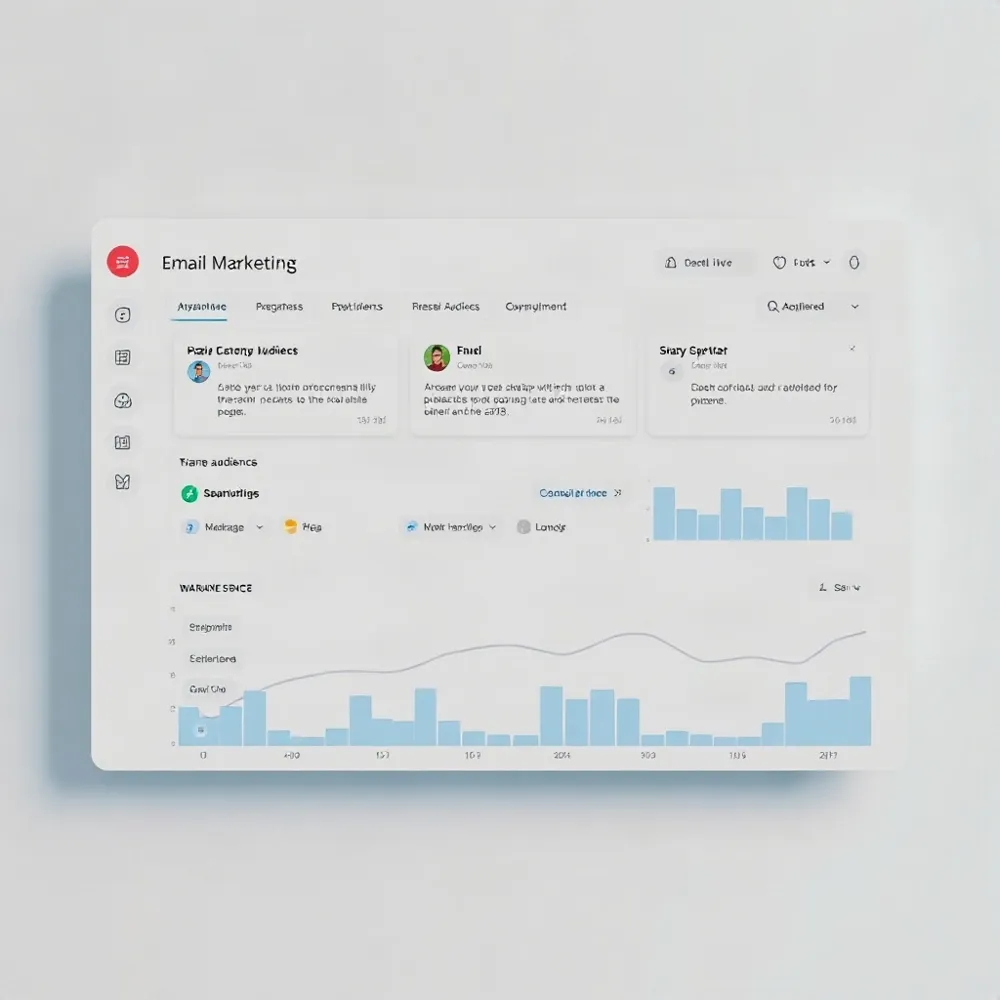
When every subscriber receives the same message, your most relevant offers get buried under noise. This happens when you skip segmentation — the practice of grouping contacts by behavior, purchase history, or lifecycle stage.
The impact is measurable. Segmented campaigns can see a revenue increase of up to 760%, and behavioral segmentation alone can boost click-through rates by 6.3 times. In contrast, sending to an unsegmented list produces lower engagement and higher unsubscribe rates.
A practical first step is to split your list into just two segments: active contacts (opened or clicked in the last 60–90 days) and inactive ones. From there, add splits by purchase category, signup source, or browsing behavior. Using behavioral data — such as past purchases or page visits — creates relevance that a simple first-name tag cannot match.
Digital Consulting Pros builds segmented workflows that target specific buyer actions, such as browse abandonment or recent-purchase cross-sells, so each message lands in the right inbox at the right moment.
Overlapping Automations That Frustrate Customers
Marketing automation platforms such as Klaviyo do not warn you when different flows overlap. A subscriber who just joined your list, abandoned a cart, and made a first purchase can receive a Welcome email, a cart recovery message, and a post-purchase thank-you all in the same afternoon. That collision confuses the recipient and erodes trust.
The consequences show up fast: higher unsubscribe rates, spam complaints, and a damaged sender reputation that reduces inbox placement across all your campaigns. One analysis of 500+ small business campaigns found that fixing common automation mistakes like overlapping flows increased email revenue by an average of 340%.
How to prevent flow collisions
Map the full customer journey before you build a single flow. Design your automation system in a logical sequence — Welcome → Abandonment → Post-Purchase → Winback — and add entry conditions and exit rules that prevent a contact from entering multiple workflows at the same time. For example, delay a browse abandonment send if the subscriber just made a purchase or received a welcome email within the last 48 hours.
Start with two or three essential workflows rather than launching everything at once. This gives your team time to test for overlap and adjust delays. Digital Consulting Pros follows this phased approach when setting up automation for clients, ensuring each flow has clear triggers and suppression rules before adding the next one. Gradually expanding from a small, stable foundation reduces confusion for both your team and your subscribers.
Neglected Deliverability: The Silent Revenue Killer

If you have ever wondered why your carefully crafted automated emails are not producing the revenue expected, the first place to look is deliverability. Average inbox placement rates sit between 83 and 86 percent, meaning one in six emails never reaches the audience.
The financial impact is clear: moving from 85 percent inbox placement to 95 percent can generate 20 to 30 percent more email revenue for a brand generating over $5 million annually. Those lost messages represent a silent drain on returns that accumulates with every send.
Root Causes and Remedies
The usual suspects behind poor deliverability include missing authentication records (SPF, DKIM, and DMARC), using purchased email lists, letting spam complaint rates exceed 0.1 percent, and failing to remove hard bounces. A single automated flow that racks up spam flags can lower inbox placement across the entire program.
Fixing these issues starts with authenticating the sending domain so inbox providers know messages are legitimate. After that, building a permission-based list and consistently suppressing unengaged contacts protects sender reputation. Digital Consulting Pros recommends reviewing bounce and complaint rates per flow every month to catch problems before they affect the whole list.
The Welcome Flow You Skipped (and the Revenue You Lost)
When a new subscriber joins your list, they are at their peak of interest. Most brands miss this window entirely or under-invest in the welcome sequence, letting that engagement decay within hours. The data is clear: welcome emails see open rates above 80%, and the first 24 to 48 hours represent the highest engagement window a brand will ever have with that contact.
A common mistake is leading with a discount. That approach trains subscribers to wait for offers before buying, which erodes margins and attracts customers with lower lifetime value. A better approach is to lead with your brand story and product value, saving the discount for the last email in the series. The agency approach at Digital Consulting Pros follows this structure, using behavioral triggers to time the offer based on engagement rather than sending it immediately.
Measuring performance by acquisition type helps validate the strategy. Compare lifetime value between subscribers who converted on a discount and those who converted on brand value. The numbers will show which approach builds a higher-quality customer base over time.
Cart and Browse Abandonment: Recovering the Unfinished Sale
Approximately 70% of shoppers add products to a cart and then leave without completing the purchase. Only a small portion of that lost revenue is automatically recovered. Building dedicated flows for cart and browse abandonment directly targets these high-intent visitors and recovers sales that would otherwise vanish.
The revenue potential is clear. According to aggregated ecommerce data, automated flows generate nearly 41% of total email revenue from just 5.3% of sends. On a per-recipient basis, flows drive roughly 18 times higher revenue than regular campaigns. That is a significant return for a small, targeted effort.
An effective abandonment flow combines product-specific content, a sense of urgency, and a single, clear call to action. Show the exact items left behind, include a time-limited incentive if margins allow, and make the “Return to Cart” button prominent. Avoid adding secondary offers or navigation links that dilute the primary goal.
Digital Consulting Pros can help design and implement these trigger-based flows as part of a broader automation strategy. Their experience with behavioral triggers and CRM integration ensures that abandonment flows capture the right contacts at the right moment, turning browsing behavior into completed orders.
Post‑Purchase Nurturing: The Repeat Revenue You’re Leaving Behind
Many brands stop communicating after the first transaction, treating the sale as the finish line rather than the start of a relationship. That silence leaves upsells, cross‑sells, reviews, and referrals on the table.
Post‑purchase emails see open rates roughly 17% higher than the average automated flow, and they often outperform new‑acquisition flows in revenue per recipient. Buyers are in a receptive mindset — they have already trusted you with their money and are primed for the next step.
A proven sequence blueprint includes four core messages: a Thank You email immediately, Product Tips 2–3 days later, a Review Request at 7–10 days, and a Cross‑Sell or Refill Offer at 2–4 weeks. First‑time buyers need a different journey than repeat purchasers — the former benefit from education and trust‑building, while the latter respond best to loyalty incentives and relevant add‑ons.
A well‑structured post‑purchase flow can shift a one‑time buyer into a recurring revenue stream without requiring additional ad spend. Digital Consulting Pros builds these tailored sequences as part of its email marketing services, helping clients retain customers and increase lifetime value through automated, behavior‑driven follow‑ups.
Set‑It‑and‑Forget‑It Syndrome: Why Automation Needs Regular Audits
Marketing automation flows are not one-and-done projects. They are dynamic systems that respond to audience behavior, product changes, and market conditions. Most brands launch their welcome, cart, and post-purchase flows and never revisit them, even as their customers’ expectations shift over time.
A flow written two years ago will not convert the same way today. Product catalogs change, pricing evolves, and the competitive landscape shifts. Without regular audits, underperforming segments drain budget while high-potential opportunities go untapped. Automated emails that are not maintained can generate lower engagement and erode subscriber trust.
Schedule reviews of every active flow at least once per quarter. During each audit, examine revenue per recipient, click-to-open rate, and unsubscribe rate. Test alternative subject lines, call-to-action copy, send delays, and segmentation rules. Cull underperformers that no longer serve the customer journey, and expand the tactics that drive measurable results.
A structured auditing cycle keeps your automations aligned with real customer behavior rather than assumptions from a year ago. Small adjustments to timing or messaging can recover revenue that would otherwise leak away month after month.
Ignoring A/B Testing: The Low‑Cost Leverage You Need
Most businesses would never launch a paid ad without testing the creative, yet a staggering 65% of brands rarely A/B test their automated emails, and 76% never test transactional ones at all. That is a missed opportunity that costs nothing to fix but pays out in measurable gains.
What to test and why
Subject lines. A simple split test on subject lines directly boosts open rates, and every extra open flows into more clicks and revenue from the same list.CTAs and send times. Testing button copy, placement, and delivery day/time removes guesswork from what your audience actually responds to.Trigger points and design. Even the delay before a follow-up email or the friendly-from name can shift engagement — and the only way to know is to test one variable at a time.
The rule is simple: test a single element, let the data pick the winner, and promote that version as the new baseline. Next cycle, pick another variable and repeat. Over four to six quarters, these small, compounding improvements turn an average automation program into a reliable revenue engine.
Poor Data Quality Drains Your Returns
Automation is only as intelligent as the data feeding it. Outdated, duplicate, or incomplete contact records quietly erode your returns before any email is sent. Up to 25% of B2B data contains errors, and those errors cause an estimated 12% loss in potential revenue.
Monthly data errors have risen from 59 in 2022 to 67 in 2024, according to a Monte Carlo Data survey. When your segmentation and targeting rely on bad records, every automated flow suffers — irrelevant offers land in inboxes, engagement drops, and sender reputation takes a hit.
The fix is a regular data hygiene routine. Run quarterly audits, use email validation tools, standardize how contacts enter your system, and integrate your marketing platform with your CRM. Poor data quality is a problem you can solve directly, not a mystery to be managed.
The payoff is substantial. Businesses that actively manage data quality report only 10% bad data and see up to 70% more revenue. Clean data means every automation dollar works harder because the right message reaches the right person every time.
Over‑Automation and the Loss of Human Touch
When every email sounds like it was written by a machine, subscribers notice. 71% of consumers expect personalized interactions, and 76% feel frustrated when they don’t get them. The signs of over-automation are unmistakable: high unsubscribe rates, low engagement, and rising spam complaints.
Balance Automation with Humanity. Automate repetitive tasks such as welcome sequences and transactional confirmations, but let sales and support teams handle high-touch moments like onboarding calls or escalated queries.Humanize Every Message. Use a real reply-to address (never “no-reply@”), include personal anecdotes where relevant, and write in a conversational tone that sounds like one person talking to another.
Digital Consulting Pros blends automation with human oversight, using real reply addresses and a decade of hands-on experience to ensure each message feels personal, not mass-produced. The result is automated communication that retains authenticity and earns engagement.
Sending Frequency Missteps: Too Many or Too Few Emails
Finding the right sending rhythm can feel like a guessing game, but the data is clear about the boundaries. A survey found that 86% of consumers are comfortable receiving promotional emails at least monthly, while only 15% want them daily. Sending too many emails annoys subscribers, drives up unsubscribes, and can trigger spam filters. Sending too few lets the brand fade from memory, making it harder to generate revenue when you finally hit send.
A frequency framework aligned with engagement levels helps avoid both extremes. For highly engaged contacts (active in the last 30 days), sending 10–12 emails per month is sustainable. Moderately engaged subscribers (30–90 days) respond well to 6–8 emails. Those with low engagement (90–120 days) should receive only 4–6, focused on re-engagement. Inactive contacts beyond 120 days should get no more than 3–4 winback-only emails before suppression.
Monitor your own unsubscribe and engagement trends to calibrate this cadence for your specific audience. A spike in opt-outs after a send day is a direct signal to pull back. The same logic applies across automated flows — overlapping workflows can easily push a subscriber past their tolerance threshold, undoing the trust built by a well-timed welcome or cart recovery sequence.
For businesses that lack the time or analytics bandwidth to fine-tune frequency on their own, a partner like Digital Consulting Pros can audit existing send patterns and build engagement-based segmentation that protects inbox placement while maximizing revenue from each list segment.
Weak CRM Integration Creates Data Silos
When your email platform and your customer relationship management (CRM) system do not communicate, every automated campaign suffers. Nearly half of marketers (46%) cite a lack of integration between marketing automation and CRM as a top challenge. This disconnect means no single view of the customer, forcing teams to manage duplicate records and guess at what a lead has already seen or purchased.
The result is missed personalisation opportunities and wasted effort. Without a unified data flow, a subscriber who just bought a premium product might receive a discount offer designed for new leads, creating a confusing experience that erodes trust. Companies that integrate email automation with their CRM see a 45% increase in sales productivity and a 27% boost in customer retention.
The fix is to use a platform that combines CRM and automation natively or to build a tight integration between separate systems. Platforms such as HubSpot and ActiveCampaign offer this unified approach, and Digital Consulting Pros helps clients configure these tools so that behavioral triggers, purchase history, and engagement data flow into one actionable record — eliminating silos and powering campaigns that feel personal because they are grounded in actual customer behavior.
From Leaks to Growth: Your Action Plan
Where to start
The fixes are all proven: segment your flows by behavior, audit deliverability every quarter, build post-purchase nurture sequences, run A/B tests on subject lines and CTAs, clean your data regularly, preserve a human tone, send at a frequency that matches engagement, and integrate your email platform with your CRM. Any one of these steps will lift revenue. The challenge is knowing which leak matters most in your specific setup.
Begin with a 90-day audit of every active automation. Pull each flow’s revenue-per-recipient, click-to-open rate, and unsubscribe rate. Rank them by revenue opportunity — the biggest gap between current performance and industry benchmark is your first target. For example, if your welcome series stops after one email and your open rates sit below 30%, expanding that flow is likely the highest-leverage move you can make. Fix one flow, measure the change, then move to the next. Digital Consulting Pros recommends this systematic approach: prioritize the single largest revenue leak, iterate, and repeat.
Email automation is a long-term relationship channel, not a one-time setup. Brands that treat it as a living system — reviewing flows quarterly, testing new triggers, pruning unengaged contacts — see returns compound. The same welcome flow that worked six months ago may underperform today because audience behavior shifted, a product line changed, or inbox placement rules tightened. Consistent optimization, not occasional overhauls, turns email into a reliable revenue engine.
Your next move
Commit to building a structured, data-backed email automation program. That means setting a fixed schedule for audits, documenting every flow’s performance, and making small, continuous improvements instead of waiting for a crisis. The businesses that do this turn email into their most predictable growth channel — not because they sent more emails, but because they sent the right email to the right person at the right moment, every time.
Abandoned Cart Email Sequences: Boost Ecommerce Sales
Why Nearly 70% of Carts Are Abandoned
The global cart abandonment rate has historically hovered around 70%, and in 2025 it climbed to 75.38%. For retailers globally, that represents roughly $18 billion in lost annual sales revenue. These are not casual browsers — 43% of abandoners say they were genuinely “just looking,” but the other half had clear purchase intent derailed by unexpected costs, checkout friction, or simple distraction.
This scale of abandonment makes cart recovery the highest-ROI email activity an ecommerce business can run. Abandoned cart emails consistently achieve open rates of 45-53% and click-through rates near 21%, far above any standard campaign. A well-optimized sequence can recover 10-15% of lost carts, and the return on investment often exceeds 400%. For small to medium-size enterprises and B2B firms in Malta, those are concrete revenue dollars left on the table each month.
Digital Consulting Pros addresses this gap directly for Maltese business owners. Through a results-driven methodology that combines email automation, AI-powered lead generation, and personalized buyer-persona targeting, the agency turns traffic from abandoned carts into qualified, measurable sales opportunities. Their decade of hands-on experience ensures that recovery workflows are tailored to local B2B and SME markets, where a single recovered lead can have outsized value.
What Are Abandoned Cart Emails?
An abandoned cart email is an automated message triggered when a shopper adds items to their cart but leaves without completing the purchase. A separate type, the abandoned checkout email, fires when someone reaches the checkout page and walks away. Both rely on first-party data collected with consent, which makes them compliant with privacy regulations like GDPR.
These emails work because the shopper has already shown high purchase intent. Studies show that a single abandoned cart email can recover 10–15% of lost sales. Many abandonments are accidental or driven by distractions rather than a firm decision not to buy. A simple, timely reminder can recover a sale that was nearly lost.
The tactic extends beyond traditional ecommerce. You can use abandoned cart emails to re-engage prospects who did not complete a free trial sign-up, paused a demo request, or left an upgrade flow unfinished. A well-timed sequence can bring back leads that have already demonstrated interest.
Digital Consulting Pros can help you set up these recovery flows as part of a broader email automation strategy, ensuring that every abandoned cart or stalled B2B sign-up receives a relevant follow-up without manual effort.
The ROI of Cart Recovery Emails
Abandoned cart emails consistently outpace standard ecommerce campaigns. They achieve an average open rate of 53% and a click-through rate of 21%, compared to typical campaign averages of 42% and 7%, respectively. Conversion rates for recovered cart flows land between 10% and 15%, a stark contrast to the 2.42% average for regular promotional emails.
The financial returns are equally strong. Each abandoned cart email generates an average of $5.81 in revenue, and accounts running these campaigns recover roughly $41,807 per month. Well-optimized flows deliver a return on investment of 20 to 50 times the cost of the email program itself, placing cart recovery among the highest-ROI activities in ecommerce marketing.
To capture this kind of return, the sequence must be timed and personalized correctly. A simple one-off reminder will not produce the same results. Digital Consulting Pros helps businesses build and optimize multi-step recovery flows that match these benchmarks, turning lost carts into a predictable revenue channel without wasting budget on blanket discounts.
Why Shoppers Abandon Their Carts
Understanding why shoppers leave is the first step to winning them back. Aggregate data from the Baymard Institute shows that nearly 43% of shoppers abandon carts simply because they are “just browsing” or not ready to buy, while 39% cite extra costs such as high shipping, taxes, or fees as the primary reason.
Checkout friction compounds the problem. Forced account creation turns away 24% of shoppers, and a complicated or lengthy checkout process drives another 17% to leave. Security concerns about credit card data also play a role, as trust in website safety remains a barrier for many.
Mobile and distractions contribute heavily as well. A shopper on a mobile device can be interrupted, run out of time, or simply get distracted mid-purchase. Unclear return policies, lack of preferred payment options, and slow delivery estimates all add final friction that pushes carts to abandonment.
The most effective recovery strategies start with knowing your own audience. Tools like heatmaps, surveys, and customer segmentation reveal whether your shoppers are price-sensitive, worried about returns, or just not ready. This understanding lets you tailor incentives and messaging rather than applying a generic fix.
The Optimal Three-Email Sequence
A single reminder email can recover some sales, but a structured sequence works far better. Research cited across the industry shows that sending multiple abandoned cart emails can recover significantly more revenue than a one-off message. For example, a study by SaleCycle found that three emails sent at the right intervals can recover up to 69% of abandoned carts, and accounts running cart abandonment campaigns recover an average of $41,807 monthly. Multi-step campaigns also generate a sales uplift of 21% compared to a single cart email.
The most effective flow spaces out three distinct messages, each with its own job.
Email 1. Send a friendly reminder within one hour of abandonment, while interest is still fresh. Keep it simple: show the exact items left behind, include a clear call-to-action, and don’t offer a discount. This alone can boost conversions by 20% compared with a 24-hour delay.Email 2. At the 24-hour mark, address the objections that commonly stop shoppers: shipping costs, return policies, or doubts about the product. Add social proof like customer reviews and ratings, plus links to your shipping and returns pages. This message reassures rather than pushes.Email 3. Between 48 and 72 hours, introduce urgency and a modest incentive. A time-limited discount (5-10%) or free shipping, paired with a low-stock or offer-expiry notice, gives hesitant buyers a reason to act now. Save the incentive for this final email so you don’t train customers to wait for a deal.
The sequence works because it matches how shoppers decide. The first email captures those who got distracted, the second reassures those with real concerns, and the third nudges the price-sensitive or impatient. That layered approach is why three emails consistently outperform one. To build this flow without the guesswork, Digital Consulting Pros designs and automates multi-step recovery sequences tailored to your customer segments, so you start converting abandoned carts into revenue from day one.
Timing Your Follow-Ups for Maximum Impact
Speed matters in cart recovery. Sending your first email within one hour of abandonment can lift conversions by as much as 20%, according to Amra & Elma research. Interest is still fresh, so a quick, gentle reminder captures shoppers at their peak intent rather than letting them cool off.
Not every cart deserves the same clock. High-value carts often have longer consideration windows; for expensive items, stretching the first follow-up to 6-12 hours gives shoppers time to compare and deliberate. Segmenting by cart value lets you tune timing to buyer psychology instead of applying one-size-fits-all delays.
Let data set the schedule
General benchmarks (1 hour, 24 hours, 48-72 hours) are a solid starting point, but your own open and conversion data should refine them. AI-powered platforms can predict when each subscriber is most likely to engage, adjusting send times and preventing over-messaging. At Digital Consulting Pros, we build these data-driven sequences for clients, combining AI timing with personalized triggers to maximize recovery without burning audience goodwill.
Over-messaging is a real risk. Too many emails spike unsubscribe rates and erode trust. Monitor unsubscribes, cap the sequence at three messages, and remove anyone who converts immediately. Respect the recipient’s inbox, and your recovery flow stays a welcome nudge, not a nuisance.
| Best window | Why it works | |
|---|---|---|
| First email | Within 1 hour | Capitalizes on fresh intent |
| Second email | 12-24 hours | Reinforces value, adds social proof |
| Third email | 48-72 hours | Introduces urgency or incentive |
Personalization: The Key to Higher Conversions
A generic reminder rarely wins the sale. Shoppers who abandoned their cart often need a nudge that feels tailored to them, showing the exact items they left behind and acknowledging their specific situation. Personalized abandoned cart emails do exactly that, and the results speak for themselves.
Research shows that personalization can lift the conversion rate of an abandoned cart email to around 20%, compared with the 10-15% typical of non-personalized campaigns. This is where the right tooling matters. Digital Consulting Pros uses customer data and automated email workflows to deliver the level of personalization that moves that metric. A simple name tag is not enough; dynamic content that reflects the shopper’s cart, browsing history, and past purchases drives the real gains.
Dynamic Content Done Right
At a minimum, every recovery email should include a clear product image, the product name, the price, and a direct link that restores the exact cart state, including any applied coupons. Go further by adding recommended items based on the shopper’s history. For example, an email that suggests a matching accessory based on past purchases can increase both conversion and average order value.
Product Images and Prices. Show the exact product left in the cart with current pricing. Dynamic images pull from your catalog, so the email always reflects live inventory and price.Product Recommendations. Suggest complementary or similar items based on the shopper’s cart and past behavior. These recommendations belong in later emails, once the initial reminder has gone unanswered.Segmented Offers. Tailor incentives by customer type. First-time visitors with a high-value cart might get a discount, while repeat customers who buy at full price should not, to avoid training them to wait for deals.
Segmentation is the engine behind effective personalization. By grouping shoppers by cart value, engagement level, and how often they buy, you can decide who needs a simple reminder, who needs social proof, and who needs a discount. Digital Consulting Pros applies this kind of data-driven segmentation in its email automation, helping businesses send the right message to the right shopper without giving away margin to customers who would have converted anyway.
Crafting Subject Lines That Get Opened
Nearly half of email recipients — 47% — decide whether to open a message based on the subject line alone. With that much weight on a single line of copy, the difference between a recovered sale and a deleted email often comes down to a few words.
Personalized subject lines consistently outperform generic ones. Including the customer’s name or the abandoned product name can lift open rates by 26% to 31% compared to non-personalized versions. A line like “[Name], your [Product Name] is waiting” feels specific and relevant; a generic “You left something behind” blends into the inbox noise.
Specificity matters more than cleverness. Subject lines that name the actual product or the benefit — such as “Free shipping on your cart” or “Still thinking about the [Product]?” — drive higher opens than vague reminders. Question-based formats that mirror the shopper’s internal debate tend to perform well because they feel conversational rather than broadcast.
Avoid the temptation to shout. Excessive capitalisation, spammy phrases like “ACT NOW!!!” or multiple exclamation marks trigger spam filters and erode trust. An urgent but professional tone — “Your cart expires soon” — creates the same pressure without damaging deliverability. Most ecommerce platforms, including the integrations that power automated flows on thisisdcp.com, allow you to A/B test subject-line variants so you can see which style your audience actually opens.
Incentives: Discounts and Free Shipping That Work
The right incentive can make the difference between a recovered sale and a lost customer. Free shipping often outperforms percentage discounts because it directly addresses the top reason shoppers abandon carts: unexpected costs. A curated approach to offers also protects margins and avoids conditioning shoppers to expect a discount every time.
Free shipping. As many as 39% of shoppers cite extra costs — mainly shipping — as their reason for leaving. Free shipping removes that barrier instantly and often converts better than a percentage discount, especially for mid-value carts. It protects profit margins more effectively than a 10% or 15% cut.Modest discounts (5-10%). When a percentage discount is appropriate, keep it modest — 5-10% — and deploy it only in the third email of the sequence. Saving the offer for the final touchpoint prevents customers from learning to abandon carts intentionally to get a deal.Realistic urgency. Countdown timers and low-stock alerts work best when the urgency is genuine. A time-limited discount that expires in 24-48 hours creates a natural deadline without damaging trust. Emphasizing product scarcity using real-time inventory data pushes hesitant buyers to act.
Digital Consulting Pros applies these incentive strategies within its own automated workflows, helping clients test free shipping versus modest discounts and set realistic urgency triggers that convert without eroding trust.
Social Proof and Urgency in Practice
Customer reviews are the most influential factor when someone makes an initial purchase with a brand, according to Klaviyo’s 2025 consumer marketing report. That influence carries directly into cart recovery: a shopper who hesitated once is far more likely to return when they see proof that others rated the product highly.
Using testimonials, star ratings, and trust badges
The most effective recovery emails do more than list the abandoned items. They weave in star ratings, a short testimonial, and risk-reducing signals like a money-back guarantee or a clear returns policy. Fable, for example, reinforces trust with 14,000+ five-star reviews and a 30-day money-back promise, alongside a free-shipping offer. Echo pairs a five-star testimonial with the same guarantee, giving hesitant shoppers concrete reasons to complete the order.
Scarcity and limited-time offers done right
Urgency works when it is genuine. A low-stock warning or a countdown timer tied to real inventory, or a discount that actually expires within 24 to 48 hours, nudges shoppers without eroding trust. Fabricating scarcity backfires: customers who catch a false “only 2 left” message may abandon the brand entirely.
Social proof. Use reviews, ratings, and trust badges in the second email of your sequence to address hesitation and build confidence.Urgency. Reserve genuine scarcity or a time-limited offer for the final email, when a gentle reminder alone has not converted.
Design and Mobile Optimization Essentials
Mobile devices account for 60% to 70% of email opens, so every abandoned cart message must be built for small screens first. That means short subject lines, single-column layouts, large tap targets, and fast-loading images. An email that looks perfect on desktop but forces pinch-and-zoom on a phone will lose the sale before the CTA loads.
A single, clear call-to-action (CTA) button dramatically outperforms clutter. Emails with one CTA generate 371% more clicks than those with multiple links or buttons. The CTA should use action-driven, empathy-based language — “Complete Your Purchase” or “Return to Your Cart” — and appear prominently after the product image so the path back to checkout requires zero thought.
High-quality product images and dynamic content that updates in real time (current price, stock level, applied coupons) reinforce the shopper’s original intent. Every link in the email should restore the exact cart state, including any discounts already applied, so the customer lands on a checkout page that looks exactly as they left it — not a dead end.
Mobile optimization and streamlined design are integral to how the agency builds recovery flows for clients, ensuring high-intent shoppers can convert from any device without friction.
Multi-Channel Recovery: Email, SMS, and Ads
Email is a powerful tool for cart recovery, but relying on it alone leaves revenue on the table. Combining email with SMS and retargeting ads can lift recovery rates by up to 45%, according to Dotdigital research.
SMS commands a 98% open rate, with nearly 90% of messages read within three minutes of delivery. Its speed makes it ideal for time-sensitive offers — a quick text with a direct cart link can nudge a shopper back to checkout within hours. However, SMS requires express consent (double opt-in in the US) and must be limited to one cart recovery message per recipient within 48 hours to stay compliant. Brands that add SMS to their email flows see a 47.7% boost in conversion likelihood.
Retargeting ads on Facebook, Instagram, or Google can show shoppers the exact products they left behind, reinforcing the message across channels. Dynamic product ads that reflect real-time inventory and pricing keep the offer current and relevant. Pairing these ads with email and SMS creates a cohesive reminder that follows the shopper from inbox to social feed, increasing overall conversion by 15-30% compared to email alone.
Push notifications offer another touchpoint, especially on mobile, where they bypass inbox filters and reach users instantly. For brands that have a mobile app, a well-timed push with a personalized message and a link back to the cart can re-engage shoppers who ignore email. Across all channels, compliance is non-negotiable: obtain explicit consent, include clear opt-out options, and honor unsubscribe requests promptly to maintain trust and stay within regulations like GDPR and CAN-SPAM.
Measuring Success and A/B Testing
A well-optimized abandoned cart flow can deliver a 20-50x return on investment, making it one of the highest-ROI email marketing activities a business can run. But without measurement, even a profitable sequence leaves revenue on the table. The three core metrics to track are recovery rate (the percentage of abandoned carts that convert into purchases), revenue recovered (total attributed dollar value), and revenue per email sent. A strong recovery rate sits between 10-15%, and automated sequences can lift total online sales volume by 20-30%.
A/B testing for better results
The difference between a good campaign and a great one often comes down to systematic A/B testing. Test subject lines (personalized vs. generic, question-based vs. urgency-driven), send times (1 hour vs. 2-4 hours after abandonment), and incentives (free shipping vs. 10% off). Personalized subject lines can achieve a ~46% open rate versus ~35% without personalization, a roughly 31% improvement. Tools like Google Analytics 4 track the full add-to-cart to purchase funnel, letting you pinpoint exactly where shoppers drop off.
Continuous optimization
Optimization is never a one-time effort. Monitor unsubscribe rates when adding more emails to a sequence — if they spike, reduce the frequency. Segment high-value carts from low-value ones and tailor incentives accordingly. By continuously testing and refining based on real data, you can turn a good recovery flow into a sustained revenue engine. Agencies like Digital Consulting Pros specialize in building and optimizing these data-driven email sequences, helping clients achieve measurable ROI from cart recovery.
Turn Abandoned Carts into Revenue
The tactics covered here are not experimental. Sending a three-email sequence with the first message timed within an hour, personalizing product reminders, and reserving incentives for the final touch consistently recover a meaningful share of lost sales. Measured against the effort required to set them up, few marketing activities deliver a comparable return.
Digital Consulting Pros builds and optimizes these flows for businesses in Malta and beyond, using proprietary tools such as the DCP Lead Generator™ to automate follow-ups and tailor each message to real shopping behavior. The agency’s decade of hands-on ecommerce work means your campaign is tuned for local audiences and ROI, not generic best practices.
Abandoned cart emails are a low-effort, high-ROI strategy. If you are ready to turn lost carts into revenue, partner with Digital Consulting Pros to set up a recovery flow that pays for itself quickly.

Automate Your Email Sales Cycle for Consistent Monthly Revenue
Why Manual Follow-Ups Are Killing Your Revenue
Most sales teams leave money on the table without realizing it. A 2025 ZoomInfo analysis of 50,000 B2B teams found that 44% of reps give up after a single follow-up, despite 80% of sales requiring at least five touches to close. That gap alone costs B2B companies an estimated $1.2 trillion annually.
Manual outreach is not just inefficient; it is unreliable. Reps forget to follow up on qualified leads 63% of the time, and only 12% follow up within the optimal two-to-three-day window. The result is a pipeline full of stalled opportunities and lost revenue.
Automation changes the math. Sales teams using automated workflows reclaim 8.5 hours per rep per week previously spent on manual follow-ups. These sequences also perform better: automated emails achieve 52% higher open rates and 332% more clicks than one-off messages, according to an Optifai analysis of 2.4 million emails. The reply rate jumps from 5.1% to 13%.
Digital Consulting Pros helps businesses replace that manual grind with data-driven sequences powered by its proprietary DCP Lead Generator™. The agency designs automated workflows that match the cadence and personalization today’s buyers expect, turning what was a chore into a consistent revenue engine.
The Cost of Missed Follow-Ups

The numbers paint a clear picture of just how much revenue slips away due to inconsistent follow-up. According to a ZoomInfo analysis of 50,000 sales teams, 44% of sales reps give up after just one attempt, even though 80% of sales require at least five follow-ups to close. This gap contributes to an estimated $1.2 trillion in lost revenue annually across B2B companies.
Why Manual Follow-Ups Fail
Forgetfulness. 63% of sales reps forget to follow up on qualified leads, and only 12% do so within the optimal 2–3 day window.Weak Messaging. 67% of manual follow-ups lack a clear value proposition, making it unlikely they’ll earn a reply.Inconsistent Cadence. Without a structured sequence, reps send follow-ups at irregular intervals, letting deals go cold.
Automation directly addresses each of these failure points. When teams switch from manual outreach to a structured email sequence, reply rates jump from 5.1% to 13%, based on an analysis of 2.4 million automated emails by Optifai customers. That more than doubling of replies translates directly into more conversations, more meetings, and more closed deals.
Digital Consulting Pros helps businesses replace manual follow-up chaos with automated cadences that fire at the right time with the right message. The DCP Lead Generator, for example, ensures every qualified lead receives a consistent, multi-touch sequence, so no opportunity falls through the cracks. For business owners tired of chasing leads manually, this shift alone recovers hours each week while stabilising the revenue pipeline.
The Revenue Multiplier Effect of Automation
The financial case for automation is overwhelming. Automated emails account for only 5.3% of total sends across 183,000+ brands on Klaviyo, yet they generate nearly 41% of all email revenue. This disproportionate return comes from timing: automated flows fire at the moment of highest intent, while batch campaigns hit inboxes whenever the sender decides.
The performance gap is stark. Automated email sequences deliver a 5.58% click rate versus 1.69% for one-off campaigns, and placed-order rates are 13 times higher. Overall, automated campaigns generate 320% more revenue than non-automated ones. For B2B specifically, the channel returns £29–£34 for every £1 spent, making it one of the highest-ROI channels available.
Segmentation multiplies these results further. Campaigns sent to targeted segments achieve up to 760% higher revenue. Digital Consulting Pros applies this same logic through its proprietary DCP Lead Generator™, building triggered sequences that keep prospect engagement high and conversion costs low.
Build a Six-Email Cold Sequence
The data is clear: a structured six-email cold outreach sequence generates the highest response rates, with the 6th email alone yielding a 27% reply rate. Most sales teams stop after one or two attempts, leaving the best-performing touchpoint on the table.
Timing matters as much as persistence. The optimal cadence starts with Day 0, then waits 3 days, then 4–5 days, then 7 days, and continues every 7–10 days. Sending on Tuesday between 1-3 PM lifts open rates by 27% compared to Monday, while sending on Friday after 3 PM drops them by 42%.
What Each Email Should Contain
A high-converting sequence follows a proven structure: a personalised opener, a social proof email, a resource or offer email, and finally a breakup email. This gives the prospect multiple reasons and angles to engage, rather than a single pitch repeated six times.
A/B testing sharpens every element. Testing subject lines improves open rates by 15-20%, and testing send times lifts response rates by 12%. Run these tests on the first two emails and apply the winning formula to the rest.
| Email # | Content Focus | Best Send Interval |
|---|---|---|
| 1 | Personalised opener | Day 0 |
| 2 | Social proof / credibility | Day 3 |
| 3 | Resource or case study | Day 7-8 |
| 4 | Value add / offer | Day 14-15 |
| 5 | Alternative pitch | Day 21-22 |
| 6 | Breakup email | Day 28-32 |
Building and managing these sequences effectively requires the right tooling and expertise. Digital Consulting Pros helps businesses set up automated cold sequences with correct timing, tested subject lines, and personalised content, turning a structured cadence into a reliable source of new meetings.
Speed Rules for Inbound Leads
When a prospect fills out a form or downloads a resource, the clock starts ticking. According to the Harvard Business Review Lead Response Study, contacting a lead within one hour boosts engagement by 7x, and those reached within five minutes are 9x more likely to convert. Every minute of delay is a lost opportunity.
The welcome email is the most critical automated message in your arsenal. Welcome emails achieve an average open rate of 51%, compared to the 21% average across all email types. To capture this peak attention, the welcome email should trigger instantly upon signup — the first 15 minutes show the highest engagement. Delaying this email by even a few hours drops response rates significantly.
Automation removes the dependence on a rep remembering to follow up. A properly configured CRM routes new leads immediately to the right owner, sends an introductory email, and sets a task for a follow-up call — all without human intervention. This ensures no lead falls through the cracks. A boutique hotel in Valletta, working with OARC Digital, generated €41k in incremental direct bookings in 90 days through a system that emphasized fast follow-ups alongside paid search and an AI WhatsApp concierge.
For Malta-based SMEs, the same principles apply. Digital Consulting Pros builds automated lead response workflows that trigger welcome sequences, assign leads to the right team member, and track follow-up performance — helping clients convert more inbound interest into qualified meetings without adding manual overhead.
Nurture Leads with Behaviour-Triggered Emails
Batch blasts treat every lead the same. Behaviour-triggered emails fire when a prospect shows specific intent, making them far more effective. These emails achieve 152% higher click rates than standard mass sends, per available industry benchmarks.
A standard B2B nurture cadence runs on Day 0, Day 2, Day 6, and Day 10. The first email delivers educational content. Subsequent messages introduce case studies and an ROI calculator. This progression builds trust before asking for a commitment and generates 450% or more qualified leads compared to untimed outreach.
For example, CentricsIT implemented triggered email campaigns tied to lead scoring and CRM data. The result was a 59% increase in lead generation and $1.5 million in revenue growth.
Set Up a Sales Handoff Trigger
A simple trigger rule can prevent leads from stalling in marketing nurture. When a contact accumulates three email opens and one content download, that signal turns them into a marketing-qualified lead (MQL). The system automatically creates a task for a sales rep, ensuring a human follows up at the moment of peak interest. Digital Consulting Pros builds this kind of trigger-and-action logic into its automated workflows, so warm leads never go cold due to manual oversight.
Personalisation at Scale Wins
Personalisation is no longer a nice-to-have. With 71% of consumers expecting personalised interactions and 80% of marketers confirming it improves email performance, generic blasts fall flat. The data backs this up: personalised subject lines lift open rates by 26%, and AI-driven personalisation pushes click-through rates 13% higher while boosting revenue by 41%.
The real leverage comes from dynamic content blocks. Emails that swap sections based on the recipient’s role, industry, or past behaviour see 29% more unique opens and 41% more unique clicks than static ones. The strongest results come from segmenting by firmographic data (company size, industry), technographic data (tools already in use), and intent signals (pricing page visits, content downloads).
Tools like the HubSpot Breeze Prospecting Agent put AI to work here, reporting 48% faster deal velocity by automatically personalising outreach based on CRM profiles. Digital Consulting Pros helps clients implement similar segmentation and dynamic content strategies, turning static lists into engaged segments and driving measurable pipeline growth.
Post-Meeting and Post-Demo Sequences
The meeting ends, and most salespeople disappear. That silence costs deals. Automated post-meeting sequences eliminate the gap, and the data shows it matters: sending a follow-up within 2 hours meets the expectation of 72% of prospects, and companies that use structured post-demo sequences close 41% more deals than those relying on manual follow-up (Gong 2024 Labs Research).
A proper automated workflow triggers the moment a meeting or demo ends. The system logs the outcome, sends a personalized recap email with the key points discussed and the agreed next steps, schedules the follow-up task in the CRM, and includes a meeting booking link for the next call. If the conversation requires a technical specialist, the workflow can route a notification to the solutions engineer automatically.
Automation also extends to converting replies into meetings. The Outreach Insights Group 2026 Agent Productivity Impact Report found that automated messaging doubled the reply-to-meeting conversion rate for both inbound and outbound sequences. That means a well-timed, automated response to a prospect’s reply books more calls from the same volume of conversation.
For teams looking to tighten this step, reviewing the post-demo workflow spans across sales and marketing is a natural next area to investigate. Digital Consulting Pros offers a suite of automated lead generation tools, including the DCP Lead Generator, that can automate these post-meeting triggers across your CRM and email platform, ensuring no prospect falls through the cracks after a live conversation.
Pick the Right Automation Tools
Choosing the right platform depends on your sales motion, team size, and existing tech stack. A tool built for one-to-one outbound sequences differs significantly from a platform designed for one-to-many marketing broadcasts.
Sales-Built vs. Marketing-Built Automation
Sales-built. Platforms like HubSpot Sales Hub, Outreach, and Salesloft support multi-step workflows, stop-on-reply logic, deep CRM syncing, and rep-level governance. They are designed for outbound teams that need to track replies and booked meetings as the primary metric.Marketing-built. Tools such as ActiveCampaign and Mailchimp excel at nurturing opted-in lists with broadcast campaigns, but they lack the per-rep visibility, CRM-field triggers, and branching logic that sales teams require for structured outbound sequences.
The average B2B sales team now runs 8.3 tools at a cost of $187 per rep per month, and 66% of reps say the sheer number of tools overwhelms them. Avoiding tool sprawl starts with piloting one platform against a single real workflow — such as a post-demo follow-up sequence — before committing to a full rollout.
Platform Options at Different Price Points
| Tool | Starting Price | Best For |
|---|---|---|
| HubSpot Sales Hub | Free (Starter $15/seat; Professional $90/seat + $1,500 onboarding) | Teams already using HubSpot CRM who want sequences, A/B testing, and lead routing |
| Outreach | Custom (quote-based) | Large enterprise teams that need governed multi-channel sequences and deep Salesforce integration |
| ActiveCampaign | $145/mo (5,000 contacts) | SMBs that want to unify marketing nurture and light sales follow-up in one platform |
| Lemlist | $79/user/mo | Cold-outbound teams that need a 600M+ lead database and multi-channel (email + LinkedIn) outreach |
| Woodpecker.co | $24/mo | Small teams that need budget-friendly cold email with free warm-up and condition-based campaigns |
For teams with an existing CRM and a well-defined outbound process, HubSpot Sales Hub’s free tier offers a low-risk starting point; its Professional tier unlocks sequences and the Breeze Prospecting Agent, which reports a 48% faster deal velocity. Digital Consulting Pros works with clients to evaluate their current stack and implement the right tool without the overhead of unused features, helping teams stay lean and focused on revenue-generating activities.
Warm-Up Your Domain and Protect Deliverability
Even the best-crafted automation sequence fails if your emails never reach the inbox. Sending cold campaigns from a brand-new or unconfigured domain is a fast track to the spam folder. Google and Yahoo require bulk senders (5,000+ emails per day) to authenticate with SPF, DKIM, and DMARC, maintain a spam complaint rate below 0.3%, and include a one-click unsubscribe link.
New domains must be warmed up over 4 to 6 weeks before they can safely handle cold outreach. During this period, send small volumes of highly engaged traffic to build sender reputation with mailbox providers. Tools like Lemlist and Amplemarket include built-in warm-up and deliverability monitoring, which can protect your domain from being flagged.
A bounce rate above 10% on any single cold batch can immediately flag your sending domain with Gmail and Microsoft, and full reputation recovery can take weeks. Keep bounce rates below 2% by verifying addresses before each send and using a double opt-in process for inbound lists.
After Apple Mail Privacy Protection launched, open rates rose by 18 points across thousands of accounts, making opens unreliable for B2B measurement. Use click-to-open rate instead — the average sits at 5.3%. Digital Consulting Pros helps clients configure authentication, manage warm-up timelines, and set up deliverability dashboards so automations land in inboxes, not spam folders.
Measure What Matters
Tracking the right metrics separates automation that drives consistent revenue from automation that merely sends emails. The average revenue per recipient (RPR) across all automation flows is $1.94, but top-10% performers achieve $16.96. If your flows are below $1.94, the issue is usually timing, segmentation, or data quality.
Different flow types produce different benchmarks. A welcome series averages $2.65 RPR, but top-10% performers reach $21.18. Post-purchase sequences average $0.41 RPR, with top performers hitting $5.14. These gaps show that high-performing execution is achievable and directly rewards investment in strategy.
Focus on click-to-open rate (target 8% or higher), bounce rate (keep below 2%), unsubscribe rate (below 0.5%), and conversion rate. A/B test subject lines for a 15-20% open-rate lift and test send times for a 12% response-rate lift. The strongest sales teams track pipeline influence and meetings created by linking automation data to their CRM.
Automated reporting keeps leadership informed without manual work. Configure daily stack rankings for individual reps and weekly revenue reports for managers. Digital Consulting Pros can help you set up these dashboards as part of their CRM integration and reporting services, so you always know which email flows are driving revenue and where to optimize next.
Common Mistakes That Kill Automations
A welcome email that arrives 20 minutes after a signup already feels late. Peak engagement is within the first 15 minutes, so any welcome sent beyond that window misses the moment of highest intent. The fix is simple: fire the welcome email on an instant trigger, not on a batch schedule.
Lazy segmentation is another trap that erodes returns. Sending the same message to a CEO and a manager in a different industry ignores their distinct needs. Tighter segmentation by role, industry, company size, or past behaviour can lift engagement by 40–70%, a gain that no content change alone can match.
Stale workflows that have not been updated in years may fire outdated offers, reference old products, or target contacts who have moved roles. A quarterly audit of every automation catches these gaps before they hurt performance.
Data quality also matters. Stale lists with high bounce rates damage sender reputation and drag down ROI. Regular list cleaning and re-verification keep deliverability healthy and automations landing in the inbox.
It is easy to overcomplicate automation before the basics are solid. Start with a welcome series, then add an abandoned cart recovery flow, then a post-purchase sequence. Each step builds on the last without overwhelming the system.
One common error: placing a discount in the first abandoned-cart email. That trains customers to abandon carts deliberately. Saving the offer for email #3 preserves margin while still recovering revenue from genuine abandonments.
Digital Consulting Pros: Your Automation Partner
Building automated email sequences that actually drive revenue requires more than just software. You need a partner who understands your business, your buyers, and the technical details that keep emails out of spam folders. Digital Consulting Pros is a full-service digital marketing agency based in Malta that has been delivering results-driven strategies since 2017.
The agency’s proprietary DCP Lead Generator™ uses AI to support prospecting and nurturing workflows, helping small to medium-size businesses turn traffic into qualified opportunities. Services include email automation setup, AI chatbots, CRM integration, B2B appointment setting, and database reactivation.
Pricing starts under €900 with a rate of €45 per hour, and engagements are month-to-month with no long-term contracts. A consultation lets you map out an automated email sales cycle built for your specific pipeline.
Consistency Through Automation
Replacing manual follow-ups with structured automation transforms a fragmented sales process into a predictable growth system. Automated sequences ensure every lead receives timely, relevant outreach, stabilising monthly revenue while reducing the cost per lead.
The core steps are straightforward: start with a welcome series that fires immediately on signup, build a six-email cold sequence with strategic spacing, trigger follow-ups based on behaviour, personalise messaging at scale, monitor deliverability closely, measure revenue per recipient (RPR), and avoid common pitfalls like delayed timing or lazy segmentation. These actions, applied together, compound results month over month.
Automation is not set-and-forget. Quarterly reviews and A/B testing of subject lines, send times, and offers keep performance high. The gains from one round of optimisation accumulate on top of the last, turning what was once a leaky bucket of manual effort into a reliable engine that produces consistent revenue.
Building and maintaining that engine takes expertise. Digital Consulting Pros designs bespoke automation workflows tailored to your business, combining a decade of hands-on experience with AI-driven tools such as the proprietary DCP Lead Generator™. They handle the setup, copywriting, segmentation, and ongoing optimisation so your team can focus on closing deals. Contact Digital Consulting Pros to turn your email sales cycle into a predictable, revenue-producing system that compounds growth every month.
Email marketing – the highest ROI strategy
What is email marketing?
Email marketing is a commercial channel used to deliver advertisements, offers, education, and other marketing content directly to an interested user’s email inbox.
Here are some metrics that can pique your interest for email marketing:
- 82% B2B and B2C companies use email marketing
- 75% Email revenue is generated by triggered campaigns
- 53% Emails opened on mobile devices
Email marketing can also be used in tandem with retargeting, SMS and direct mail.
There are various types of emails one can broadcast to their list:
- Announcement
- Product update
- Newsletter
- Event invitation
- Social media updates
- Internal updates
Automated emails can also be in the form of welcome, confirmation, thank you and abandoned cart emails.

What is a list?
A subscriber list is the contact information for all of the users who have requested emails and are allowed to be emailed.
Opt-in permission
Optins can be single or double.
Single optins result in efficient and easy list building whilst double optins result in slower but higher quality list growth.
Inbound Email Marketing
Email is inbound when it is used to attract highly qualified leads organically.
Its advantages are the following:
- Targets specific buyers
- Low-cost high-return channel
- Easier to personalize
- Generates high ROI
- Cheap in terms of cost per lead and cost per acquisition
- Fast, effective and measurable results
Legislation and Regulations
Regulations are designed to prevent spammers from acquiring people’s email addresses without their permission and sending them unsolicited emails.
Some notable regulations are the following:
CAN-SPAM constraints
CAN-SPAM stands for Controlling the Assault of Non-Solicited Pornography and Marketing Act of 2003
- Include physical address
- Simple opt-out process
- Can send to any user who has not “opted-out”
- Subject line must accurately reflect the content
- Identify the message as an ad
CASL constraints
CASL stands for Canadian Anti-Spam Legislation of 2014
- Emails sent only to consenting users
- A pre-checked box is not an express opt-in
- “Implied opt-in” valid for 24 months
- Social media interaction and conditional opt-ins are not valid
GDPR constraints
GDPR stands for the European Union’s General Data Protection Regulation of May 2018
- Marketing emails sent after explicit consent
- Personal user data protected
- Users may request any of their personal data
- Users may request data about them be deleted
Email Strategy
Segmentation
Segmentation is the division of email subscribers into smaller segments based on set criteria, such as geographic location, interests and purchase history.
Email marketers can use segmentation to cater to different email lists rather than creating one mass message for all.
There are many parameters for segmentation, namely:
- Demographics
- Job role/Industry/Company type
- Purchase history
- Web traffic
- Interest groups
- Clicks/Opens/Content format
- Change in engagement/behavior
Personalization
We all like exclusivity and emails are no exception. Having a personalized recommendation as a customer, addressed by name, and having a personalized search history (by product for example) are all strategies that keep us engaged and responsive.
Timing
Test your audience. Use A/B testing to get better insight into your audience’s preferences.
Send on optimal days. Emails sent between Tuesday and Thursday work best for B2B campaigns.
Send on optimal send times. Take account of customers across different time zones
Engagement
Make sure to welcome new subscribers.
Ask yourself: How often you will email them? What are your emails focused on? Make sure to simplify your email message.
Create targeted segments for your specific emails and always test your audience.
Analytics
Keep an eye on your email insights, normally handed to you by your email marketing service provider. Optimize according to your data for maximum business growth.
Email Service Providers
An Email Service Provider (ESP) operates and maintains the software and hardware for delivering bulk email. They provide a platform for managing and segmenting your contact lists, building email templates, and sending and tracking your campaigns on a large scale.
ESP Functions
Email Service Providers manage several functions namely:
- Contact Database
- Segmentation Personalization
- Automation Tracking
- Behavior
- Unsubscribe Management
- Email &Landing Page Creation
Email marketing can virtually be wholly automated with a plethora of services from where to choose from.
Example Services
Advantages and limitations
Advantages
- ESP Provisioning, Domain, and IP Setup
- Deliverability Reporting
- Enterprise MTA Configurations
- Bounce and Complaint Handling
Limitations
- Cheaper to send internally
- No control over rate limits and sending volumes
- Restricted to their reporting and user interface
Data Capture
To capture data, is to generate a lead, and one can do this by having a “lead magnet” in place.
This can be anyone of the following:
- Newsletter with relevant content
- Downloading a whitepaper
- Offering a coupon
- Free trial for your product/service
- Placing an order
Should I Rent Or Purchase A List?
The simple answer is: no. Such lists are not used to your language, and you will have no idea about their quality and responsiveness.
List Building
There are many ways you can build a list:
- Blog signups
- Social media signups
- Offline events
- Partners
- Opt-in media (lead magnets)
- Referrals
List Segmentation
It is very important to manage your contact database through list segmentation. You can have leads who never bought from you but conveyed interest, and customers who have already purchased once.
This will result in higher open and click through rates as well as lower complaints and unsubscribe rates.
Campaign Delivery
Email Campaign Creation
Here are the basic steps from start to finish:
- Identify the need for an email
- Define campaign requirements
- Write email copy
- Add email copy to an email template
- Set up email tracking (opens and clicks)
- Test your email
- Proof read your email
- Send your email
- Analyze your results
Deliverability Factors
Some factors affecting deliverability can be:
1. Custom Authentication: this is when an inbox will ask you to confirm that you are really sending the email, normally giving you a reasonable time window to do so, otherwise it will go to spam.
2. Single Opt-in: We recommend using single opt-in instead of a double opt-in although the latter protects against incorrect sign ups, reduces spambots and builds your sending reputation. You have to weigh the pros and cons on this one.
3. Domain: Sending from a free domain email address normally lowers your deliverability. Use address domains or authenticated subdomains as they help prevent ISP filters from blocking your emails, are instantly recognizable to your recipients and help build the sending reputation for your domain.
4. Subject Lines: Avoid using unclear or spam flagging subject lines such as using ALL CAPITALS, avoid excessive and unnecessary use of punctuation and using SP$C!AL CH@RCT3RZ sparingly, and only when relevant.
5. Images: Avoid Sending emails with too many images. Use alternative text for blocked images.
6. URL shorteners: Avoid general URL shorteners and inserting the full URL link as text. Instead, create a hyperlink with appropriate text and ensure all your links go to legitimate domains.
Campaign Delivery Challenges
The main challenges when delivering marketing emails are:
Bounces
Soft Bounce
- Temporary delivery failure
- Mailbox was full
- Receiving server was down
- Message too large
Hard Bounce
- Permanent delivery failure
- Email address is invalid or no longer in use
- Typo in email address
- Retries will not be successful
Spam Complaints
Why people report spam:
- Confused about who you are
- Unsure why you are emailing them
- Can’t find the unsubscribe link
Spam Traps
Typos: Email address with ISP domain misspelled (e.g. Comnast.net, Homtail.com)
Recycled: Email address that existed, then abandoned, and later reactivated by the ISP
Solicited: Email address that never opted into any email communication
Sending Volumes
ISPs look for:
- Consistent sending pattern
- Established sending history
- Spikes that trigger spam filters
Engagement
ISPs look for:
- Recipient’s engagement levels
- Type of engagement (open, click, save, reply, forward, move, etc.)
- Sender’s IP and domain reputation
Testing Before Sending
Test and Optimize
- Subject line
- From name
- Time of day
Reviewing previous performance
- Sent versus delivered
- Measure opens and clicks
- Monitor bounces and unsubscribes
Checking for blacklists
- Email address is on blacklist
- Domain is not authenticated
- Email contains errors
- No broken links
Understand, manage and remove
- Monitor Delivery: Track your email delivery by looking at bounce rates and response rates
- Good List Hygiene: Purge your list regularly of invalid emails and emails that do not respond (when sending a question email).
Final Thoughts
This is a very brief overview on email marketing and how it can help your business. Check out our blog posts on how to design the perfect email and how to test your emails and track your email marketing performance for a better outline on email marketing.
If you are looking to outsource email marketing, click here to get an email marketing strategy in place designed to get you and your business results!
Email Testing & Measuring Performance
Email Testing
Make sure you test your emails before sending en masse:
Seed Testing: List of emails you will send to before launch
Rendering Testing: How your email displays on various email clients and browsers
Load Testing: How quick your images load on desktop and mobile devices
You can use an email testing tool like Litmus.
With Litmus you can:
- Preview email in 70+ apps and devices
- Validate links, images and tracking
- Test load times
- Build email
- Access analytics

Components to test
Test the following components in your emails:
- Subject Line
- From Name
- Pre-header
- Calls to Action
- Social media icons and links
- Unsubscribe link and address
- HTML vs Text email
- Personalization
A/B Testing
A/B testing is a method of comparing two versions of an email against each other to determine which one performs better.
How does A/B testing work? Here is a great video that explains that:
Keep these tips in mind when doing A/B testing:
- Only test one variable at a time
- Split your groups equally and randomly
- Test early and test often for the best results
- Test as large a sample as you can for more accurate results
- Trust the data collected, not your gut instinct
A/B testing will lead to:
- Better understanding of each segment
- Determine the best subject line
- Improved content
- Increased conversion rates
- More sales
Measuring Campaign Performance
Click-through rate
What is it? Percentage of recipients who clicked on one or more links
How to calculate (Total OR Unique clicks / delivered emails) * 100
Example (500 clicks / 10,000 delivered) *100 = 5% CTR
Conversion rate
What is it? Percentage of recipients who clicked a link and completed desired action (purchase)
How to calculate (Number who completed desired action / delivered emails) * 100
Example (400 completed action / 10,000 delivered) *100 = 4% CTR
Bounce Rate
What is it? Percentage of emails sent that couldn’t be delivered
How to calculate (Bounced email/ emails sent) * 100
Example (75 bounced emails / 10,000 sent) * 100 = 0.75% bounce rate
Share/Forwarding Rate
What is it? Percentage of recipients who clicked “Share this” button to post to social media
How to calculate (clicks on share button / delivered emails) * 100
Example (100 clicks on button / 10,000 delivered) *100 = 1% share rate
List Growth
What is it? The growth of your subscriber list
How to calculate Add the number of new subscribers per week/month
Example 10 new subscribers a day = 70 per week
Overall ROI
What is it? Overall return on investment for the email campaign
How to calculate (($ in additional sales made minus $ invested in campaign) / $ invested in campaign) * 100
Example ($1,000 in additional sales – $100 invested in the campaign / $100 invested in the campaign) * 100 = a 900% return on investment for the campaign

Optimizing Campaign Performances
Optimizing Open rates
• Well-targeted subscriber lists
• Familiar sender name
• Effective subject lines with personalization
Click rates
Here are some tips to increase your click rates:
- Simple explicit CTAs – be direct.
- Multiple links for the same action – increasing your probability to getting a click.
- Offering deals for a limited time – scarcity encourages action.
- Testing different colors – seeing what works best.
Why optimize email for mobile
81% of people use their phones primarily for email – which is a good enough reason to optimize your emails for mobile.
You can do this by:
- Keep the flow of mobile all the way to the landing page
- Make images and emails lightweight for mobile devices
- Code for phone, tablet, and desktop
- Use reports to identify mobile device opens
Minimizing Bounces and Unsubscribes
Keep content relevant to your audience.
Ask yourself:
- Is the content aligned?
- Does subject line and content match?
- Are emails meeting subscriber expectations?
How to monitor for bounces and unsubscribes:
- Review campaign open and click dips
- Determine unsubscribes and reasons for complaints
- Understand campaign conversions
- Monitor for deliverability issues, including bounces
Final Thoughts
Email Marketing keeps topping the charts as the best ROI digital marketing strategy out there. You should also make sure to design the perfect email.
If you are looking to optimize and improve your email marketing, click here to get an email marketing strategy in place designed to get you and your business results.